

From Manuals to Mastery
Turn lengthy, text-heavy training manuals into clear, engaging, and memorable training videos that employees actually enjoy learning from.

Powered by world-class AI models


What Is an AI Training Manual Video Generator?
An AI Training Manual Video Generator is a tool that transforms written training materials—such as manuals, SOPs, onboarding guides, and compliance documents—into structured training videos. AI automatically summarizes content, creates visuals, and adds narration, making learning faster and more memorable.

From Lengthy Manuals to Engaging Training Videos — In Minutes
See complex training content transformed into clear, visual learning experiences
Before
Long PDFs, documents, or text-heavy training manuals
After
Engaging AI-generated training videos with visuals and narration
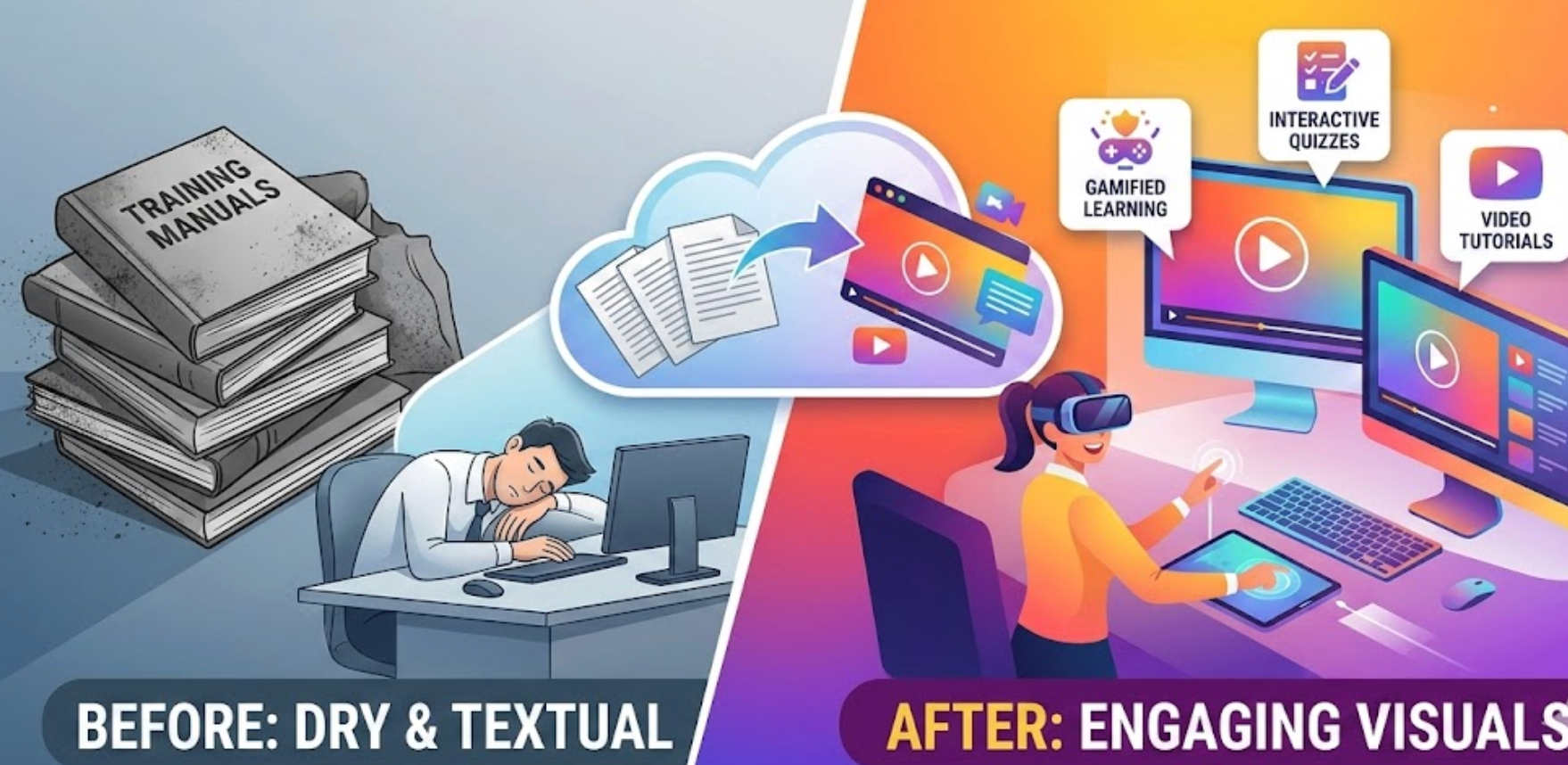
Before
Long PDFs, documents, or text-heavy training manuals
After
Engaging AI-generated training videos with visuals and narration
Why Convert Training Manuals into Videos with Medeo?
The easiest way to modernize employee training
Employee Onboarding
Reduce learning time by replacing dense text with interactive, step-by-step video training.
Knowledge Retention
Employees remember 80% of what they see versus only 20% of what they read.
Consistent Training
Deliver standardized training videos to ensure all employees follow the same process.
Perfect for Onboarding & SOPs
Ideal for new hire onboarding, internal processes, and workflow training.
Easy Updates & Revisions
Update your manual text and regenerate videos instantly when policies change.
No Video Production Skills Needed
AI handles structure, visuals, animations, and voiceover automatically.
From Manuals to Mastery
Transform documents into engaging learning videos
AI-Powered Video Training Templates
Select from professionally designed templates optimized for onboarding, compliance, and skill training.
Step-by-Step Visual Storytelling
Transform complex manuals into clear sequences with animations, diagrams, and highlighted steps.
Narration & Subtitles for Accessibility
Add AI voiceover and auto-generated captions to make training easy to follow for all learners.
How to Convert Training Manuals into Videos?
Step 1
Step 1: Upload Your Training Manual
Upload text, PDF, or slides — Medeo instantly prepares your content for video creation.
Step 2
Step 2: Choose a Training Template
Pick a design tailored for onboarding, compliance, or operational training.
Step 3
Step 3: Customize & Enhance
Add voiceover, subtitles, images, and animations to highlight key steps and make content engaging.
Step 4
Step 4: Export & Share with Employees
Publish in multiple formats and distribute across platforms for seamless training delivery.