
Turn SOPs into Visual Guides
Medeo helps you transform lengthy SOP documents into engaging, clear, and step-by-step visual videos, making staff training and compliance effortless.

Powered by world-class AI models


What Is an AI SOP Video Generator?
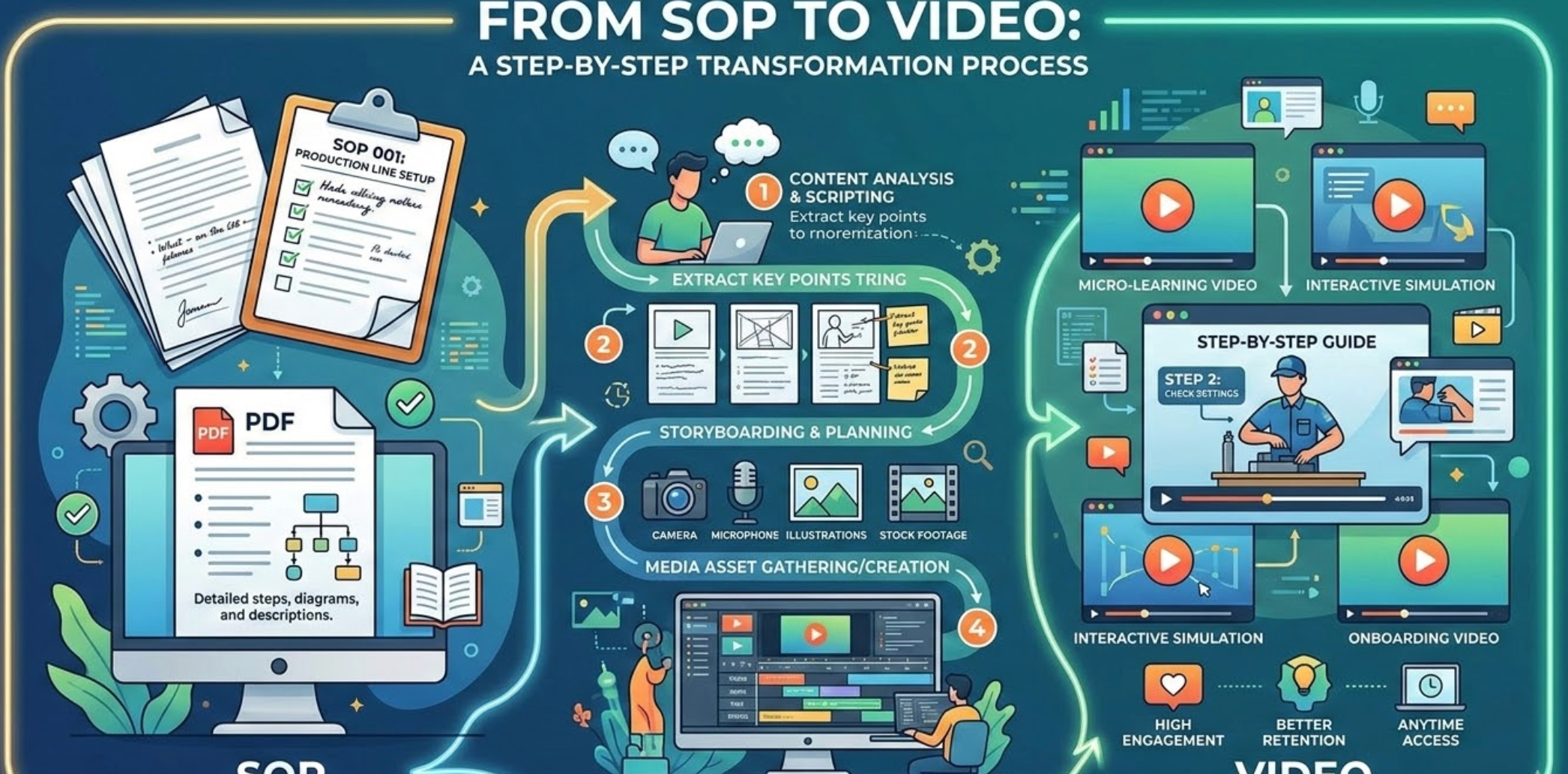
An AI SOP Video Generator converts written SOP documents into instructional videos. Using AI, it breaks down procedures into steps, adds visuals and narration, and creates standardized SOP videos that improve compliance, consistency, and execution across teams.

From SOP Documents to Step-by-Step Videos — Instantly
See complex procedures turned into visual workflows with AI
Before
Text-heavy SOPs, PDFs, or internal documents
After
Clear SOP videos with steps, visuals, and narration
Before
Text-heavy SOPs, PDFs, or internal documents
After
Clear SOP videos with steps, visuals, and narration
Why Convert SOPs to Videos with Medeo?
Standardize processes with clarity and speed
Faster Learning
Staff can understand complex procedures quickly through visual demonstrations instead of reading dense manuals.
Higher Compliance
Clear, step-by-step videos ensure employees follow processes accurately, reducing errors.
Cross Accessibility
SOP videos can be shared via internal portals, email, or social media platforms for easy access anytime.
Consistent Execution Across Teams
Ensure every employee follows the same standardized workflow.
Easy SOP Updates
Update your SOP text and regenerate videos instantly when processes change.
No Training or Video Skills Needed
AI handles structure, visuals, pacing, and narration automatically.
Perfect for Every SOP Use Case
Turn procedures into easy-to-follow video instructions
Custom SOP Video Templates
Choose from professional templates designed for operations, safety procedures, or workflow training.
Step-by-Step Animations
Visually break down each procedure with smooth transitions, highlights, and diagrams to emphasize critical steps.
AI Voiceover and Subtitles
Add clear AI narration and auto-generated captions to make SOP videos easy to follow for all employees.
How to Convert SOPs into Videos in 4 Steps
Step 1
Step 1: Upload Your SOP Document
Add your text, PDF, or slide deck to Medeo to begin video generation.
Step 2
Step 2: Pick a Training Template
Select a video layout optimized for step-by-step instructional content.
Step 3
Step 3: Customize Visuals & Narration
Highlight key steps, add AI voiceovers, diagrams, or animated sequences to improve comprehension.
Step 4
Step 4: Export & Share
Generate and share your SOP videos with staff via email, LMS, or internal communication platforms.