

Create Professional News Videos with AI
Medeo’s AI News Video Generator helps creators, media teams, and educators turn information into clear, professional news-style videos. Whether you're sharing breaking updates, summarizing events, creating explainer clips, or producing short-form news content, the AI structures your content into a clean, engaging format. With headline text, captions, voiceover support, and structured pacing, you can create high-quality news videos for TikTok, YouTube, and social platforms without traditional editing workflows.

Powered by world-class AI models


What Is a News Video Generator?
A news video generator is a tool that converts text, updates, or footage into structured video reports. It organizes information into a clear format with headlines, segments, and visual elements, making it easier to present news, summaries, and explanations in a video format.

From Raw Information to Polished News Video
See how AI transforms text and clips into structured, professional news-style content
Before
Unstructured notes, articles, or clips with no clear narrative or presentation.
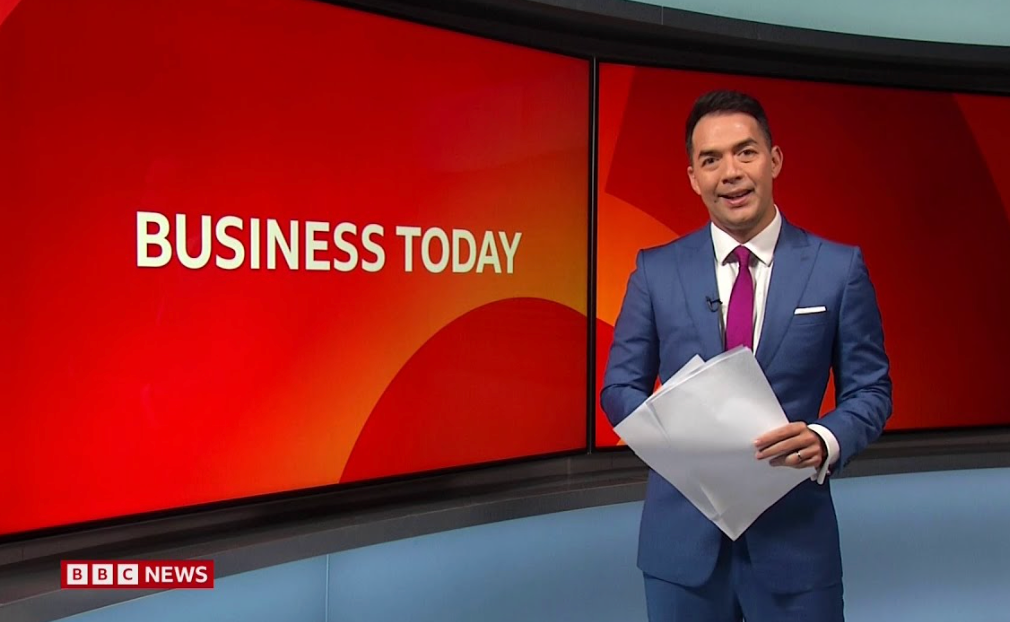
After
A clean news-style video with headlines, captions, structured flow, and professional pacing.

Before
Unstructured notes, articles, or clips with no clear narrative or presentation.
After
A clean news-style video with headlines, captions, structured flow, and professional pacing.
Why News Videos Work on Social Media
Short-form news videos are effective because they deliver information quickly, clearly, and in a format that fits modern viewing habits.
Clear and Structured Information Delivery
Present updates in a logical format with headlines, key points, and concise storytelling.
Optimized for Short Attention Spans
Deliver important information quickly in formats suitable for TikTok, Reels, and Shorts.
Great for Explainers and Summaries
Break down complex topics into simple, easy-to-understand video segments.
Build Authority and Credibility
Consistent news-style formatting helps create a professional and trustworthy presence.
Fast Content Production
Turn text or updates into videos quickly without manual editing or production teams.
No Editing Experience Required
AI handles formatting, captions, and pacing automatically.
Tools for News-Style Videos
Everything you need to create clear, professional news videos for modern platforms.
Headline and Text Structuring
Automatically convert content into headlines, subpoints, and structured segments.
Captions and On-Screen Text
Add readable captions and key phrases to improve clarity and accessibility.
Segmented Story Flow
Organize videos into intro, main points, and conclusion for better storytelling.
Voiceover and Background Audio
Support narration with clean audio and subtle background sound.
Visual Support for Information
Combine text, images, and clips to reinforce key points in the video.
Export for Social Platforms
Export videos optimized for TikTok, YouTube Shorts, and other platforms.
How to Create a News Video
Step 1
Add Your Content
Input text, headlines, or clips you want to turn into a news-style video.
Step 2
Choose a Format
Select a format such as breaking news, explainer, or short update.
Step 3
Generate the Video
The AI structures your content into a clear video with captions and pacing.
Step 4
Export and Share
Download your video and publish it on your preferred platform.