
Create Professional Car Review Videos with AI
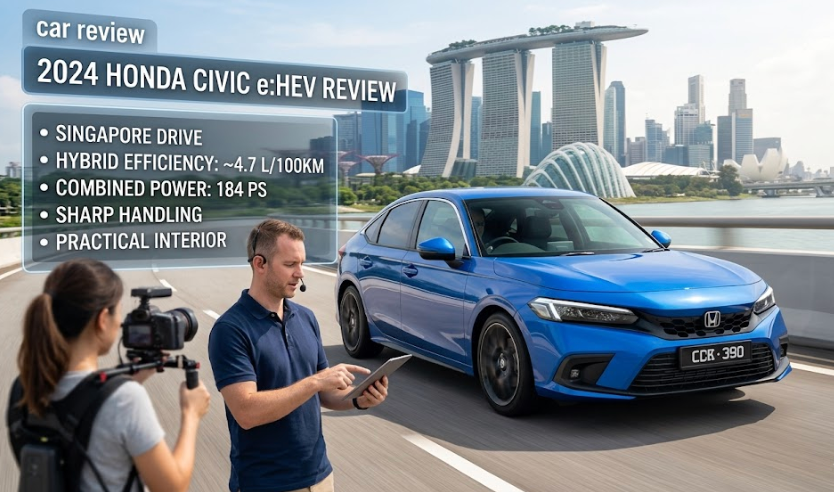
Medeo’s AI Car Review Video Generator helps creators, dealerships, and automotive enthusiasts turn raw footage, specifications, and opinions into polished car review videos. Whether you're reviewing a new model, comparing trims, or sharing a test drive experience, the AI structures your content into a clear narrative with sections like exterior, interior, performance, features, pros and cons, and final verdict. It automatically adds captions, transitions, voiceover, and visuals such as spec overlays and comparison charts.
Powered by world-class AI models


What Is an AI Car Review Video Generator?
An AI Car Review Video Generator is a tool that converts vehicle footage, specifications, and review notes into a structured video. Using artificial intelligence, it organizes content into logical sections (exterior, interior, performance, tech), adds captions and voiceover, overlays key specs, and creates a cohesive storyline. These videos help viewers quickly understand a car’s strengths, weaknesses, and value.

From Raw Footage to Structured Car Review Video
See how AI transforms clips and specs into a clear, engaging automotive review
Before
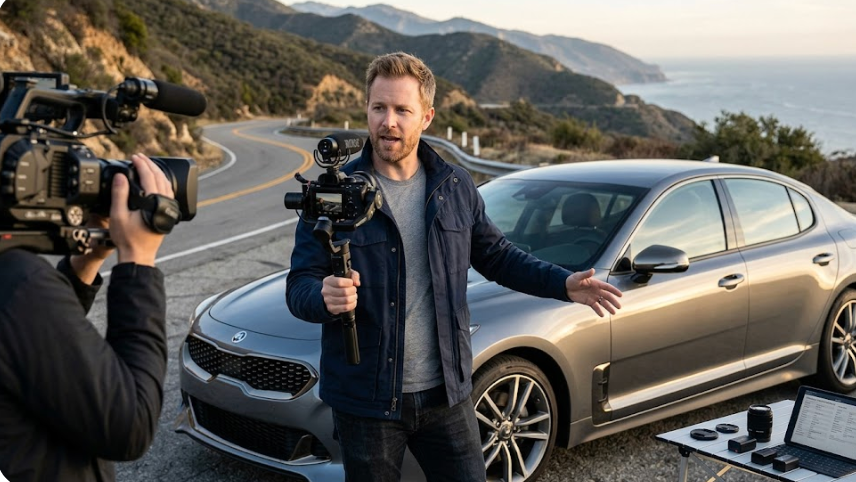
Unedited clips and scattered notes about a car without a clear structure.
After
A polished review video with sections, captions, comparisons, and a strong narrative.

Before
Unedited clips and scattered notes about a car without a clear structure.
After
A polished review video with sections, captions, comparisons, and a strong narrative.
Why Use an AI Car Review Video Generator?
Create clear, engaging automotive reviews that inform viewers and drive engagement.
Structured Review Format
Automatically organize content into exterior, interior, performance, features, pros/cons, and verdict.
Spec Overlays & Comparisons
Display horsepower, torque, MPG, pricing, and competitor comparisons directly in the video.
Voiceover & Captions
Generate natural voiceovers and captions to explain features and keep viewers engaged.
Perfect for YouTube & Shorts
Create both long-form reviews and short clips optimized for TikTok, Reels, and Shorts.
Save Editing Time
Turn raw clips and notes into a finished video in minutes with AI automation.
No Editing Skills Required
AI handles sequencing, transitions, overlays, and audio automatically.
Powerful Car Review Video Features
Everything you need to create professional automotive review videos.
Auto Scene Structuring
Segment footage into exterior walkaround, interior, driving shots, and conclusion.
Specs & Data Overlays
Add key metrics like engine specs, 0–60 times, fuel economy, and pricing.
Side-by-Side Comparisons
Compare models, trims, or competitors with split-screen or chart visuals.
AI Voiceover
Generate clear narration from your script or notes with multiple voice styles.
Captions & Callouts
Highlight features like infotainment, safety tech, and driving impressions.
Multi-Platform Export
Export horizontal videos for YouTube and vertical cuts for TikTok and Reels.
How to Create a Car Review Video with AI?
Step 1
Upload Footage & Specs
Add your clips, photos, and vehicle specifications or notes to guide the review.
Step 2
Choose Review Template
Select a format such as full review, quick review, or comparison video.
Step 3
AI Generates the Video
The AI structures scenes, adds overlays, captions, and voiceover automatically.
Step 4
Export and Publish
Download your video and publish on YouTube, TikTok, or dealership channels.