
Turn Internal Communications into Engaging Videos with AI
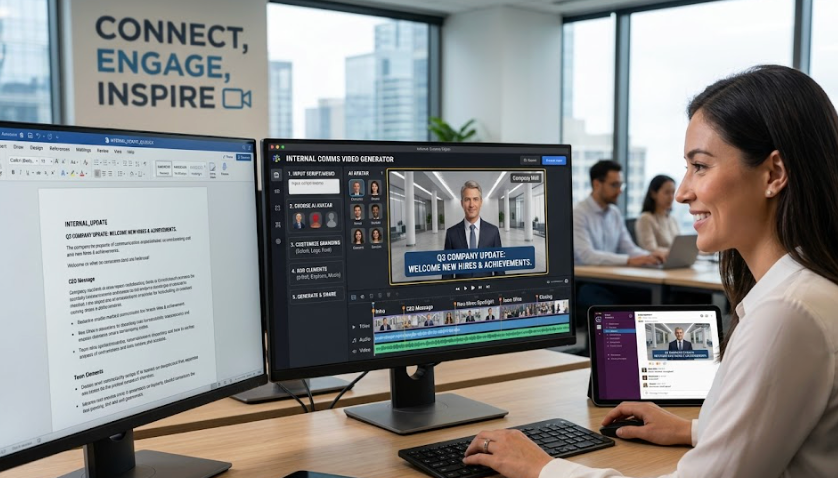
Medeo’s AI Internal Comms Video Generator helps companies, HR teams, and leadership transform internal messages into clear, engaging video content. Whether you're sharing company updates, leadership announcements, onboarding materials, policy changes, or training content, the AI converts text into structured videos with visuals, captions, and voiceover.
Powered by world-class AI models


What Is an AI Internal Comms Video Generator?
An AI Internal Comms Video Generator is a tool that converts internal communication materials into video content. Using artificial intelligence, it analyzes announcements, updates, or training materials and transforms them into structured videos with visuals, captions, and narration. These videos make it easier for employees to understand and retain key information.

From Text-Based Announcements to Engaging Internal Videos
See how AI transforms internal communications into clear, visual content
Before
Long emails or documents that employees may overlook or misunderstand.
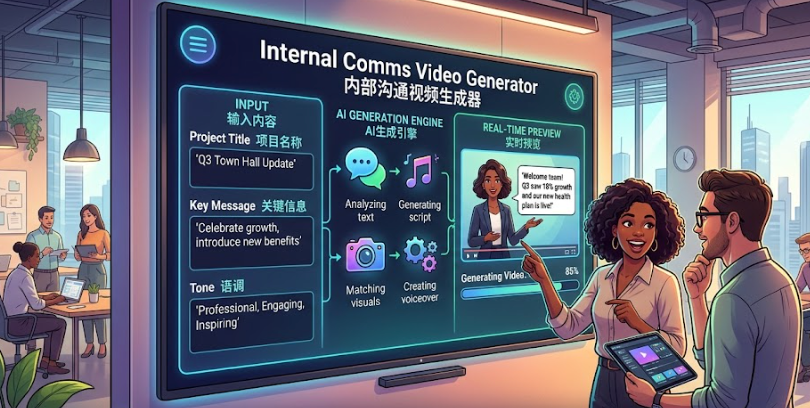
After
Structured video messages with visuals, captions, and voiceover for better engagement.
Before
Long emails or documents that employees may overlook or misunderstand.
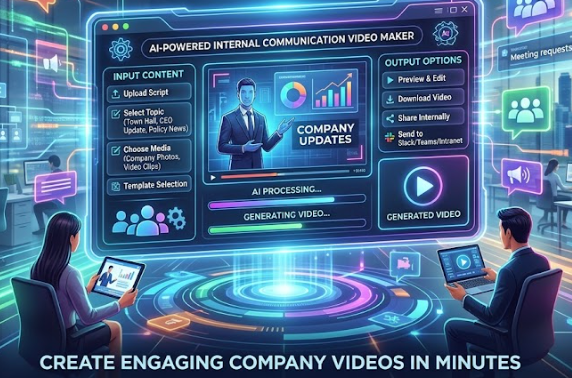
After
Structured video messages with visuals, captions, and voiceover for better engagement.
Why Use an AI Internal Comms Video Generator?
Improve communication clarity, engagement, and consistency across your organization.
Increase Employee Engagement
Video communication is more engaging than emails or documents, leading to better attention and retention.
Simplify Complex Information
Break down policies, updates, and training into easy-to-understand visual content.
Ensure Consistent Messaging
Deliver standardized communication across teams, departments, and locations.
Perfect for HR & Leadership
Create onboarding videos, company announcements, and leadership updates efficiently.
Save Time and Resources
Automatically generate videos without the need for production teams or editing tools.
Improve Information Retention
Employees are more likely to remember information presented in video format.
Powerful Internal Communication Video Features
Everything you need to create effective and professional internal communication videos.
Text-to-Video Conversion
Convert internal messages, announcements, and documents into structured video content with clear sections and logical flow.
AI Voiceover Narration
Generate natural voiceovers that communicate messages clearly, with customizable tone for formal or conversational styles.
Captions & Key Message Highlighting
Add captions and emphasize key points to ensure clarity and accessibility for all employees.
Visual Templates for Business Content
Use professional templates designed for corporate communication, including slides, charts, and structured layouts.
Multi-Section Content Structuring
Organize videos into sections such as announcements, updates, action items, and next steps for better comprehension.
Multi-Platform Distribution
Export videos for internal platforms such as intranet portals, email, Slack, Microsoft Teams, and mobile viewing.
How to Create Internal Communication Videos with AI?
Step 1
Input Your Internal Message
Paste or upload your content, such as announcements, policy updates, onboarding materials, or training documents.
Step 2
Select Video Style & Tone
Choose a format such as leadership announcement, onboarding video, or training module, and adjust tone and pacing.
Step 3
AI Converts Content into Video
The AI structures your message, generates visuals, adds captions, and creates voiceover narration automatically.
Step 4
Review, Export, and Share
Preview your video, make adjustments if needed, and distribute it across internal communication channels.