
Accurate Schedule Simulator AI Video Maker
Convert your raw daily routines or complex life-management scenarios into high-engagement simulation films. Engineered for Chronos Architects to visualize their productivity paths and strategic timelines through advanced AI synthesis.

Powered by world-class AI models


What is a Schedule Simulator Video Generator?
A Schedule Simulator Video Generator is an automated production engine designed to craft high-visualization media based on the intricate dynamics of time management and routine optimization. Utilizing neural networks, the system scans your scheduling data or descriptive prompts to pinpoint critical efficiency markers—such as peak focus windows, successful habit chains, or optimized task transitions. It then organizes these sequences into a synchronized timeline, applying sleek "digital twin" filters and procedural motion effects. This allows creators to build high-spec Schedule Simulator video content rapidly, bypassing the steep learning curve of professional motion graphics and data visualization software.

From Static Plans to Schedule Simulation - In Seconds
Experience the transition from a basic calendar to a professional-grade simulation video
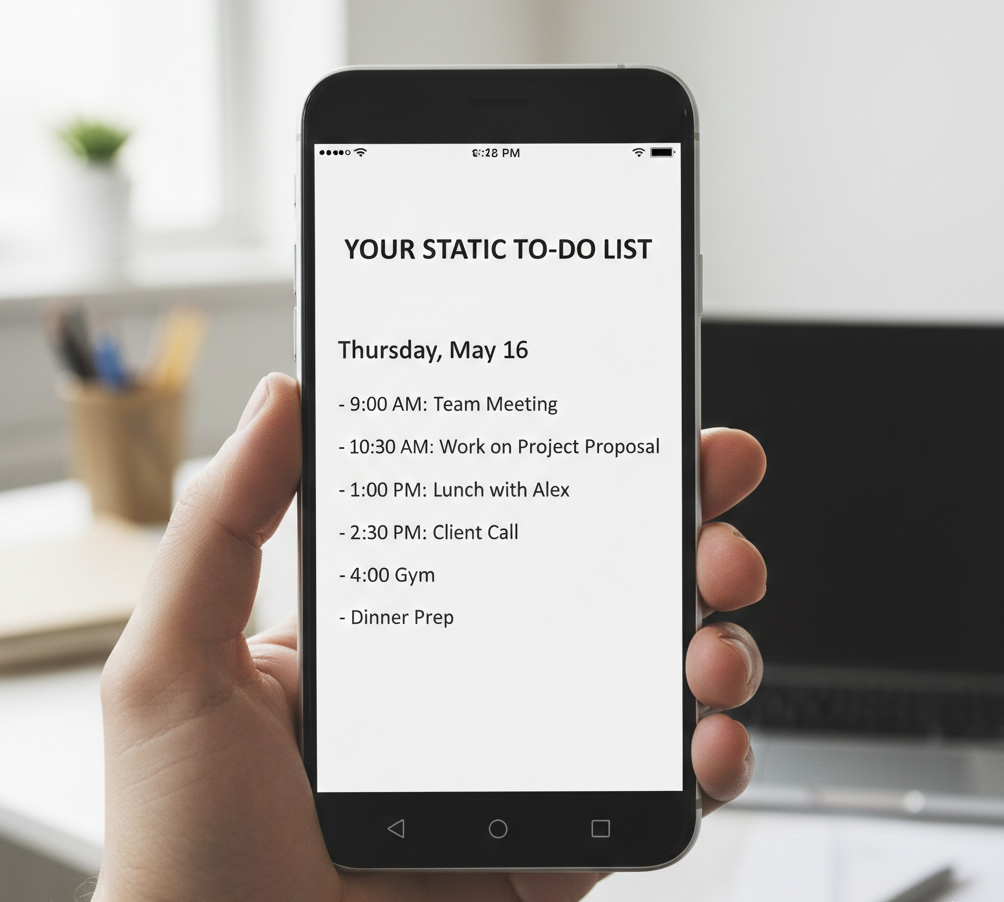
Before
A text-based to-do list
After
A refined, AI-engineered Schedule Simulator video
Before
A text-based to-do list
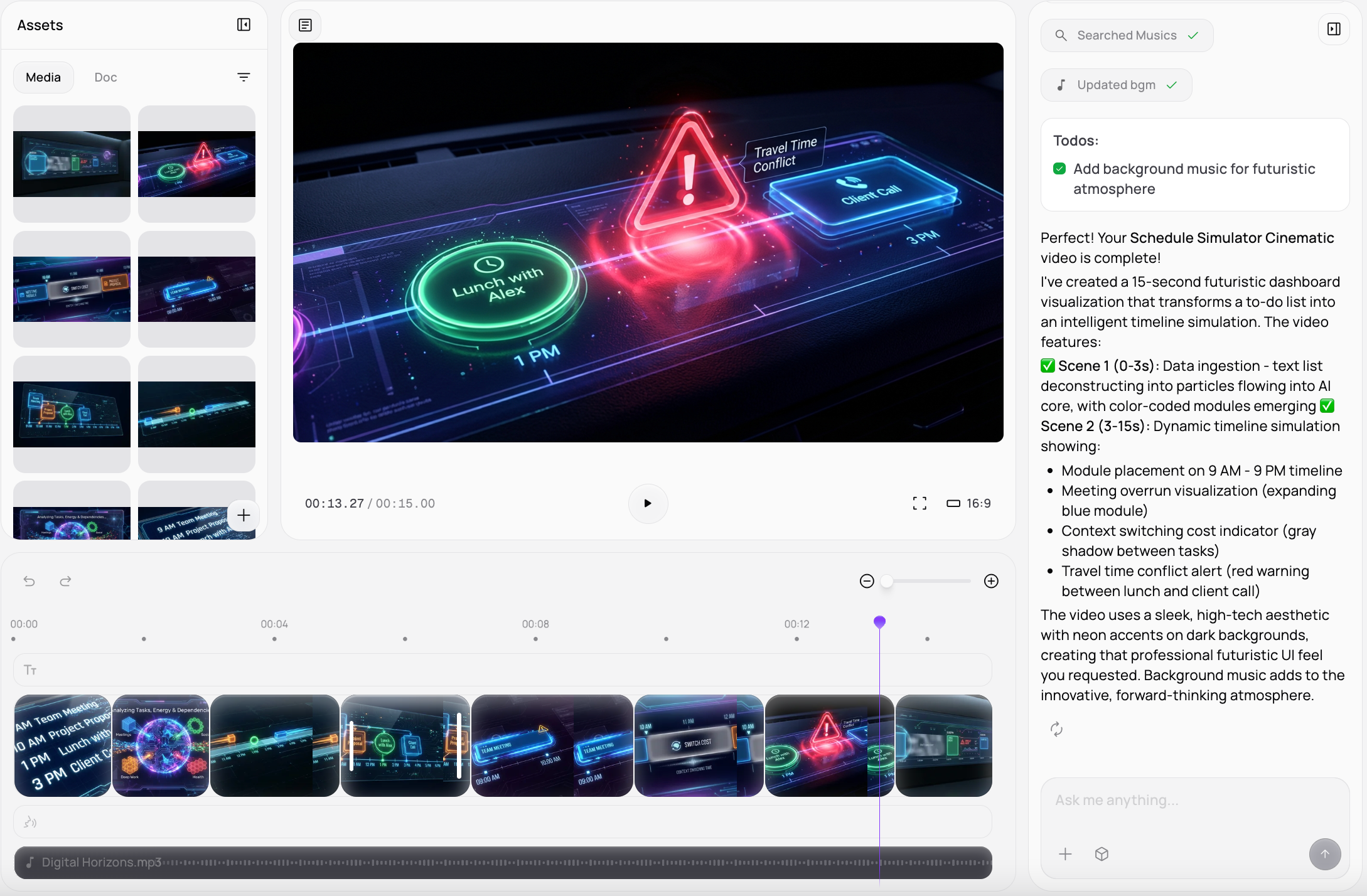
After
A refined, AI-engineered Schedule Simulator video
Why Deploy Medeo's Schedule Simulator Video Generator?
The premier solution for immortalizing your most strategic time-hacks and life-simulation feats.
Automated Timeline Synchronization
The AI aligns your task completions and habit triggers with rhythmic audio cues for a seamless sensory experience.
Signature Productivity Aesthetic
Our engine applies thematic overlays—including minimalist UI elements, floating schedule nodes, and focus-enhancing color palettes.
Streamlined Interface for Every Strategist
Produce studio-level simulation reels without any background in data design; our AI handles the heavy lifting of visual composition.
Multi-Platform Optimization
Generate vertical "Day in the Life" clips for TikTok and Reels or cinematic deep-dives for YouTube productivity channels.
Professional Sound Engineering
Automatically integrates lo-fi focus tracks, haptic sound effects, and ambient environmental noise to heighten the immersive simulation.
Elite Visual Output
Ensure your routine archives are rendered in crystal-clear definition, capturing every second of the optimized workflow.
Essential for Every Productivity Influencer
Adapt your routine footage for various educational networks and global self-improvement communities.
YouTube "Master Routine" Deep-Dives
Build comprehensive visual guides that highlight your strategic morning rituals and deep-work mastery across various professions.
TikTok & Reels "Focus Challenge" Edits
Produce fast-paced, high-engagement snippets of habit stacking and time-blocking results for social growth.
Habit-Building Progress Montages
Create polished videos that document the transformation of your daily life from chaotic to optimized over a 30-day simulation.
Narrative Career Path Simulations
Transform text-based "what-if" career scenarios or long-term life goals into immersive visual experiences with AI-generated scenes.
High-Stake Exam Prep Timelines
Quickly compile your successful study marathons into a motivational reel that demonstrates your persistence and focus.
Collaborative Project Workflows
Document your most successful team-based timelines with specialized multi-track effects and clear, atmospheric planning audio.
How to Author Your Simulation Film with Medeo?
Step 1
Submit Routine Data to the Schedule Simulator Video Generator
Input your digital calendar logs or provide a detailed scenario of the optimized day you want the AI to visualize.
Step 2
Tactical AI Processing & Selection
The system evaluates your schedule for peak "efficiency" moments and structures a cohesive, high-impact time-management narrative.
Step 3
Applied Themes & Custom Grading
Select your desired simulation aesthetic and adjust the intensity of the digital overlays and soundtrack to fit the routine's energy.
Step 4
Final Rendering & Deployment
Execute the generation to finalize your ultra-HD Schedule Simulator video and share it immediately with your community.