
PPT Video
Create a PPT-style explainer video based on the reference materials, content outline, and visual style you provided.
Video templates
View All >

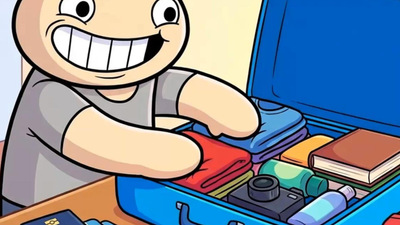
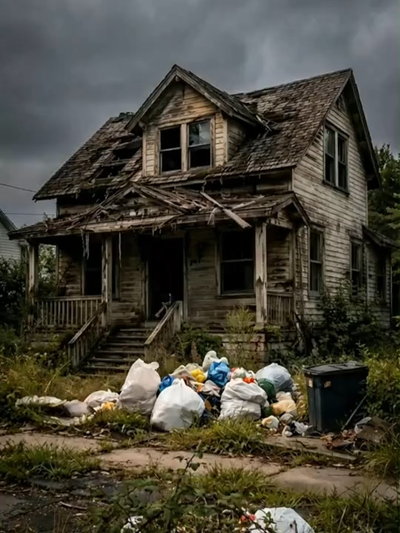
What Is a PPT Video Template?
A ppt video template transforms your story ideas into animated videos with consistent characters and authentic aesthetics. What once required months of production now takes minutes—no animation experience needed.
How to Generate PPT Video with Template
Create professional videos in three simple steps—no animation experience required.
Step 1
Choose Your Story
Select a genre and outline your plot. Describe the main characters, their goals, and the world they inhabit. You can also upload reference images for character consistency.
Step 2
Customize the Style
Pick your preferred aesthetic and adjust visual settings like lighting, color palette, and scene atmosphere to match your vision.
Step 3
Generate & Refine
Click generate and let AI create your video. Preview each scene and adjust prompts for perfect results. Export in your preferred format when satisfied.
Key Features of PPT Video Template
Discover the powerful capabilities that make video creation effortless.
Character Consistency
Maintain consistent character appearances across all scenes with AI-powered reference tracking.
Style Presets
Choose from a variety of visual styles including anime, realistic, cinematic, and more.
Scene Generation
Automatically generate complete scenes with backgrounds, lighting, and camera angles.
Audio Synchronization
Add background music and sound effects that perfectly sync with your video content.
Export Options
Export in multiple formats and resolutions suitable for social media or professional use.
Quick Preview
Preview your video in real-time and make adjustments before final rendering.
Who Can Benefit from PPT Video Template
Perfect for creators at every skill level looking to bring their stories to life.
Content Creators
YouTubers and social media creators looking to produce engaging animated content quickly.
Educators
Teachers and trainers who want to create educational videos with visual storytelling.
Marketers
Marketing teams creating promotional videos, explainer content, and brand stories.
Storytellers
Writers and artists who want to visualize their stories without animation expertise.
Game Developers
Indie developers creating cutscenes, trailers, or promotional content for their games.
Hobbyists
Anyone interested in creating fun, engaging videos for personal projects or social sharing.
Tips for Creating Amazing PPT Video Videos
Follow these best practices to get the most out of your video creation experience.
Write Clear Descriptions
Be specific and detailed in your prompts to help the AI understand exactly what you want.
Use Reference Images
Upload character designs or style references to ensure consistency throughout your video.
Start Simple
Begin with shorter scenes to understand how the AI interprets your prompts before tackling longer projects.
Iterate and Refine
Use the preview feature to check results and adjust your prompts for better outcomes.
Leverage Style Presets
Experiment with different style presets to find the perfect aesthetic for your story.
Plan Your Story
Outline your narrative structure before generating to ensure a cohesive final video.
FAQs
How does character consistency work?
Our AI analyzes your character descriptions or uploaded designs and creates a consistent visual model. This model is referenced throughout the entire video generation process, ensuring your characters look identical in every scene—same facial features, clothing, and proportions.
Can I upload my own character designs?
Yes! You can upload character artwork, reference images, or even rough sketches. The AI will learn from your designs and maintain their appearance throughout the video. This is perfect for creators who already have established characters they want to animate.
What video styles can I create?
The template supports various styles and genres. You can specify your preferred style in the prompt, and the AI will adapt the visual aesthetics, pacing, and mood accordingly.
How long can my video be?
You can create videos ranging from 30 seconds to 5 minutes. Longer narratives can be broken into episodes or chapters. The AI automatically structures scenes and pacing based on your story length.
Do I need any animation or editing skills?
No technical skills are required. Simply describe your story, optionally upload reference materials, and the AI handles all animation, camera work, transitions, and audio. You can review and make adjustments before exporting the final video.