
Turn Words into Visual Emotions
Medeo reimagines how we share ideas. Whether it’s a line from Nietzsche, a lyric from Frank Ocean, or your own 2 a.m. note — upload the quote and let AI craft a moving, cinematic reflection that speaks beyond text.

What is a 'Quote to Video' generator?
Our AI-powered Quote to Video generator transforms static text quotes into dynamic, shareable video content. Simply input your chosen quote, and our intelligent system enriches it with relevant visuals, background music, and engaging animations, creating a professional-quality video in minutes. This tool is perfect for content creators, marketers, educators, and social media enthusiasts who want to convey powerful messages in a visually appealing and highly engaging format. It helps enhance brand presence, educate audiences, and inspire followers across platforms like Instagram, TikTok, YouTube, and more, making your words come alive.
From Static Text to Immersive Visual Wisdom
Professional-grade typography and atmosphere without the manual keyframing
Before
Static, uninspiring text
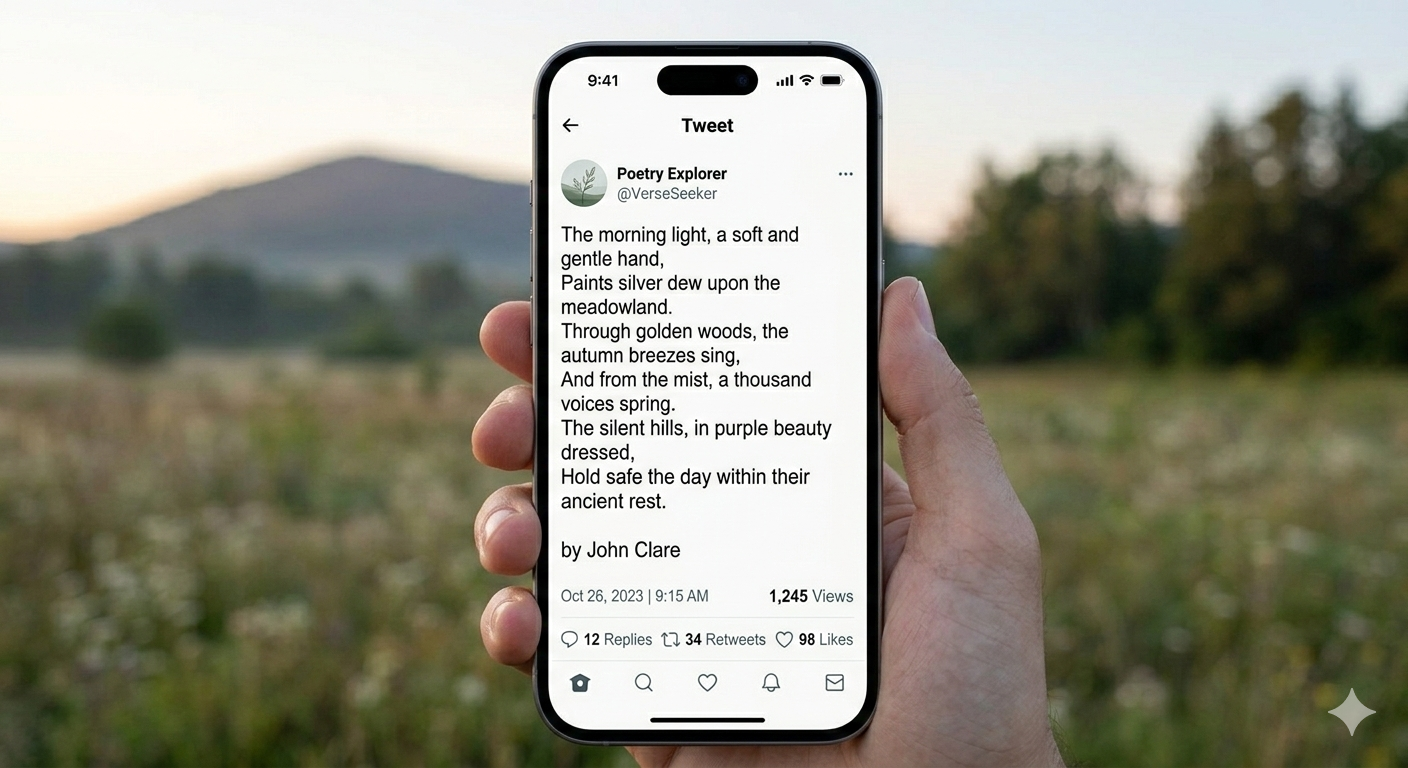
After
Instantly generate 4K videos
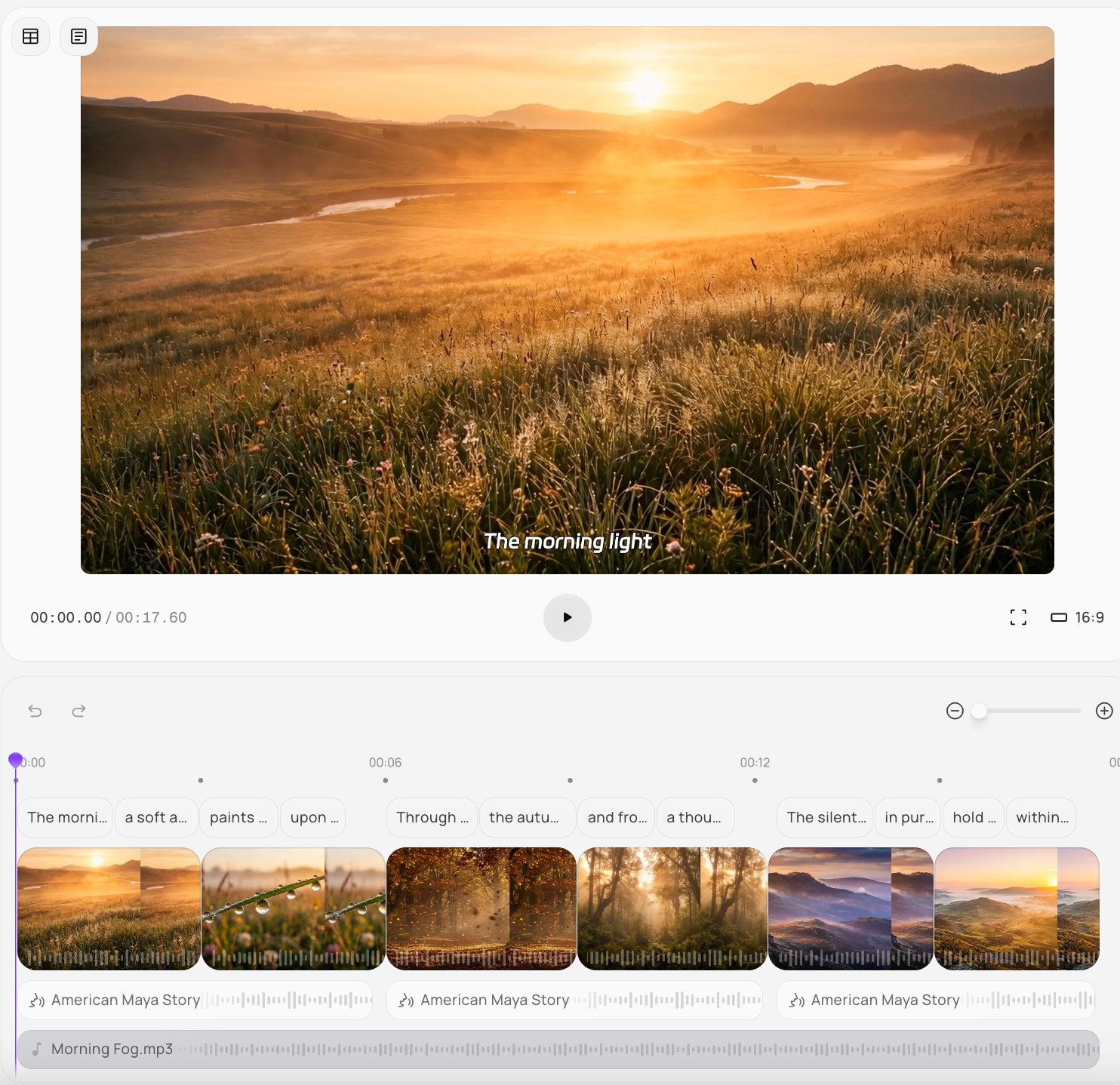
Before
Static, uninspiring text
After
Instantly generate 4K videos
Reasons to Try Medeo
The ultimate toolkit for creators who believe that how a message looks is as important as what it says
Viral by Design
Quotes perform best on social media — and Medeo gives them life. Perfect for creators who want to turn text posts into scroll-stopping visuals.
Philosophy Meets
Medeo’s AI pairs your quote with mood-driven imagery, ambient soundscapes, and pacing that matches the emotional tone.
Perfect for Creators
From motivational reels to art-house reflections, use Medeo to translate ideas into experiences that resonate with millions.
Turn Words into Visual Emotions
Voice & Motion Layer
Add dynamic voiceovers or kinetic typography synced to music beats, giving each quote a pulse and visual tempo.
Visual Style Engine
Choose from cinematic, minimal, vaporwave, or text-only aesthetic modes. Medeo uses generative art models to craft scenes that amplify your message.
AI Mood Mapper
Medeo analyzes the emotional tone of your quote — hope, irony, melancholy — and generates visuals, music, and rhythm that match its feeling.
How to Create Quote to Video?
Step 1
Step 1 — Paste Your Quote
Enter any line — from poetry to philosophy to your own writing. Medeo detects tone, language, and rhythm automatically.
Step 2
Step 2 — Choose a Mood
Select “Calm,” “Dramatic,” “Ethereal,” or “Viral Reels.” Medeo tailors visuals, fonts, and transitions accordingly.
Step 3
Step 3 — Generate the Motion
Watch your quote evolve into a fully designed video — complete with sound, voice, and animated text.
Step 4
Step 4 — Publish and Share
Export for YouTube Shorts, TikTok, or Instagram Reels. Tag #MedeoQuotes to join the global feed of moving thoughts.
FAQs
How do creators use Quote to Video?
Writers use it to showcase words visually; marketers use it for campaigns; educators use it to teach ideas through emotion.
Can I use my brand’s quotes or slogans?
Yes. Medeo auto-brands your videos with logos, fonts, and color palettes for consistent social identity.
What kinds of quotes work best?
Short, emotionally resonant lines — from literature, lyrics, interviews, or your own reflections.