
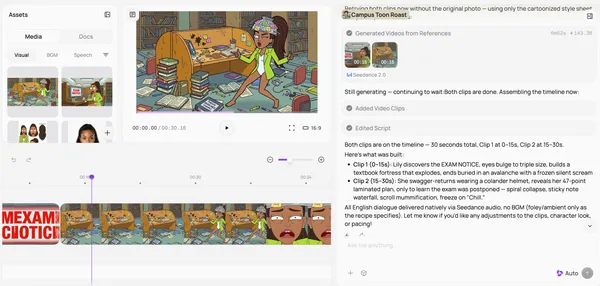
Your complete draft.
Ready to refine.
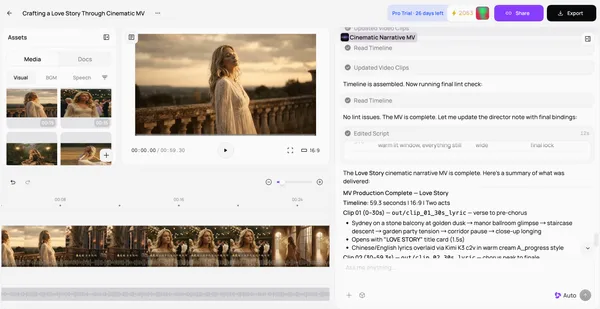
Preview your generated video and review the scenes together before refining the details.
MEDEO · AN ANIMAKER ALTERNATIVE
Create explainers, training and marketing videos without animation skills.
Let AI build the first draft. Refine it with chat and timeline controls.
Complete video workflow · Edit with chat · Stay in control
FROM YOUR MESSAGE TO A FINISHED VIDEO
Build the first draft with AI, then shape the details around your message.
Preview your generated video and review the scenes together before refining the details.
Describe your changes in chat. Refine the opening, scenes or voiceover.
Adjust clips, audio and captions on the timeline before you export.
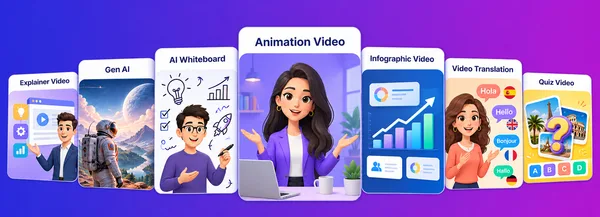
VIDEOS FOR EVERY USE CASE
Explore video ideas for your work, lessons and channels.

Make an unfamiliar topic easier to understand. Turn your script into a visual explanation with narration and captions, then refine the story for your audience.

Turn a campaign brief into a visual story. Shape the opening, highlight your message and refine the video for your audience.

Turn a workplace policy into practical guidance. Show what to look for, explain the next step and help new teammates learn the process.

Bring a lesson to life with a clear visual sequence. Connect evaporation, cloud formation and rainfall with narration your learners can follow.
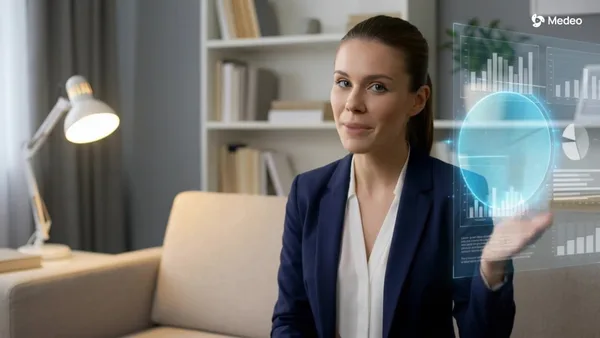
Give your presentation an on-screen voice. Pair a structured explanation with a presenter to make ideas easier for your audience to follow.

Shape your travel notes into a story for your channel. Introduce the destination, highlight memorable stops and finish with a useful takeaway.
TWO WAYS TO CREATE
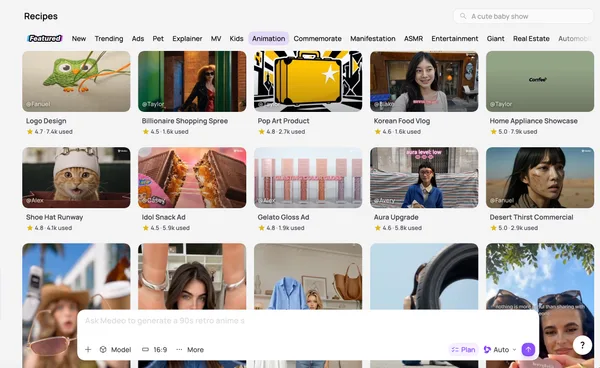
Use a Recipe for a guided start, or develop your own idea through chat.
01
Choose a Recipe that fits your task and preferred video style.
02
Add the text, images or other inputs requested by the Recipe.
03
Review the draft, request changes and export your video.
01
Add your idea or script, audience, style and language.
02
Bring scenes, visuals, voiceover and captions together.
03
Ask for changes in chat and fine-tune the timeline.
ADAPT IT TO YOUR AUDIENCE
Choose the look, presenter and language that fit the people you want to reach.
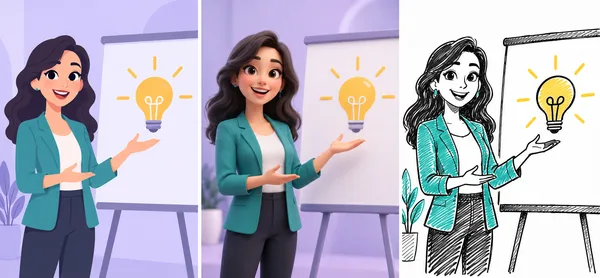
Choose a look that fits your story, brand and audience.

Present your script with an AI avatar—without filming yourself.
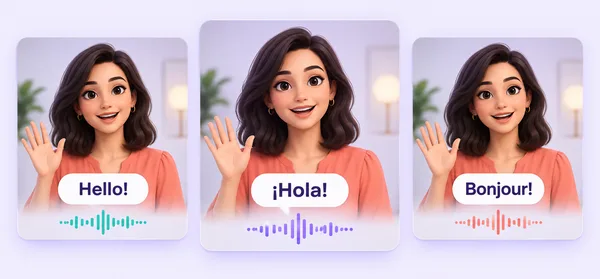
Create language versions for customers, teams and learners worldwide.
WHY CHOOSE MEDEO?
Compare how you create, customize and reuse your video workflow.
BEFORE YOU CHOOSE
Find answers about creating, editing and choosing your plan.
Medeo supports animated explainers, training, education, marketing and creator videos. Start from a script or Recipe, generate a draft and refine it through chat and timeline controls.
No animation experience is required to start. Describe your idea or use a Recipe, then review the draft and guide the changes you need.
You can request changes to scenes, visuals and voiceover through chat, then use timeline controls to adjust clips, audio and captions.
Medeo supports AI visuals and avatars. For specific character actions or detailed animation controls, compare the tools available in each product.
A Recipe is a ready-made starting point with its own required inputs. Add your content to create a video, then use the same Recipe with new inputs for another video.
Visit Medeo’s pricing page to check current credit allowances, export options and plan details before choosing a plan.
Yes. Medeo supports multiple visual styles and AI avatars. Choose a presentation approach that suits your message and audience.
Yes. Medeo supports multiple languages. Create the versions your audience needs, then review wording and presentation before sharing.
YOUR NEXT VIDEO STARTS HERE
Bring your script, start with a Recipe or share an idea.
Create a complete draft, then shape it into your video.
No animation experience required.