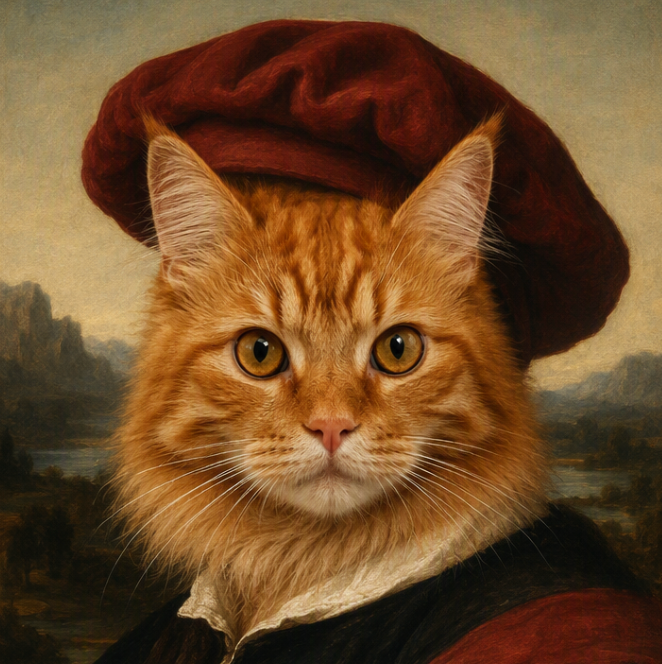
AI Image Upscaler: Enlarge Images Without Losing Quality
Turn small, blurry, or low-resolution pictures into clearer, high-resolution visuals. Medeo’s AI image upscaler enhances details as it enlarges your image, helping you create sharper photos, graphics, thumbnails, product visuals, and video assets. Upload your image and let AI handle the technical enhancement while you remain in control of the creative result.
Upload Your Image Below and Upscale with One Click

See the Difference with AI Image Upscaling
Traditional resizing makes an image bigger by stretching its existing pixels. AI image upscaling analyzes the visual content as it enlarges the picture, helping create a cleaner and more natural high-resolution result.
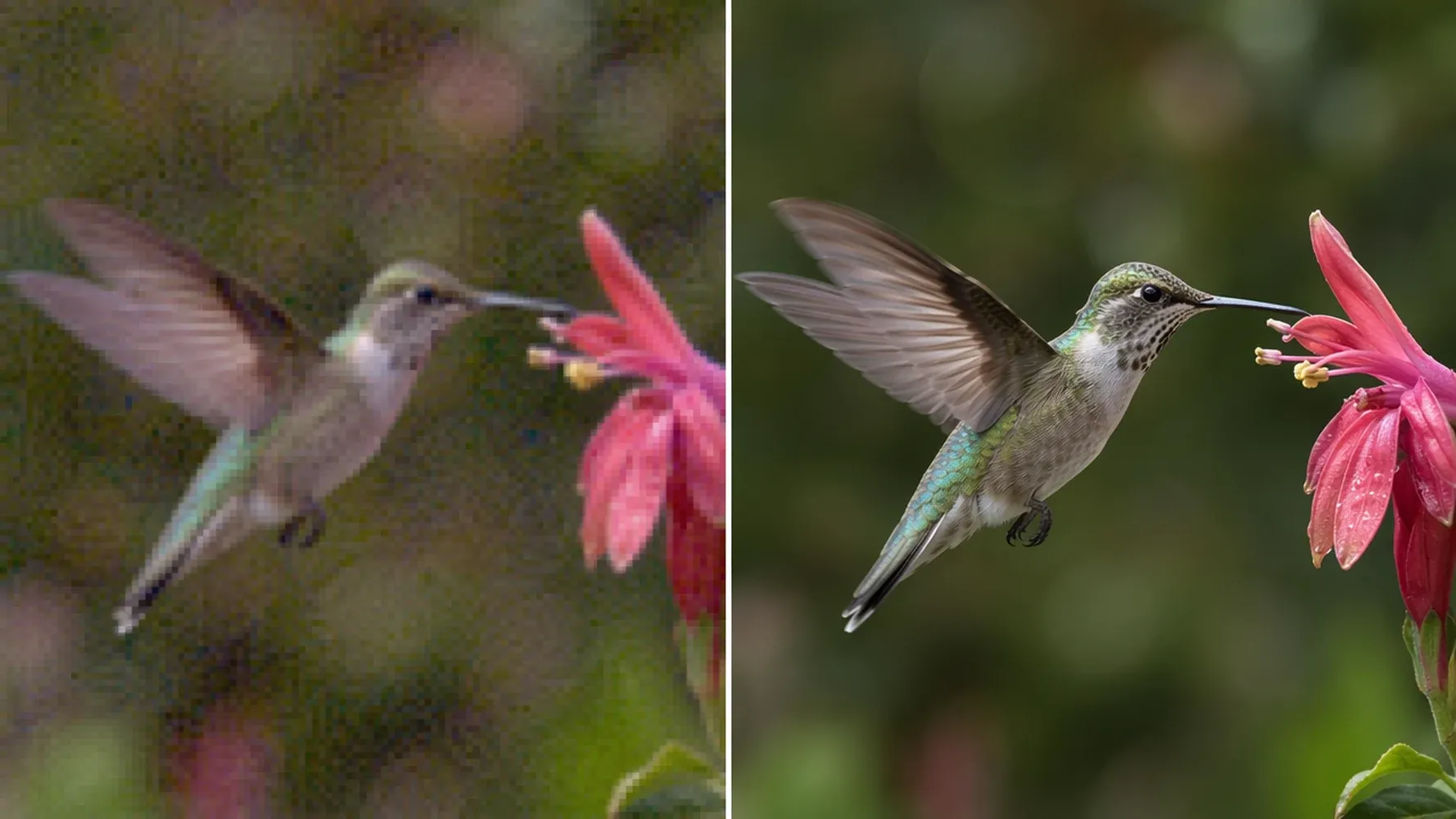
Upscale Low-Resolution Images
Upscale small source images into larger, more practical visuals for presentations, social posts, digital campaigns, and creative layouts. Medeo analyzes the image while increasing its dimensions, helping reduce the stretched or blocky appearance produced by basic resizing. You gain more room to crop, place, and reuse the picture across different formats.
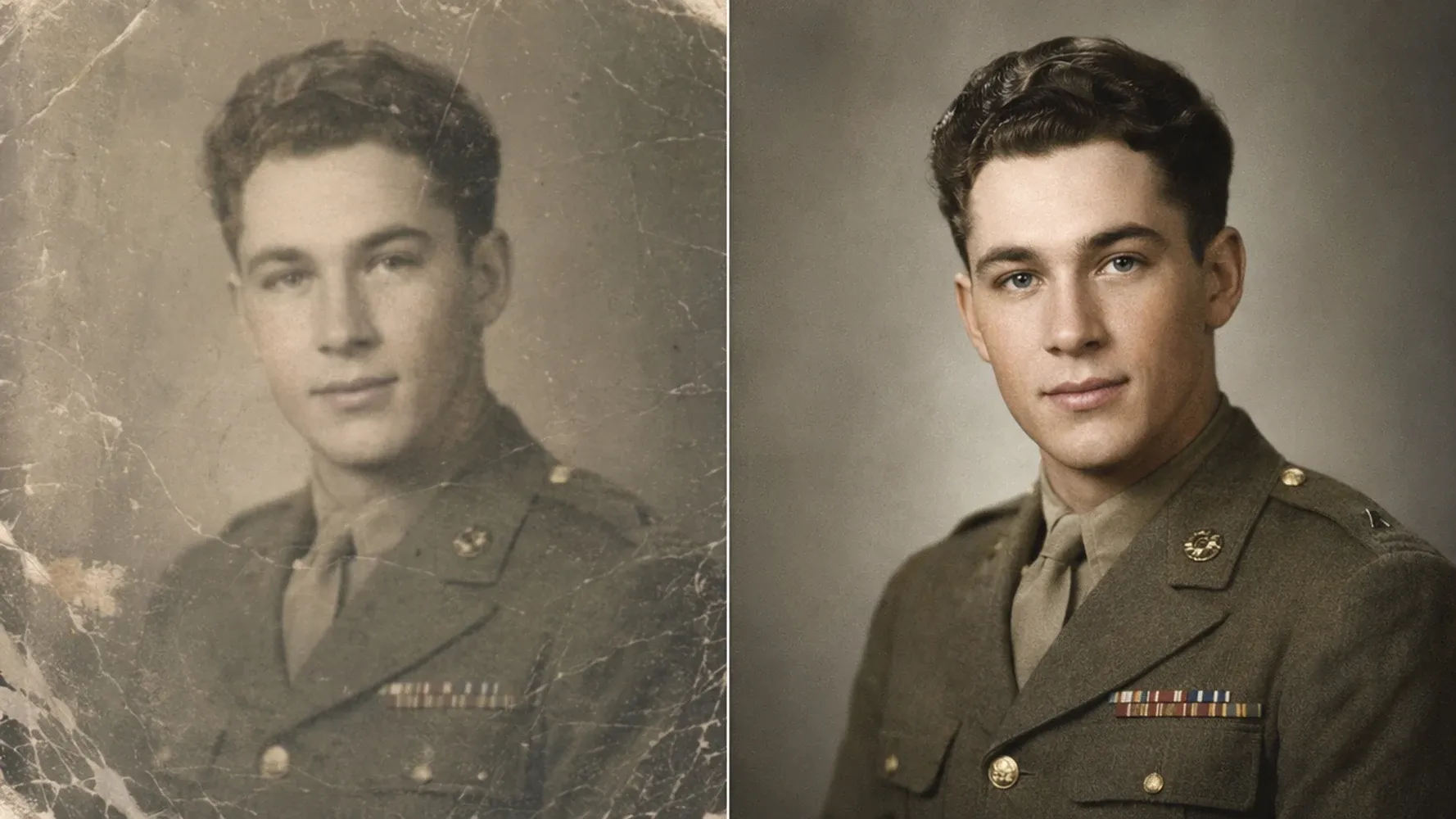
Bring Out Details in Soft or Blurry Photos
Improve the appearance of photos affected by mild blur, compression, or visible pixelation. AI enhancement can refine edges, clarify important subjects, and rebuild visual patterns that became difficult to see at the original size. The result gives portraits, product shots, and older images a cleaner foundation for editing, publishing, or video creation.
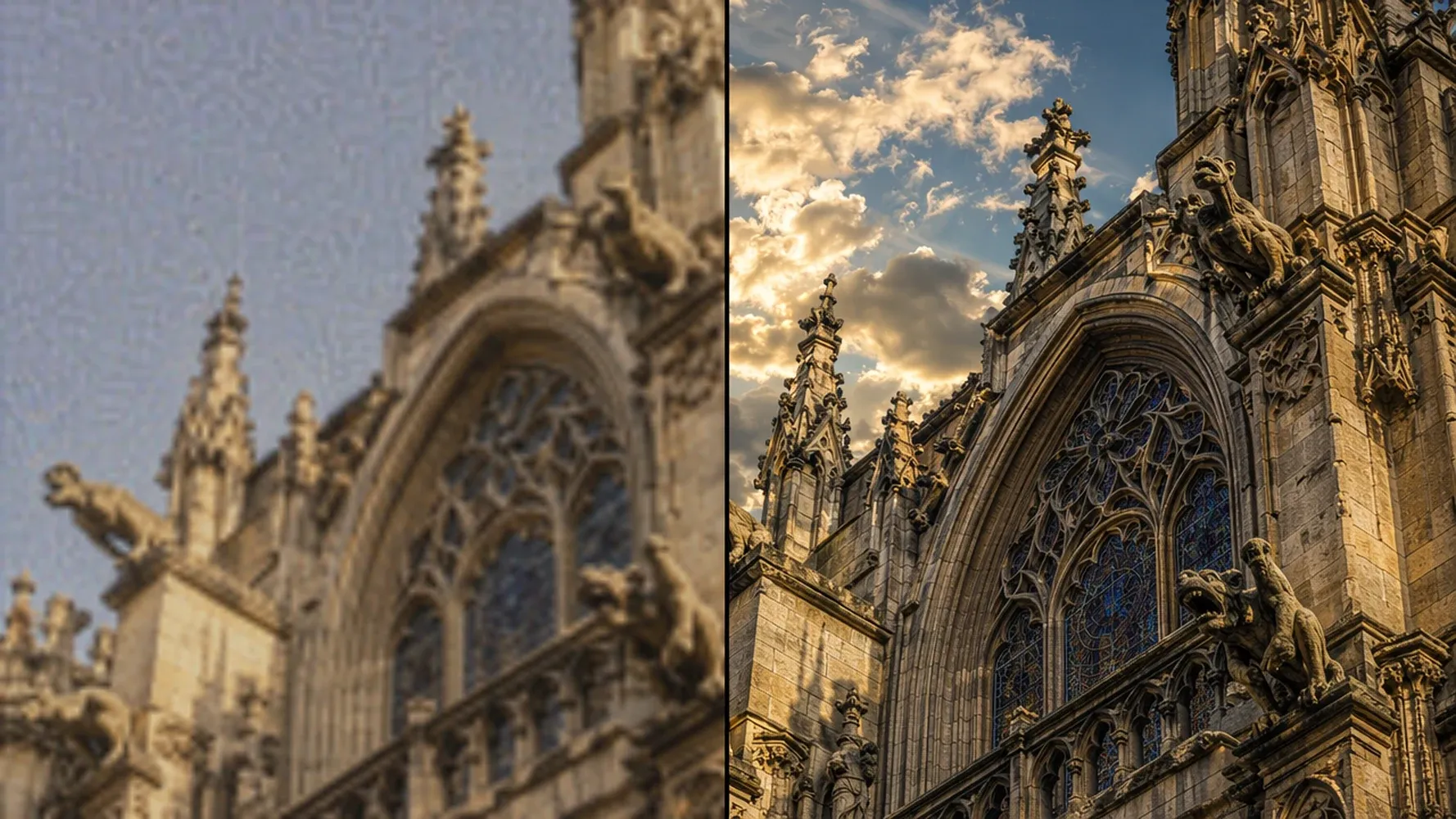
Preserve Natural Colors and Textures
Enlarge an image while protecting the qualities that make it recognizable. Medeo works to retain balanced color, natural contrast, and believable texture instead of turning every surface unnaturally sharp. This matters when you need a higher-resolution result that still matches the mood, lighting, and visual identity of the original picture.
Turn Small Images into High-Resolution Visuals
Make your image larger and more useful without relying on complicated editing software. Whether you need a photo upscaler, picture upscaler, or high-resolution image converter, Medeo gives you a straightforward AI-powered workflow.
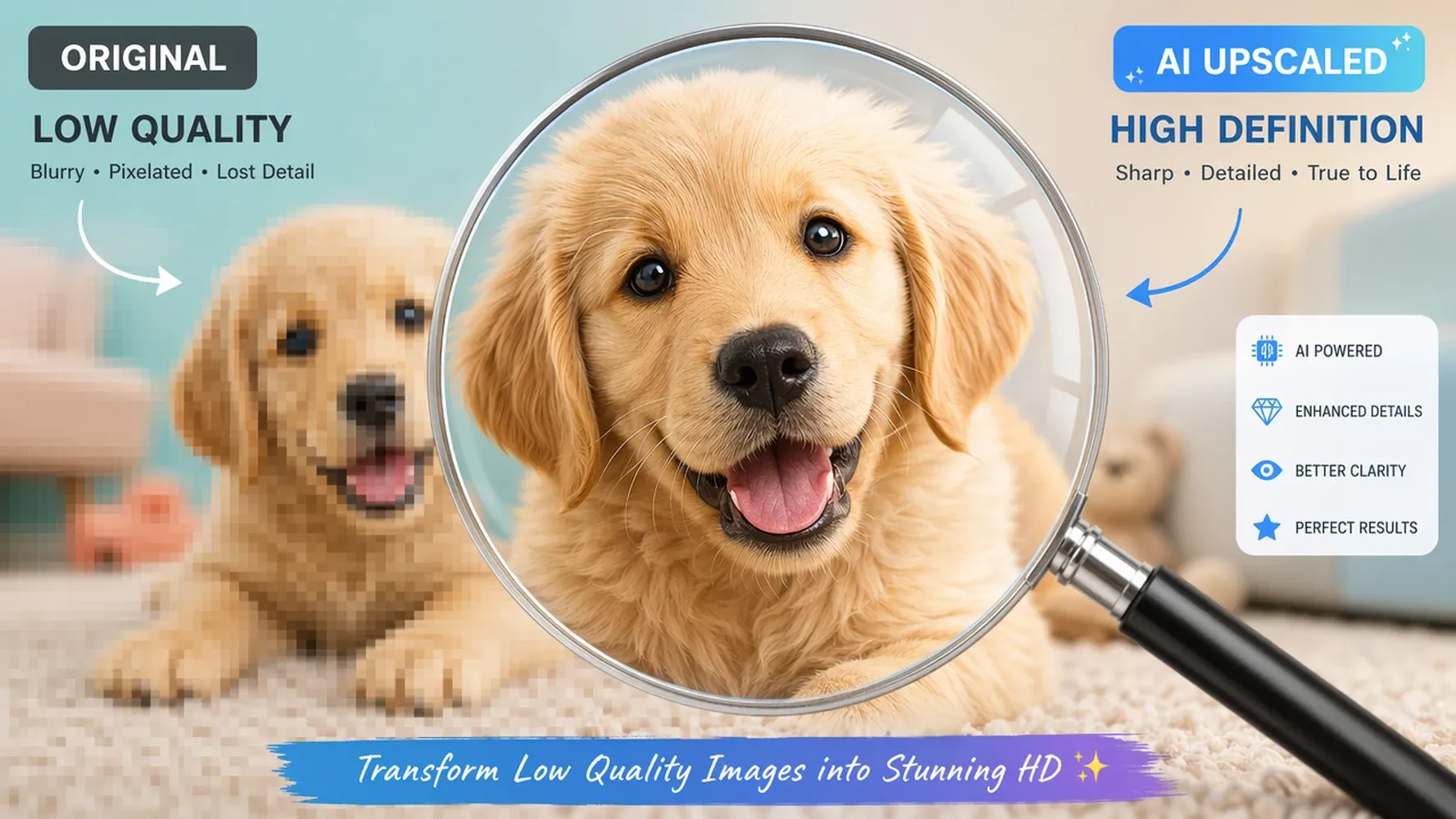
Increase Image Resolution Without Simple Stretching
Increase image resolution with AI analysis rather than simply multiplying existing pixels. The system examines objects, boundaries, textures, and surrounding context as it creates a larger output. This produces a more useful result for layouts where ordinary resizing would expose jagged edges, soft text, or distracting pixel blocks around important visual details.
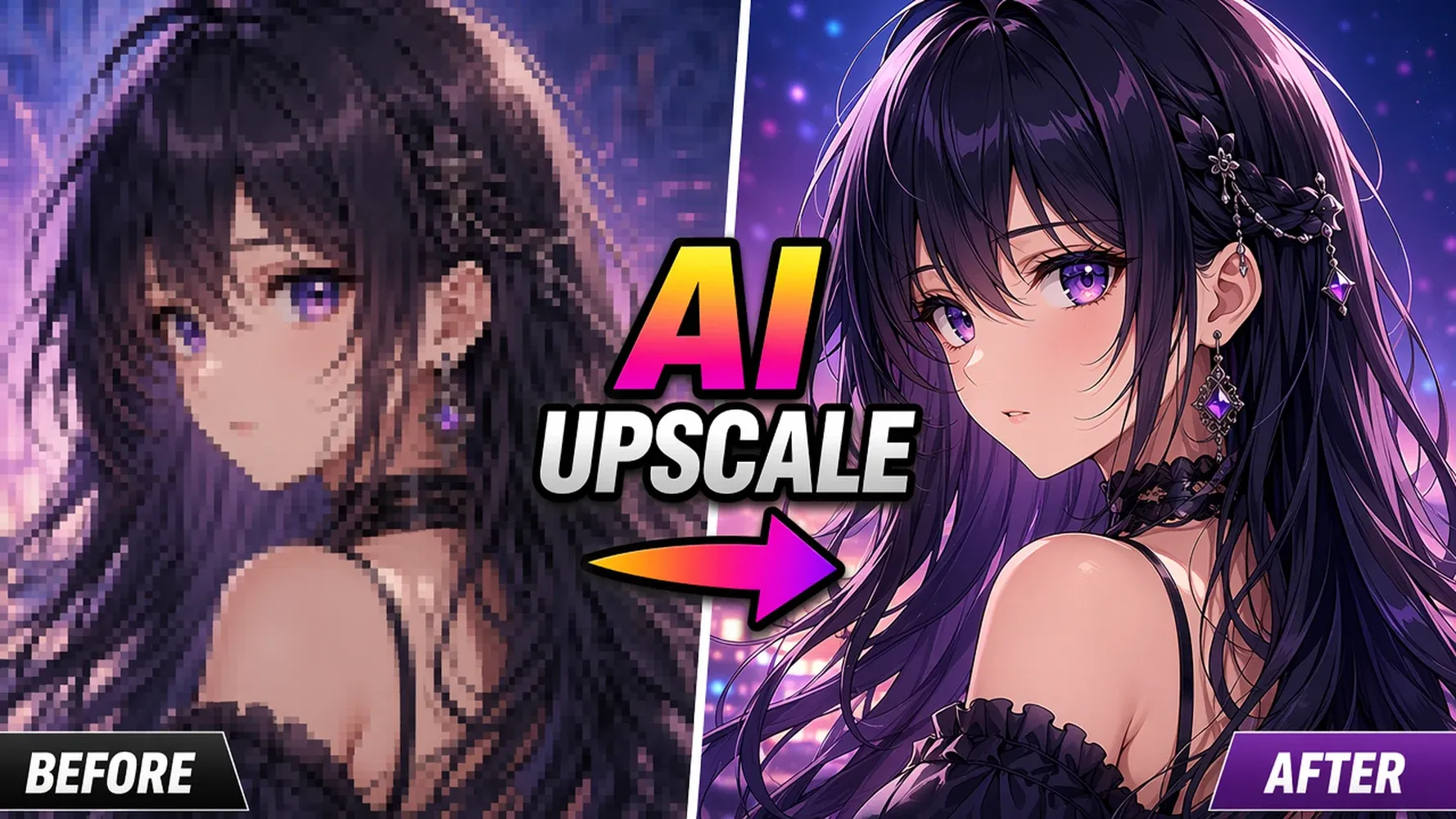
Make Pictures Larger While Preserving Clarity
Make a photo or graphic larger while keeping its composition and key details readable. AI upscaling helps protect edges and textures as dimensions increase, giving you more flexibility when the original file is too small for a landing page, presentation, thumbnail, advertisement, or other layout that demands a clearer visual.
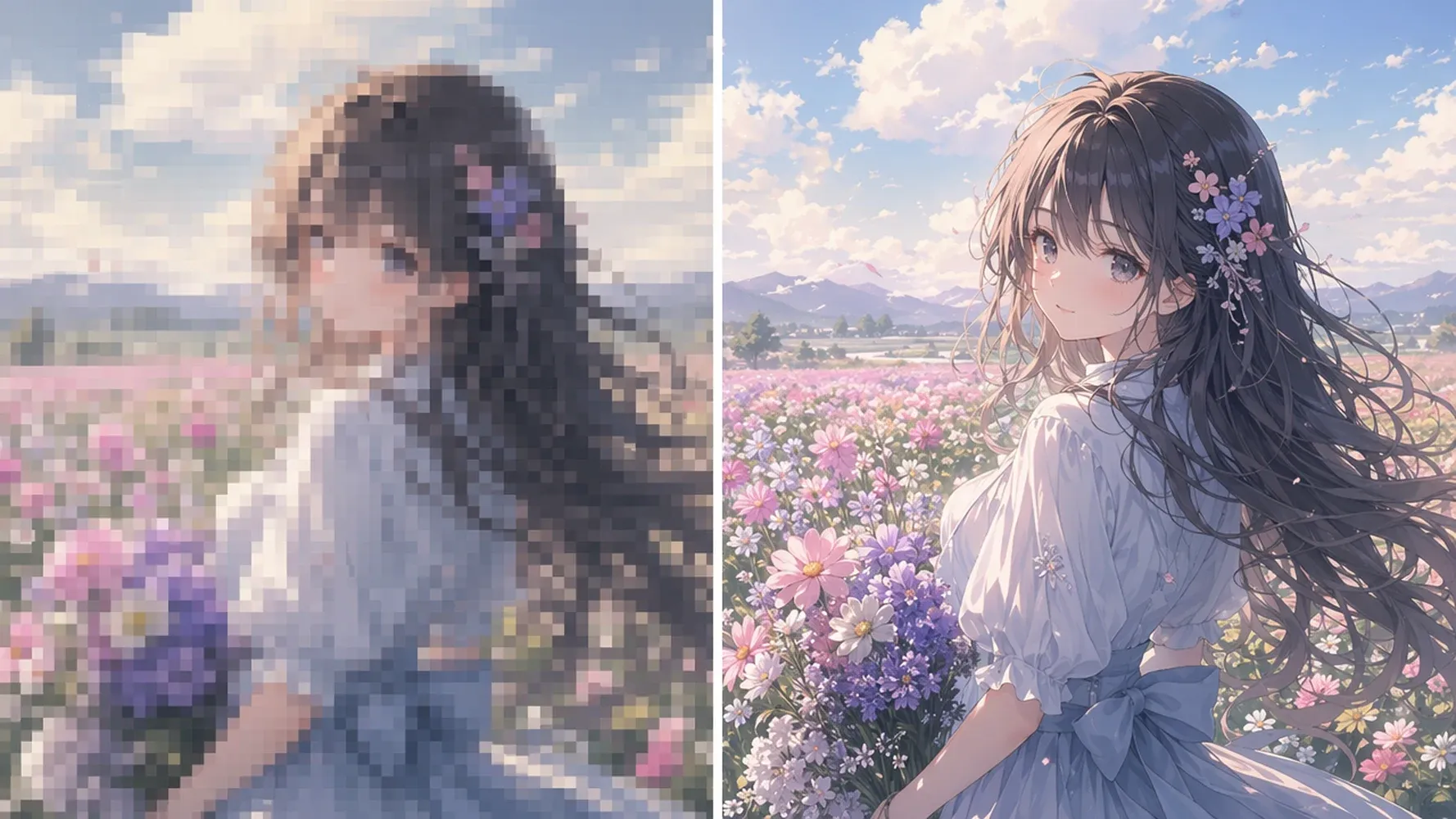
Prepare Images for High-Resolution and 4K Projects
Prepare images for high-resolution displays, larger video scenes, and creative projects designed around 4K dimensions. Choose an available output size that suits the final canvas, then inspect faces, text, and fine textures before exporting. Visible improvement depends on the source image, so beginning with the clearest original file usually produces the strongest result.
Upscale Images for Every Creative Need
A better source image gives you more freedom throughout the creative process. Enhance personal photos, campaign graphics, product visuals, and storytelling assets before placing them into your final design or video.
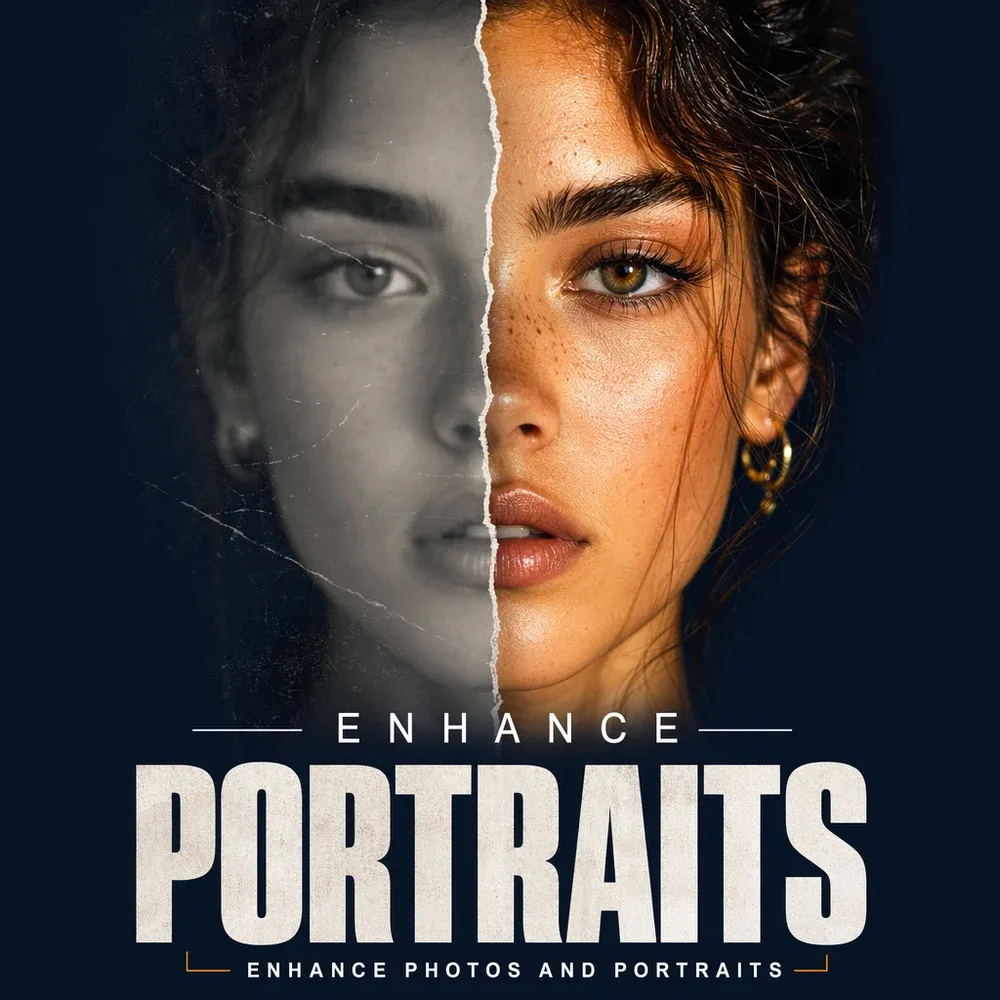
Enhance Photos and Portraits
Enhance portraits, travel photos, family pictures, and older digital images when the available file is too small for your intended use. Upscaling can make facial features, clothing, and background elements easier to see while preserving the overall composition. Use the result in albums, presentations, profile graphics, creative edits, or animated scenes.
Sharpen Graphics and Thumbnails
Increase the resolution of thumbnails, illustrations, posters, and branded graphics before publishing them across different screen sizes. A clearer source helps text, icons, and focal elements remain readable when the layout is enlarged or repurposed. This gives content creators and social media teams more flexibility without rebuilding every asset from scratch.
Improve Product and Marketing Images
Prepare cleaner product photos and campaign visuals for landing pages, online stores, advertisements, and social content. Higher-resolution assets are easier to crop, reframe, and adapt to multiple placements while keeping the featured item recognizable. Marketing teams can reuse a stronger source image across formats instead of accepting a visibly stretched original.
Prepare Visual Assets for AI Video Creation
Upscale reference images, character artwork, product shots, or scene concepts before using them in image-to-video creation. A clearer source gives the generation workflow more visible information to work with and makes important design choices easier to preserve. You can then continue shaping motion, sound, pacing, and story within Medeo with greater confidence.
How to Upscale an Image with Medeo
Increase the resolution of an image in three simple steps. Start with the clearest available source, choose settings that match your project, and review important details before exporting.
Step 1
Upload Your Image
Choose the photo, graphic, thumbnail, product visual, or reference image you want to enhance. Starting with a clear original generally gives the AI more useful visual information to work with.
Step 2
Choose Your Upscaling Settings
Select the available enhancement and output settings that suit your project. Consider where the image will appear and how large the final visual needs to be.
Step 3
Preview and Export Your Image
Review the upscaled result and inspect faces, text, edges, and fine textures. Export the image when it meets your needs, or continue using it in your Medeo creative workflow.
Why Creators Use Medeo to Upscale Images
Medeo goes beyond isolated asset generation. It gives creators a connected environment for improving visual material and turning it into coherent content without losing sight of the original idea.
Improve Source Images Before Video Creation
Strengthen visual assets before they become part of a larger video project. Upscale product shots, character references, artwork, or scene images so important features remain easier to recognize during later creation. Starting with a clearer source can improve consistency across shots and reduce the need to replace weak assets after production has already begun.
Keep Image and Video Creation in One Workflow
Move from image preparation into video creation without treating each asset as an isolated task. After enhancing a visual, continue developing scenes with image-to-video generation, scripts, voice, music, and timeline assembly. Keeping these steps connected makes it easier to preserve creative context and build a coherent result from the original idea.
Stay in Control of Every Creative Asset
Use AI for technical image enhancement while keeping decisions about source selection, output, and creative direction in your hands. Review the upscaled result, compare important details, and decide how the asset should support the wider project. Medeo helps execute the workflow without replacing your judgment about style, meaning, or final presentation.
Medeo AI Image Upscaler Showcase
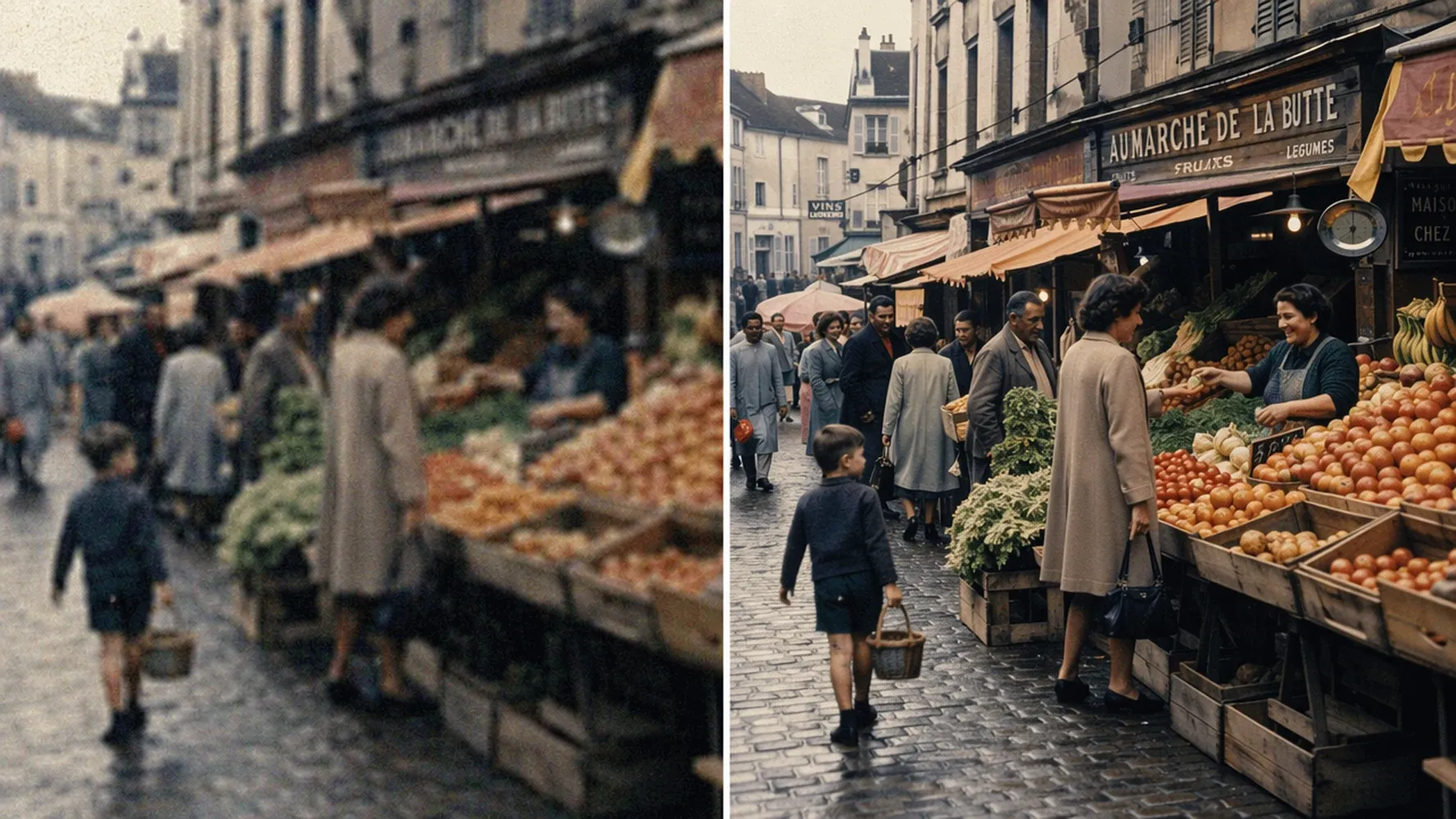
AI Image Upscaler FAQs
Find answers to common questions about increasing image resolution, enlarging pictures, improving blurry photos, and using Medeo’s AI image upscaler.
See Why Creators Choose Medeo
Creators use Medeo to move from individual assets toward complete creative projects while keeping control over their ideas. Add verified customer feedback here to show how real users experience the image enhancement and video creation workflow.
"Medeo's AI Image Upscaler adds impressive detail without making images look artificial. My low-resolution photos come out sharper and more professional every time."
Michael Anderson
Photographer
"I regularly upscale client assets for print projects, and Medeo consistently delivers clean, high-resolution results with excellent detail preservation."
Sophia Martinez
Graphic Designer
"Many of our product images were too small for advertising campaigns. Medeo helped us upscale them quickly while maintaining clarity and visual quality."
David Chen
"Medeo's AI Image Upscaler adds impressive detail without making images look artificial. My low-resolution photos come out sharper and more professional every time."
Michael Anderson
Photographer
"I regularly upscale client assets for print projects, and Medeo consistently delivers clean, high-resolution results with excellent detail preservation."
Sophia Martinez
Graphic Designer
"Many of our product images were too small for advertising campaigns. Medeo helped us upscale them quickly while maintaining clarity and visual quality."
David Chen
"The difference is remarkable. Medeo enhances image quality without introducing strange artifacts, making older photos look much more polished."
Emma Roberts
Content Creator
"I've tried several image upscalers, but Medeo produces the most natural-looking results. Textures stay realistic, and important details remain sharp."
Ryan Foster
Marketing Specialist
"Medeo's AI Image Upscaler has become an essential part of our workflow. It's fast, reliable, and consistently improves image quality for both web and print use."
Olivia Bennett
Creative Director
"The difference is remarkable. Medeo enhances image quality without introducing strange artifacts, making older photos look much more polished."
Emma Roberts
Content Creator
"I've tried several image upscalers, but Medeo produces the most natural-looking results. Textures stay realistic, and important details remain sharp."
Ryan Foster
Marketing Specialist
"Medeo's AI Image Upscaler has become an essential part of our workflow. It's fast, reliable, and consistently improves image quality for both web and print use."
Olivia Bennett
Creative Director
Explore More AI Models and Creative Tools
Continue creating after you upscale an image. Explore related Medeo tools for generating visual assets, animating still images, and building complete videos from text, images, audio, and creative direction.

Learn More About AI Image Upscaling
Explore practical guides for improving image quality, choosing suitable output dimensions, and preparing visual assets for larger creative projects.
7 Best Idea to Video AI Tools in 2026 (Tested & Compared)
Compare the 7 best idea to video AI tools in 2026 — tested across output quality, format coverage, and ease of use. Find the right tool for your content workflow.
TIAN YUAN · Apr 29, 2026 · 13 min read
How to Make Emoji Videos with AI: Step-by-Step Guide
Learn how to make emoji videos with AI using scripts, animated emojis, captions, sound effects, and ready-made templates for TikTok, Shorts, Reels, and social media.
TIAN YUAN · Apr 30, 2026 · 22 min read

How to Make a Real Estate Video That Actually Attracts Buyers
Learn how to make a real estate video step by step using photos, listing descriptions, or scripts. Discover video types, tools, and tips to create engaging property videos that attract buyers and boost inquiries.
Poppy Peng · Apr 29, 2026 · 12 min read