Kling 3.0 AI Video Generator for Cinematic Video Creation
Create cinematic AI videos with Kling 3.0 in Medeo. Start from a prompt, guide the scene with references, and shape movement, sound, and story direction in one creative workflow. Use Kling AI 3.0 for short scenes, product moments, character shots, social videos, and visual story drafts that need more than a single disconnected clip.
What Makes Kling 3.0 Different
Kling 3.0 is built around cinematic video generation, not only short motion tests. Its strongest appeal is the ability to turn a creative direction into a more structured scene, with shot logic, references, audio, and motion working together.
Multi-Shot Video Generation
Kling 3.0 is designed for scenes that need more than one visual beat. Instead of treating every output as a separate clip, it can support multi-shot story flow, changing angles, and stronger scene continuity. Use this when you want a character moment, product reveal, or narrative setup to feel directed rather than randomly assembled.
Native Audio and Lip-Sync
For creators planning dialogue, performance, or atmosphere, audio changes the value of an AI video model. Kling 3.0 can support native audio workflows where available, so speech, sound, and motion can be considered together. That makes it useful for talking characters, branded scenes, music-driven visuals, and short stories that depend on timing.
Character and Scene Consistency
AI video becomes more useful when the subject stays recognizable across movement and shot changes. Kling 3.0 focuses on stronger visual continuity for characters, clothing, settings, and scene details, especially when references are part of the workflow. Medeo helps you keep those creative anchors visible while you test prompts and refine the result.
What Is Kling 3.0?
Kling 3.0 is the latest generation of Kling AI’s video and image model series, officially launched in February 2026. It includes Kling Video 3.0, Kling Video 3.0 Omni, Kling Image 3.0, and Kling Image 3.0 Omni, with upgrades in video realism, motion consistency, native audio, and multimodal creative control.
A Newer Kling AI Model for Video Generation
Kling Video 3.0 is designed for short cinematic video generation from text prompts, images, and reference inputs. Compared with earlier Kling models, it focuses on better prompt following, more stable subject motion, stronger scene composition, and more polished visual output.
Built for Short Cinematic Scenes
Kling 3.0 is best used for compact, directed scenes such as product reveals, character moments, action shots, fashion clips, cinematic landscapes, and social media videos. It can generate short videos with controlled camera movement, lighting, atmosphere, motion, and visual style.
Kling 3.0 Release Date and Version Details
Kling AI announced the Kling 3.0 model series on February 5, 2026. The series includes Video 3.0 for AI video generation, Video 3.0 Omni for more advanced multimodal video creation, Image 3.0 for high-resolution image generation, and Image 3.0 Omni for more cinematic image-based storytelling.
Create Cinematic Videos with Kling 3.0
Medeo turns Kling 3.0 from a model name into a practical creation path. You can move from idea to generated scene by shaping the prompt, adding references, and continuing the video inside a broader production workflow.
Text-to-Video from a Scene Prompt
Start with a written scene and let Kling 3.0 interpret the setting, subject, motion, and visual mood. A strong prompt can describe camera distance, character action, lighting, pacing, and emotional tone. Medeo keeps the writing step accessible, so you can move quickly from a rough idea to a usable first video draft.
Image References for Characters and Style
When supported by the selected Kling workflow, references help define who or what should appear in the video. Upload a character, product, environment, or style image to guide the generation more precisely than text alone. This is especially helpful when a brand asset, wardrobe detail, face shape, or art direction needs to remain recognizable.
Multi-Shot Storytelling from One Creative Direction
Kling 3.0 is most interesting when it turns a single creative direction into a scene with visual progression. Medeo helps you think in story beats: opening view, subject action, camera shift, and final moment. That structure gives creators a stronger starting point for ads, teasers, explainers, and short narrative videos.
Keep Characters, Scenes, and Style Consistent
For many creators, the biggest challenge in AI video is continuity. A beautiful clip is less useful if the face changes, the outfit drifts, or the style breaks between shots. This section focuses on keeping the creative idea intact.
Reference-Based Character Continuity
Use references to give Kling 3.0 a clearer anchor for character appearance, outfit, expression, and visual identity. This can reduce the trial-and-error that happens when text prompts carry too much detail alone. For recurring characters, creator personas, or brand mascots, continuity helps the generated video feel intentional instead of improvised.
Storyboards That Preserve the Narrative
Even a short AI video benefits from a simple storyboard. Define what should happen first, how the camera should respond, and what the viewer should notice by the end. Medeo supports this planning mindset, helping you guide Kling AI video generation toward a coherent moment instead of a disconnected visual surprise.
Style Direction Across Multiple Shots
Style consistency gives a generated scene its identity. Use prompt language and references to keep lighting, lens feel, color, wardrobe, texture, and environment aligned across the output. This matters for branded content, music visuals, short films, and social campaigns where one polished scene must fit coherently inside a larger creative system.
Add Motion, Audio, and Camera Direction
Kling 3.0 is useful when the scene needs to feel directed. Beyond the subject itself, you can shape how the camera moves, how action unfolds, and how audio contributes to the final result when the selected workflow supports it.
Camera Movement for More Directed Scenes
Describe camera behavior as part of the scene, not as an afterthought. Prompts can guide push-ins, tracking shots, reveals, close-ups, handheld energy, or wider establishing views. Clear camera language helps Kling 3.0 produce video that feels closer to a planned shot, which is useful for ads, trailers, and narrative beats.
Dialogue, Sound, and Lip-Sync Workflows
When audio generation or lip-sync is available, treat the sound as part of the story direction. Specify who speaks, the mood of the line, the surrounding ambience, and the timing of the performance. This helps the Kling video generator support character moments, explainer snippets, social hooks, and branded scenes that need audiovisual coherence.
Physics-Aware Motion for Natural Action
Motion quality matters most when the viewer notices weight, contact, fabric, hair, water, or fast movement. Kling 3.0 can be used for scenes where physical behavior should feel more natural and less floaty. Give the model concrete action details so the generated movement supports the scene instead of distracting from it.
How to Generate a Kling 3.0 Video in Medeo
You do not need to begin with a perfect prompt. Start with the creative outcome, add the references that matter, and refine the generation until the scene supports your project.
Step 1
Write Your Prompt or Start from a Story Idea
Describe the scene in plain language. Include the subject, action, setting, camera movement, style, mood, and any audio direction you want to test.
Step 2
Upload References for Characters, Products, or Style
Add reference assets when the workflow supports them. Use them to guide identity, clothing, brand details, visual style, or environment.
Step 3
Generate, Review, and Refine Your Video
Create the first result, review motion and consistency, then refine the prompt or references. Keep the best output and continue editing in Medeo.
Use Kling 3.0 for Ads, Social Videos, and Storytelling
Kling 3.0 is strongest when the use case has a clear visual moment. Think of it as a scene generator for campaigns, creator content, and narrative experiments that need movement, mood, and structure.
Short Films and Character Scenes
Use Kling AI 3.0 to prototype character beats, dramatic actions, atmosphere, and camera ideas before investing in a full production pipeline. Short scenes can help filmmakers and visual storytellers explore tone, pacing, and performance. Medeo makes those generations easier to organize, refine, and combine with other assets in a finished sequence.
Social Clips for TikTok, YouTube, and Reels
Social videos often need one strong moment that reads instantly: a transformation, reaction, reveal, or stylized action. Kling 3.0 can help create that visual hook, while Medeo supports the surrounding workflow for captions, music, edits, and variations. Use it to explore more ideas without starting every clip from scratch.
Product Ads and Brand Videos
Turn a product concept into a short cinematic moment: a reveal, lifestyle scene, texture close-up, or branded visual hook. With references and clear direction, Kling 3.0 can help marketers test ideas before a shoot or create supporting assets for campaigns. Medeo keeps the output connected to editing, captions, audio, and final video assembly.
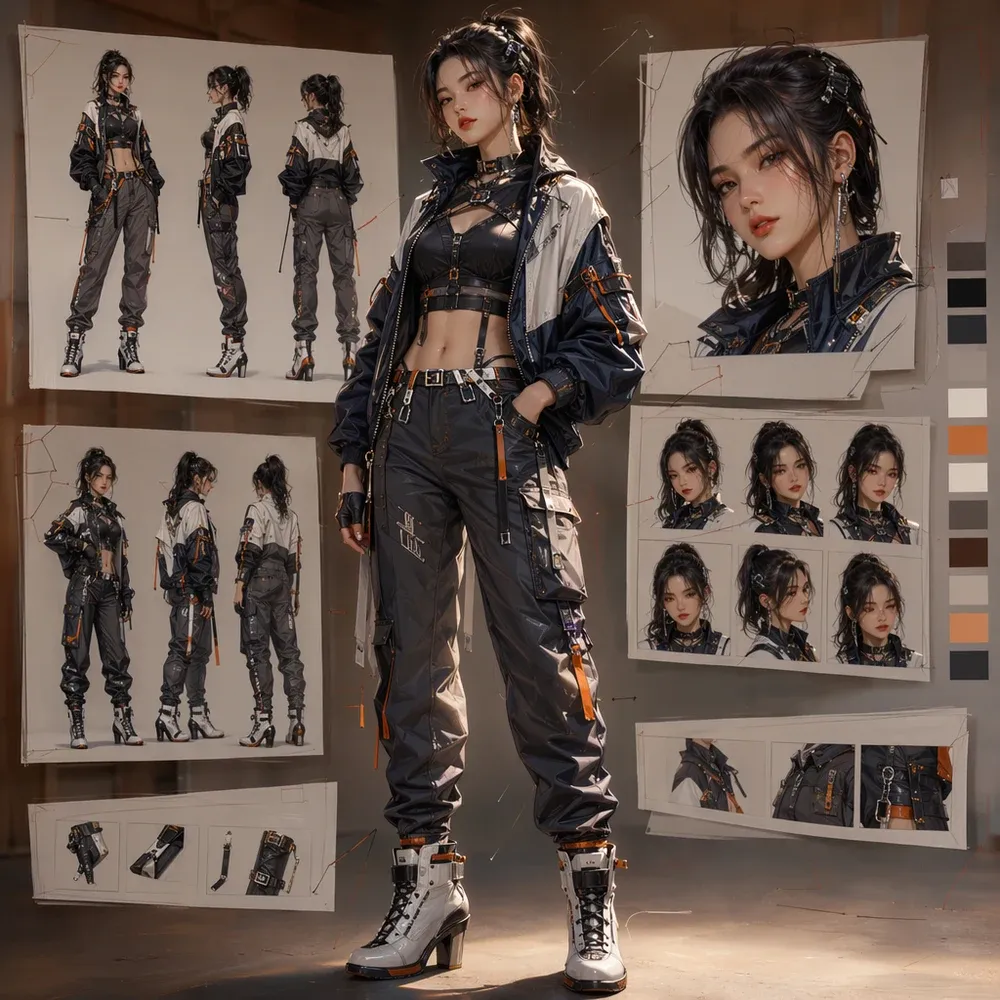
Kling 3.0 vs Other AI Video Models
Kling 3.0, Kling 3.0 Omni, and Seedance 2.0 are all designed for high-quality AI video generation, but they are not the same type of model. Kling 3.0 is a strong choice for short cinematic clips with stable motion and polished visuals. Kling 3.0 Omni adds more advanced multimodal control, including native audio, multi-shot storyboarding, and stronger reference handling. Seedance 2.0 is built around multimodal audio-video generation, making it more suitable for creators who want to combine text, image, video, and audio inputs in one workflow.
| Model | Best For | Key Strengths | Recommended Use Cases |
|---|---|---|---|
| Kling 3.0 | Short cinematic video generation | Prompt-to-video, image-to-video, realistic motion, polished visual style | Product shots, cinematic scenes, social clips, character moments |
| Kling 3.0 Omni | Advanced video control with audio and storyboarding | Native audio, multi-shot generation, stronger references, longer scene control | Story-driven videos, ads, dialogue scenes, multi-shot creative projects |
| Seedance 2.0 | Multimodal video generation and editing | Text, image, video, and audio inputs; audio-video joint generation; strong motion stability | Film concepts, e-commerce videos, advertising, complex reference-based creation |
Which Model Should You Choose?
Choose Kling 3.0 if you want a simple way to create polished short videos from text or images. Choose Kling 3.0 Omni if you need more control over shots, audio, characters, and scene structure. Choose Seedance 2.0 if your project depends on richer multimodal inputs, such as combining reference images, videos, audio clips, and text prompts to create more complex AI videos.
FAQs About Kling 3.0
These answers cover the questions users often ask before choosing a Kling 3.0 video generator. Keep product-specific limits updated as Medeo's model availability, pricing, and generation settings change.
What Creators Say About Making Videos with Medeo
Creators use Medeo to move from rough ideas to usable AI video drafts with more structure and control. This section highlights the kinds of workflow benefits that matter when generated clips need to become finished videos.
"Kling 3.0 on Medeo delivers incredibly cinematic results. The camera movement, scene composition, and visual quality feel much closer to real filmmaking than most AI video models."
Ethan Walker
Filmmaker
"The prompt accuracy is outstanding. Kling 3.0 understands creative direction surprisingly well and generates videos that closely match what I imagined."
Sophia Chen
Content Creator
"I use Kling 3.0 to create short-form content for multiple platforms. The motion looks smooth, the visuals are polished, and the videos stand out immediately."
Ryan Mitchell
Social Media Strategist
"Kling 3.0 on Medeo delivers incredibly cinematic results. The camera movement, scene composition, and visual quality feel much closer to real filmmaking than most AI video models."
Ethan Walker
Filmmaker
"The prompt accuracy is outstanding. Kling 3.0 understands creative direction surprisingly well and generates videos that closely match what I imagined."
Sophia Chen
Content Creator
"I use Kling 3.0 to create short-form content for multiple platforms. The motion looks smooth, the visuals are polished, and the videos stand out immediately."
Ryan Mitchell
Social Media Strategist
"What impressed me most is the consistency between frames. Characters, environments, and visual style remain coherent throughout the entire generation."
Olivia Parker
Creative Director
"Kling 3.0 helps us produce high-quality marketing videos without traditional production costs. Medeo makes the workflow simple and accessible for our entire team."
Daniel Foster
Marketing Manager
"I've tested many AI video generators, and Kling 3.0 consistently produces some of the most visually impressive results. The level of detail and realism is remarkable."
Emma Roberts
Digital Artist
"What impressed me most is the consistency between frames. Characters, environments, and visual style remain coherent throughout the entire generation."
Olivia Parker
Creative Director
"Kling 3.0 helps us produce high-quality marketing videos without traditional production costs. Medeo makes the workflow simple and accessible for our entire team."
Daniel Foster
Marketing Manager
"I've tested many AI video generators, and Kling 3.0 consistently produces some of the most visually impressive results. The level of detail and realism is remarkable."
Emma Roberts
Digital Artist
Explore More AI Video Models and Tools
Kling 3.0 is one option in a larger AI video creation workflow. Explore other models when your project needs a different look, speed, control level, or production style.


Learn More About Kling AI and Video Generation
Support the landing page with related guides that answer research-heavy queries. These articles can capture users who are not ready to generate yet, then bring them back to the model page when they understand the workflow.
How to Make Educational Videos with AI: Step-by-Step Guide
Learn how to make educational videos with AI using lesson notes, slides, scripts, visuals, voiceovers, captions, and templates for courses, classrooms, training, and social learning content.
TIAN YUAN · May 9, 2026 · 19 min read
7 Best AI Love Story Video Generators in 2026 (Tested & Compared)
Discover the 7 best AI love story video generators in 2026 — tested and compared. From cinematic narratives to anniversary films, find the right tool for every romantic occasion.
TIAN YUAN · Apr 29, 2026 · 13 min read
How to Make Faceless Videos with AI (Step-by-Step Guide for 2026)
Learn how to make faceless videos with Medeo AI in 2026. Covers formats, niches, platforms, and a complete step-by-step production workflow.
TIAN YUAN · Apr 29, 2026 · 16 min read