
AI Watermark Remover: Remove Watermarks from Photos & Videos with Medeo
Medeo's AI Watermark Remover detects and removes watermarks, logos, text overlays, and stamps with precision. No blur. No quality loss. Just clean results in seconds. Start with free trial credits.
Remove Watermarks from Photos & Videos Instantly
Watermarks ruin great content. Whether you need to clean up a stock photo, remove a logo from a video, or erase text overlays from social media clips, Medeo's AI Watermark Remover handles it all. Upload your file, let the AI do the work, and download a clean result — no editing skills required.

Remove Watermark from Any Photo
Upload any image — JPG, PNG, WebP — and Medeo's AI will detect and erase the watermark automatically. The AI understands image context, so it fills in the removed area with matching textures, colors, and patterns. The result looks like the watermark was never there.
Remove Watermark from Any Video
Video watermarks are trickier, but Medeo handles them with ease. Upload your video, and the AI tracks the watermark across every frame, removing it consistently while preserving video quality. Works on static logos, floating watermarks, and text overlays.
AI Watermark Remover for Photos
Medeo's photo watermark remover goes beyond simple blurring. It uses advanced inpainting technology to reconstruct the area behind the watermark, delivering results that look natural and professional.
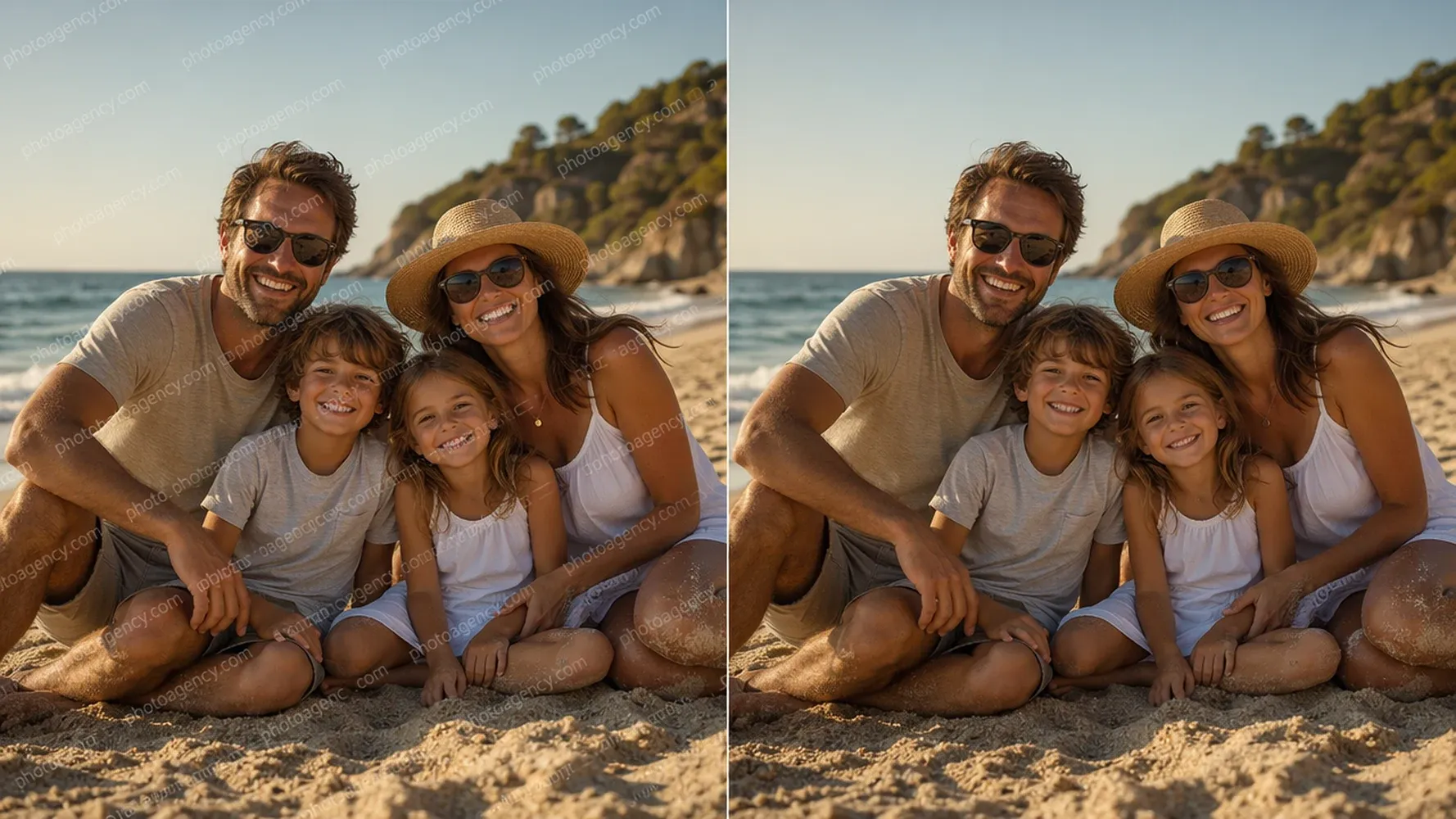
Delete Watermark from Photo with One Click
No need to manually select or trace the watermark. Medeo's AI automatically detects watermark patterns and removes them with a single click. Upload your image, and the AI does the rest — no manual work required.

Remove Watermark Image with Selection
For complex images where precision matters, use the selection tool to highlight the exact watermark area. This gives the AI a clear target, ensuring complete removal without affecting surrounding details. Perfect for watermarks placed over important image elements.

Keep Your Image Crisp and Clear
The biggest fear with watermark removal is quality loss. Medeo's AI preserves the original image resolution and sharpness. No blur. No artifacts. No weird smudges. The removed area blends seamlessly with the surrounding pixels.
AI Video Watermark Remover
Video content deserves clean presentation too. Medeo's AI Video Watermark Remover processes your videos frame by frame, ensuring consistent watermark removal throughout the entire clip.

Remove Watermark from Video AI
Upload your video file — MP4, MOV, AVI — and let Medeo's AI handle the rest. The technology tracks the watermark position across frames and removes it while maintaining video quality. The result is a clean video ready for professional use.
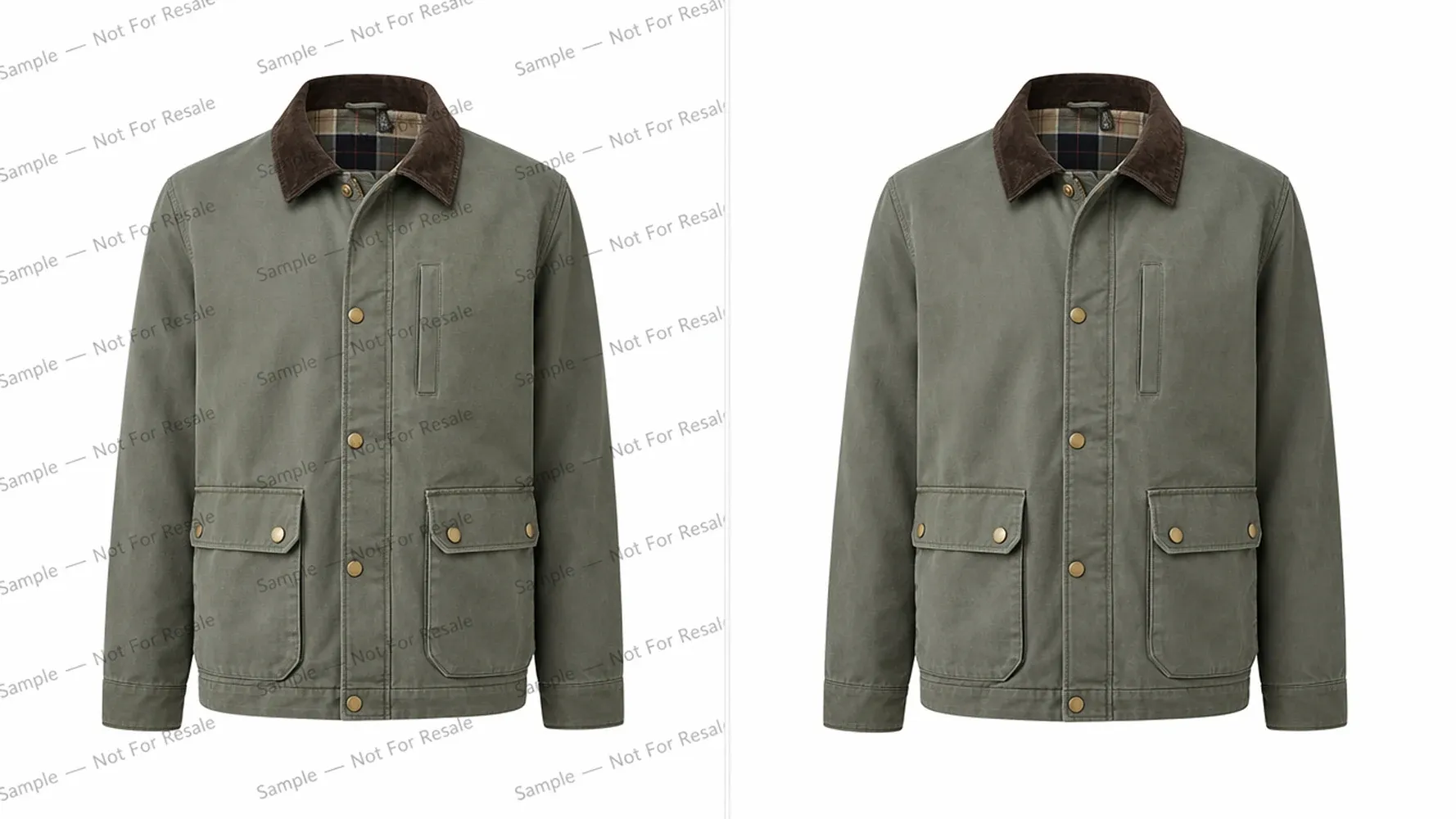
Remove Text and Logos from Videos
Watermarks come in many forms: semi-transparent logos, corner text, floating overlays, and full-screen stamps. Medeo's AI recognizes all types and removes them cleanly, regardless of their position, opacity, or movement pattern.
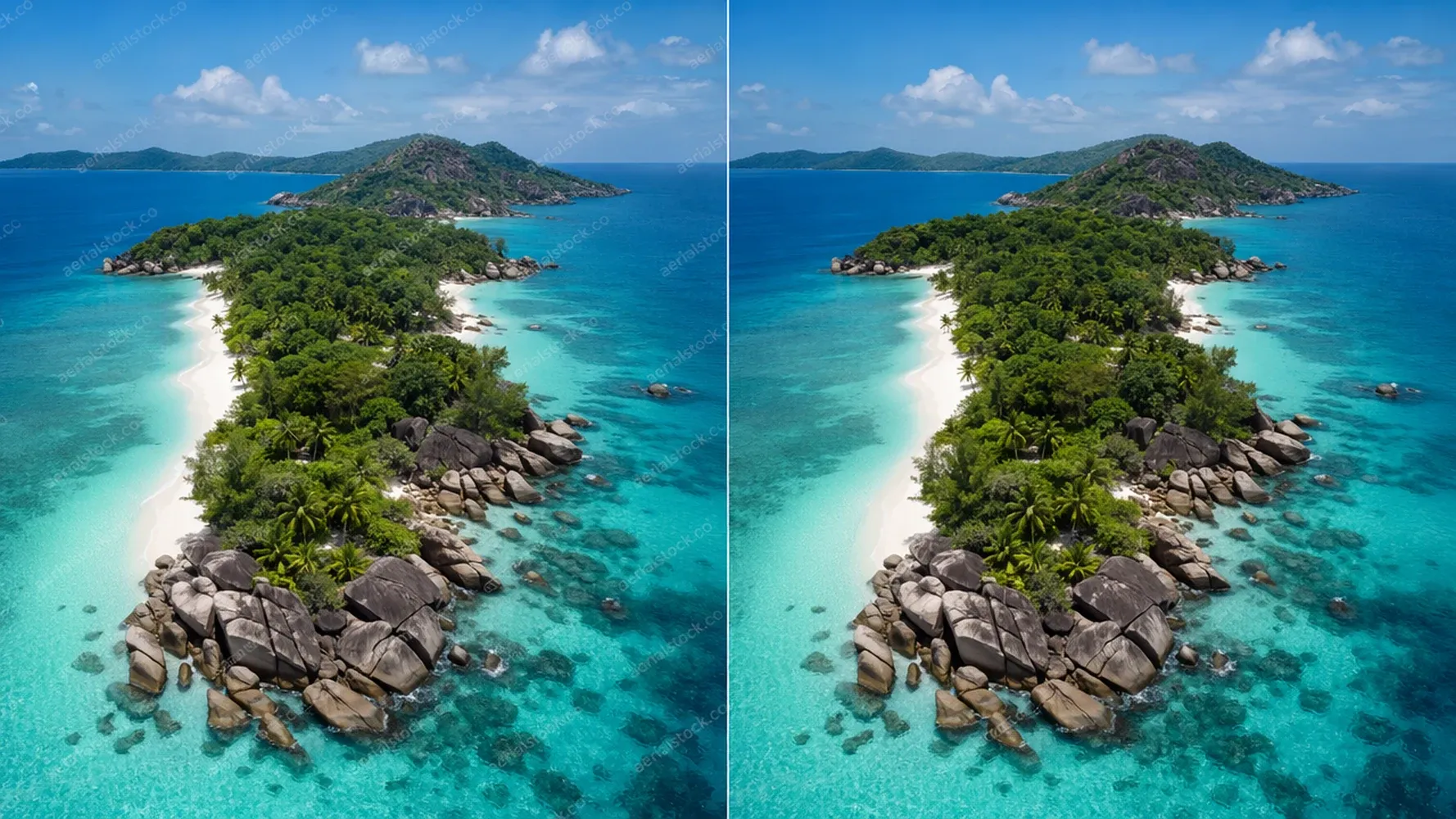
Works on TikTok, YouTube, and More
Got content from TikTok, YouTube, Instagram, or other platforms? Medeo handles platform-specific watermarks with ease. Whether it's a TikTok logo, YouTube subscribe button, or Instagram story overlay, the AI removes it while keeping the video intact.
Batch Watermark Remover AI
Why remove watermarks one by one when you can process them all at once? Medeo's batch watermark remover lets you upload multiple files and clean them simultaneously, saving you hours of repetitive work.

Process Multiple Images at Once
Upload a folder of watermarked images and let Medeo process them in one go. The AI handles each file individually, ensuring consistent quality across the entire batch. Perfect for e-commerce sellers, content creators, and anyone dealing with bulk image cleanup.
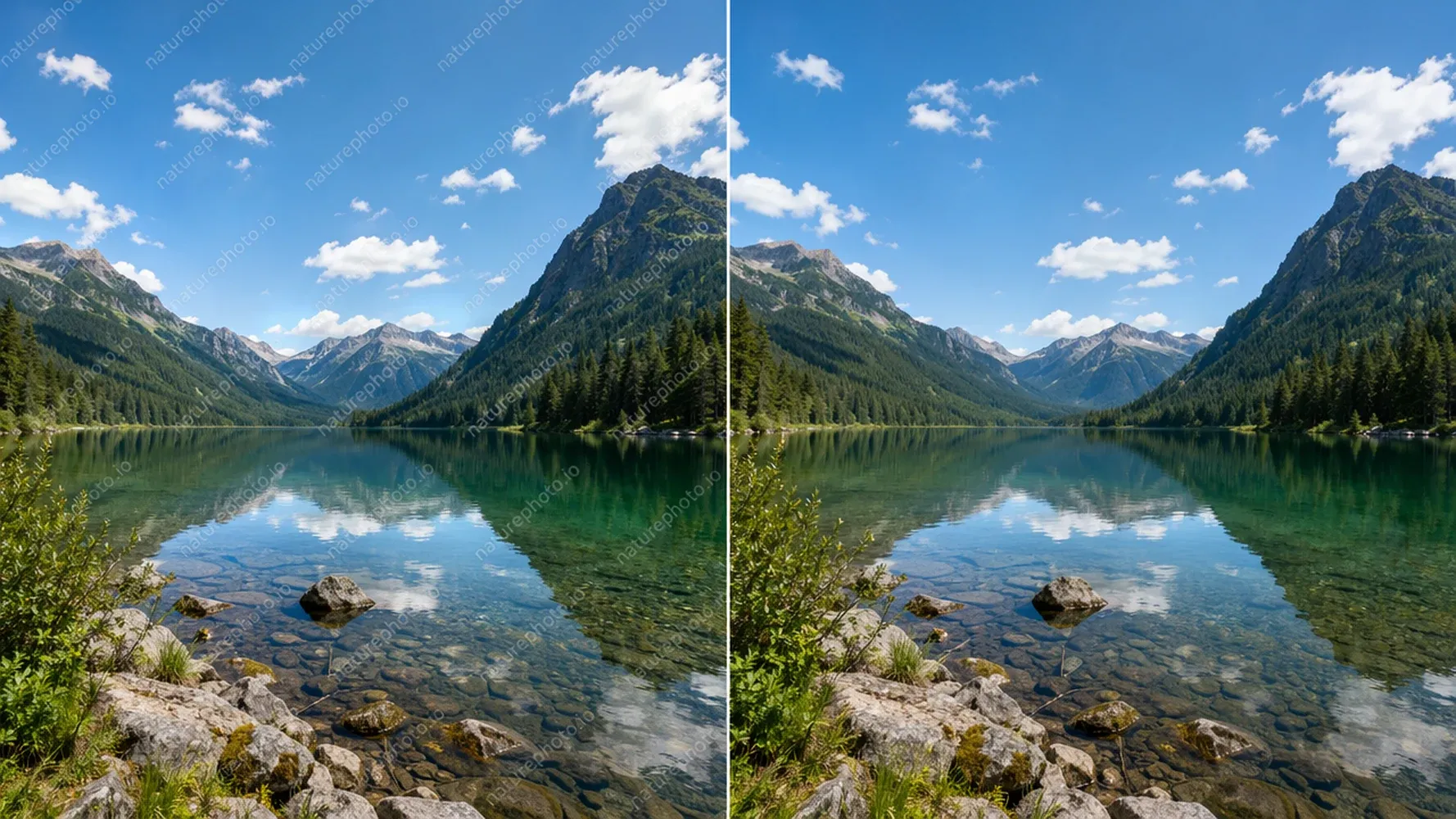
Save Hours of Manual Editing
Manual watermark removal takes minutes per image. With Medeo's batch processing, you can clean dozens of images in the time it takes to edit one. Focus on creating content, not removing watermarks.
Why Choose Medeo AI Watermark Remover
There are many watermark removal tools available. Here's why Medeo stands out.
No Blur, No Quality Loss
Unlike traditional methods that blur or smudge the watermark area, Medeo's AI reconstructs the underlying content. The result is a clean image or video that looks like the watermark was never there — sharp, clear, and professional.
AI That Knows What to Erase
Medeo's AI is trained to distinguish watermarks from actual image content. It won't accidentally remove important details or confuse text overlays with background elements. The detection is smart, precise, and reliable.
Free to Start, Easy to Use
New users receive free trial credits to experience Medeo's AI Watermark Remover. Sign up, upload your file, and see the results firsthand — no commitment required. Upgrade when you're ready for more.
100% Online, No Downloads Needed
Everything happens in your browser. No software to install, no plugins to configure, no system requirements to worry about. Medeo works on any device with an internet connection — desktop, tablet, or mobile.
How to Remove Watermark with AI
Three simple steps. That's all it takes to remove watermarks with Medeo.
Step 1
Upload Your Photo or Video
Drag and drop your file into Medeo's watermark remover. Supports all major image formats (JPG, PNG, WebP) and video formats (MP4, MOV, AVI). No file size restrictions — upload what you need.
Step 2
Select the Watermark Area
Medeo's AI automatically detects watermarks in most cases. For complex images, you can manually highlight the watermark area using the selection tool. This ensures the AI knows exactly what to remove.
Step 3
Download Clean Result
The AI processes your file and delivers a clean, watermark-free version. Preview the result, make adjustments if needed, and download in original quality. Your content is ready to use.
Not all watermark removal methods are equal. See how AI compares to traditional approaches.
AI-Powered Removal vs Manual Editing
Traditional watermark removal requires Photoshop skills, patience, and time. You clone, patch, and heal — often ending up with visible artifacts. Medeo's AI does the same work in seconds, with better results and zero learning curve.
| Feature | Manual Editing | Medeo AI |
|---|---|---|
| Time per image | 5-15 minutes | Seconds |
| Skill required | Advanced | None |
| Quality | Variable | Consistent |
| Batch processing | Not practical | One-click |
Smart Detection vs Simple Blurring
Some tools "remove" watermarks by blurring them. This creates an obvious smudge that screams "edited." Medeo's AI actually understands what's behind the watermark and reconstructs it intelligently. The difference is night and day.
| Approach | Blurring Tools | Medeo AI |
|---|---|---|
| Result quality | Blurry, obvious | Clean, natural |
| Detection | Manual selection | Auto-detect |
| Video support | Limited | Full support |
| Batch processing | Rare | Built-in |
See the AI Watermark Remover in Action
Don't take our word for it. See the results for yourself — before and after comparisons showing Medeo's AI Watermark Remover in action.

FAQs about AI Watermark Remover
Explore More AI Tools in Medeo
Medeo is more than just a watermark remover. Discover our full suite of AI-powered creative tools for image editing, video creation, and more.

See What Our Users are Saying about AI Watermark Remover
"Medeo removes watermarks cleanly without leaving obvious artifacts. What used to take several minutes of manual editing now happens in seconds."
Michael Turner
Graphic Designer
"The AI does an excellent job reconstructing the background after removing watermarks. The final image looks natural and professional."
Jessica Moore
Marketing Specialist
"I've tried many watermark removal tools, but Medeo delivers the most consistent results. Even complex backgrounds are restored surprisingly well."
David Kim
Content Creator
"Medeo removes watermarks cleanly without leaving obvious artifacts. What used to take several minutes of manual editing now happens in seconds."
Michael Turner
Graphic Designer
"The AI does an excellent job reconstructing the background after removing watermarks. The final image looks natural and professional."
Jessica Moore
Marketing Specialist
"I've tried many watermark removal tools, but Medeo delivers the most consistent results. Even complex backgrounds are restored surprisingly well."
David Kim
Content Creator
"The process couldn't be easier—upload, remove, and download. Medeo saves me a lot of time when preparing visuals for campaigns."
Rachel Adams
Social Media Manager
"What impressed me most is the image quality after editing. The removed areas blend seamlessly with the rest of the photo."
Kevin Brooks
Freelance Photographer
"Medeo's AI Watermark Remover is fast, accurate, and incredibly user-friendly. It's become a regular part of my image editing workflow."
Sophia Martinez
E-commerce Entrepreneur
"The process couldn't be easier—upload, remove, and download. Medeo saves me a lot of time when preparing visuals for campaigns."
Rachel Adams
Social Media Manager
"What impressed me most is the image quality after editing. The removed areas blend seamlessly with the rest of the photo."
Kevin Brooks
Freelance Photographer
"Medeo's AI Watermark Remover is fast, accurate, and incredibly user-friendly. It's become a regular part of my image editing workflow."
Sophia Martinez
E-commerce Entrepreneur
Learn More

7 Best AI Love Story Video Generators in 2026 (Tested & Compared)
Discover the 7 best AI love story video generators in 2026 — tested and compared. From cinematic narratives to anniversary films, find the right tool for every romantic occasion.
TIAN YUAN · Apr 29, 2026 · 13 min read

How to Make Educational Videos with AI: Step-by-Step Guide
Learn how to make educational videos with AI using lesson notes, slides, scripts, visuals, voiceovers, captions, and templates for courses, classrooms, training, and social learning content.
TIAN YUAN · May 9, 2026 · 19 min read

How to Start a YouTube Automation Channel with AI (Complete Guide for 2026)
Learn how to start a YouTube automation channel with AI in 2026 — no editing or filming required. Covers niches, production workflow, and monetization step by step.
TIAN YUAN · Apr 30, 2026 · 14 min read