AI Video Background Remover: Remove Backgrounds from Video
Remove a distracting video background without masking every frame by hand. Upload your clip, let AI isolate the moving subject, then replace the original setting or carry the cutout into your next video. Medeo helps turn background removal into part of a connected creative workflow.


Upload Your Video Here and Remove the Background

Remove Video Backgrounds Without a Green Screen
A green screen can make compositing easier, but it should not be the only way to separate a subject from a scene. Medeo's AI video background remover analyzes the clip across time, creating a practical cutout you can review, refine through your workflow, and use in a new visual setting.
Track Moving Subjects Across Every Frame
AI follows the main subject as position, pose, and camera framing change throughout the clip. Instead of drawing a new mask for every frame, you get an automated starting point that stays connected to the action. This helps creators prepare presenters, performers, products, and other moving subjects for a different background with less repetitive editing.
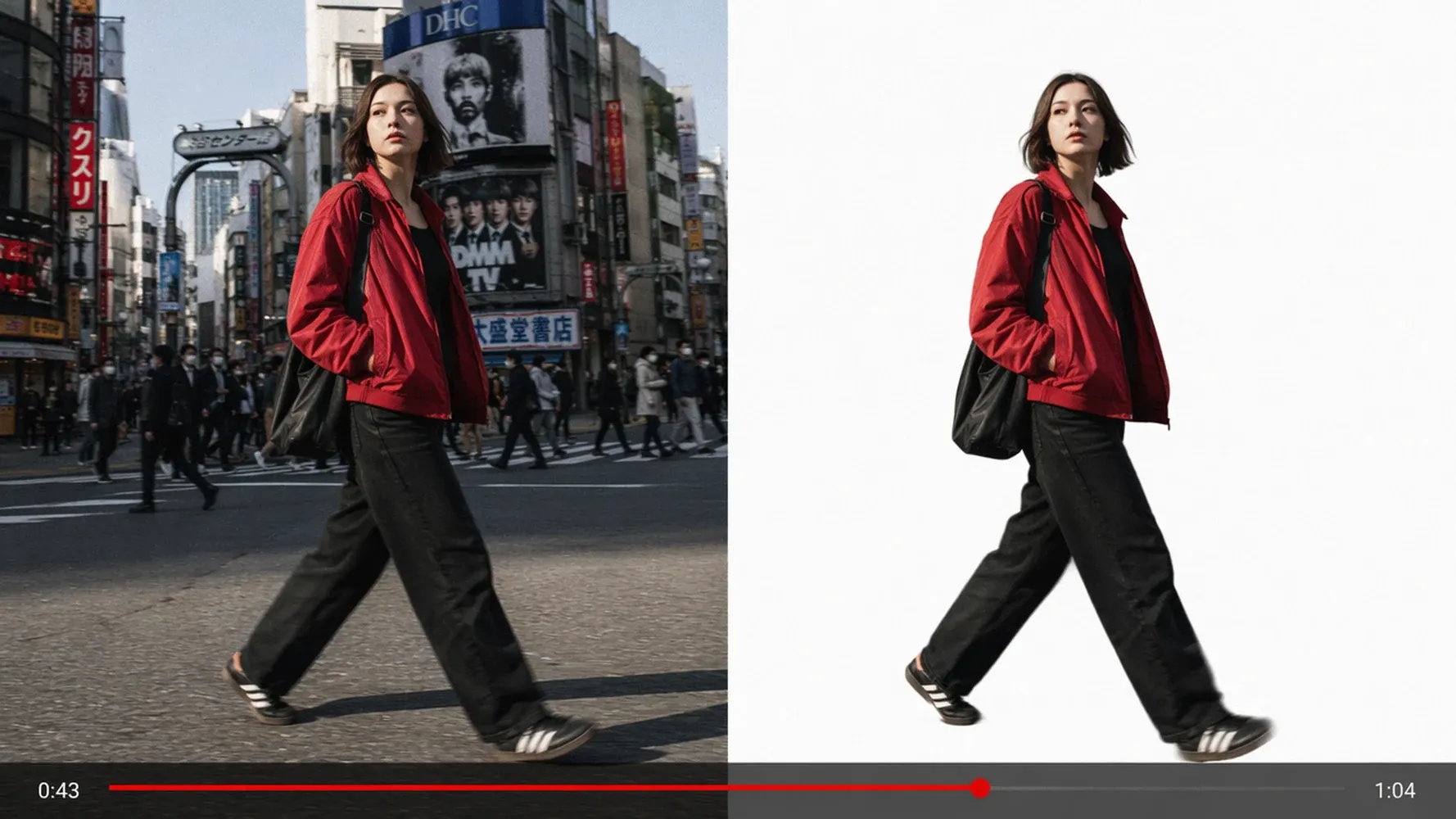
Keep Edges Consistent Through Motion
Video cutouts need to hold together from one frame to the next. Medeo analyzes motion over time to reduce distracting shifts around the subject's outline. More stable edges make the result easier to use in ads, explainers, and social videos, especially when hair, clothing, hands, or the camera continue moving through the shot.
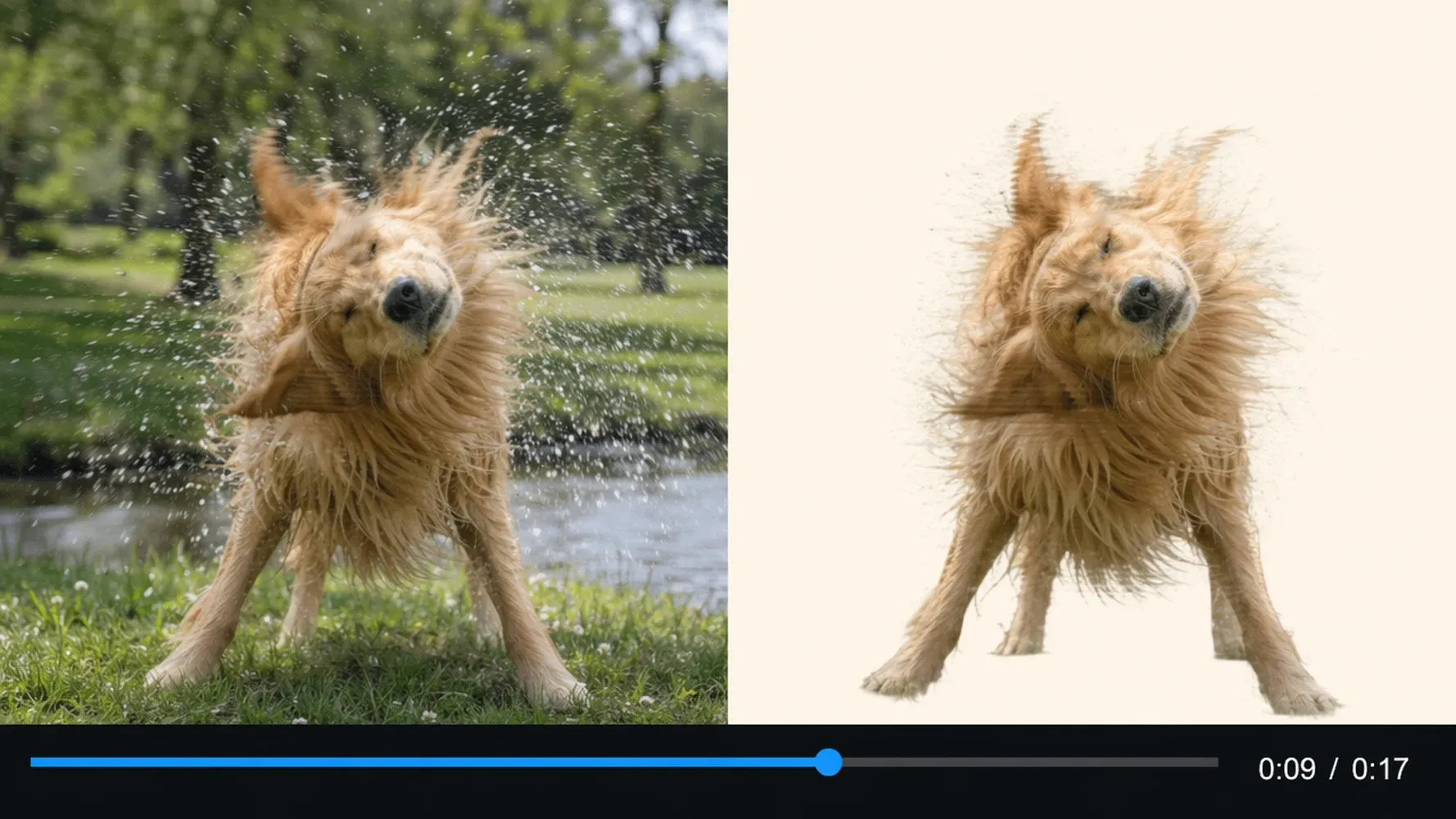
Cut Out People, Products, and Objects
Separate the visual focus from rooms, streets, studio walls, and other unwanted surroundings. Use the AI background remover for videos featuring a person, a featured product, or a clearly defined object. Starting with sharp, well-lit footage and visible contrast gives the system better information and helps you achieve a cleaner, more reusable cutout.
Change or Replace Your Video Background with AI
Deleting the original setting is often only the first step. Once the subject is isolated, choose what the viewer should see behind it. Build a cleaner composition, match a campaign, or move the action into a new world while keeping control of the video's message and visual direction.
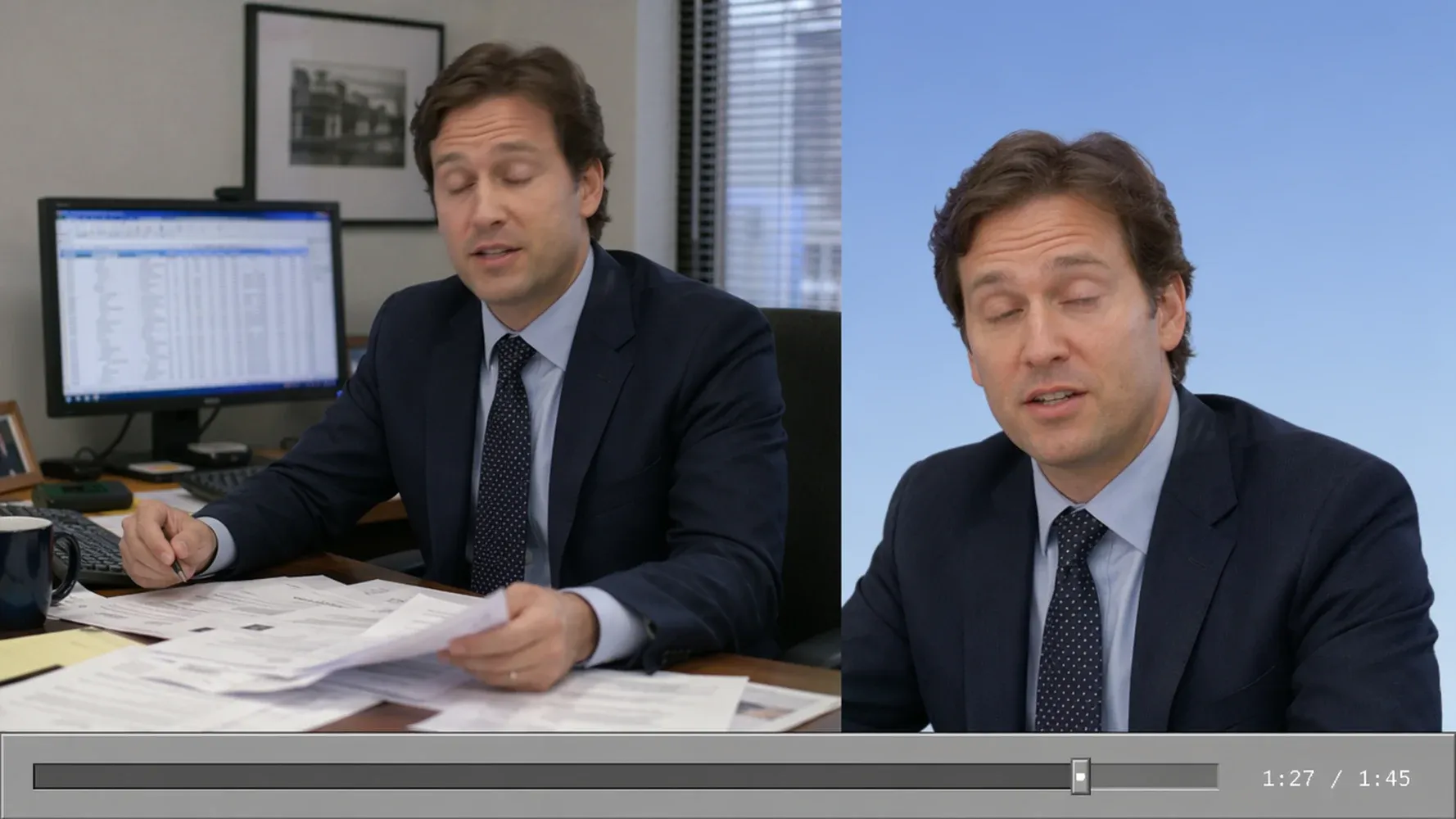
Add an Image or Branded Background
Place the isolated subject over a campaign image, branded layout, product scene, or simple color treatment. A new background can turn one source clip into multiple channel-ready variations without requiring another shoot. Keep the subject consistent while adapting the setting for ads, presentations, storefronts, launches, and social content with different visual requirements.
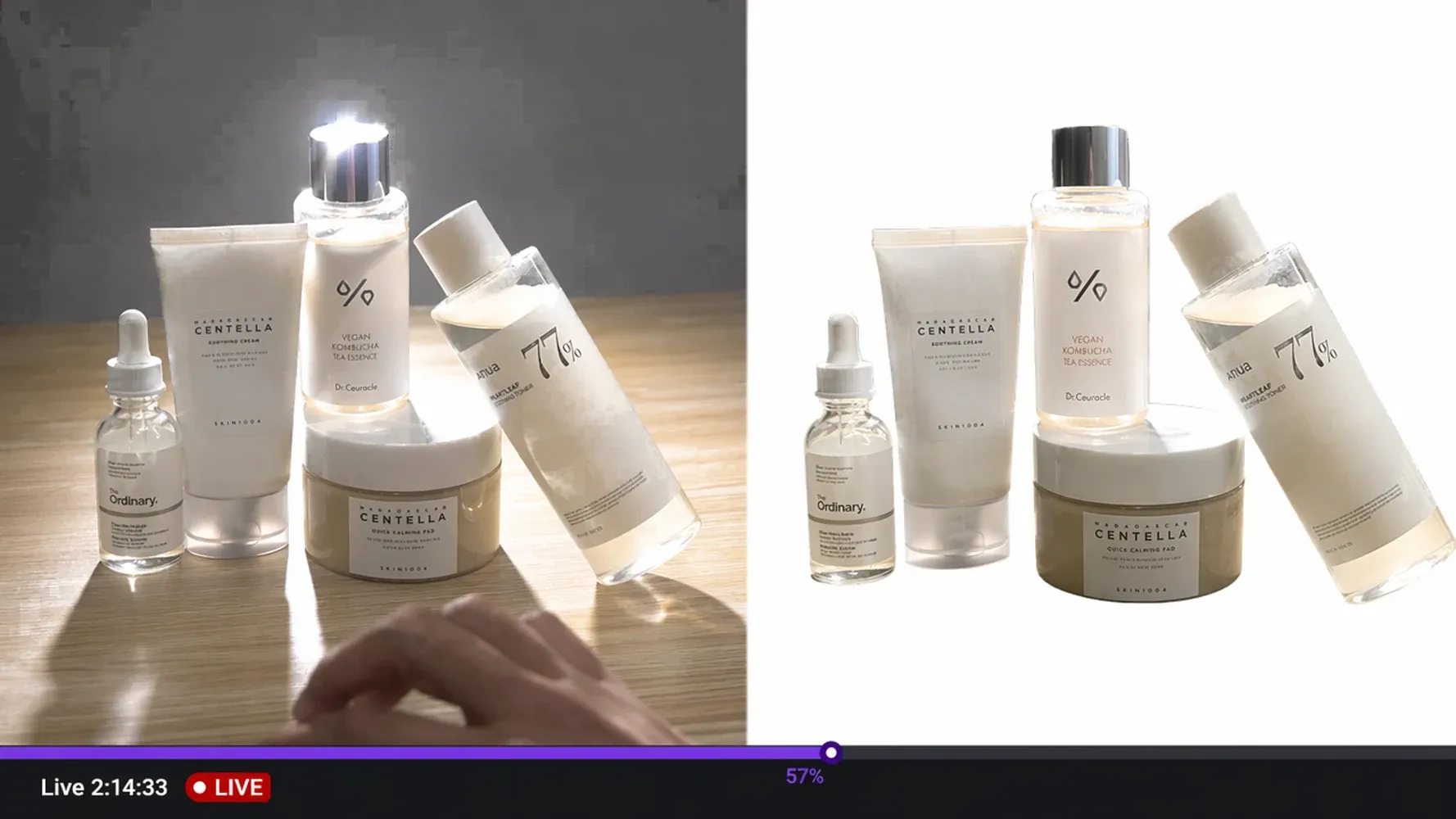
Place Your Subject in a New Scene
Change the background imagery of a video to support a different mood, location, or story beat. Move a presenter into a polished studio, place a product inside a contextual scene, or build a stylized environment around a performer. You decide where the action belongs while AI handles the technical work of separating the original footage.
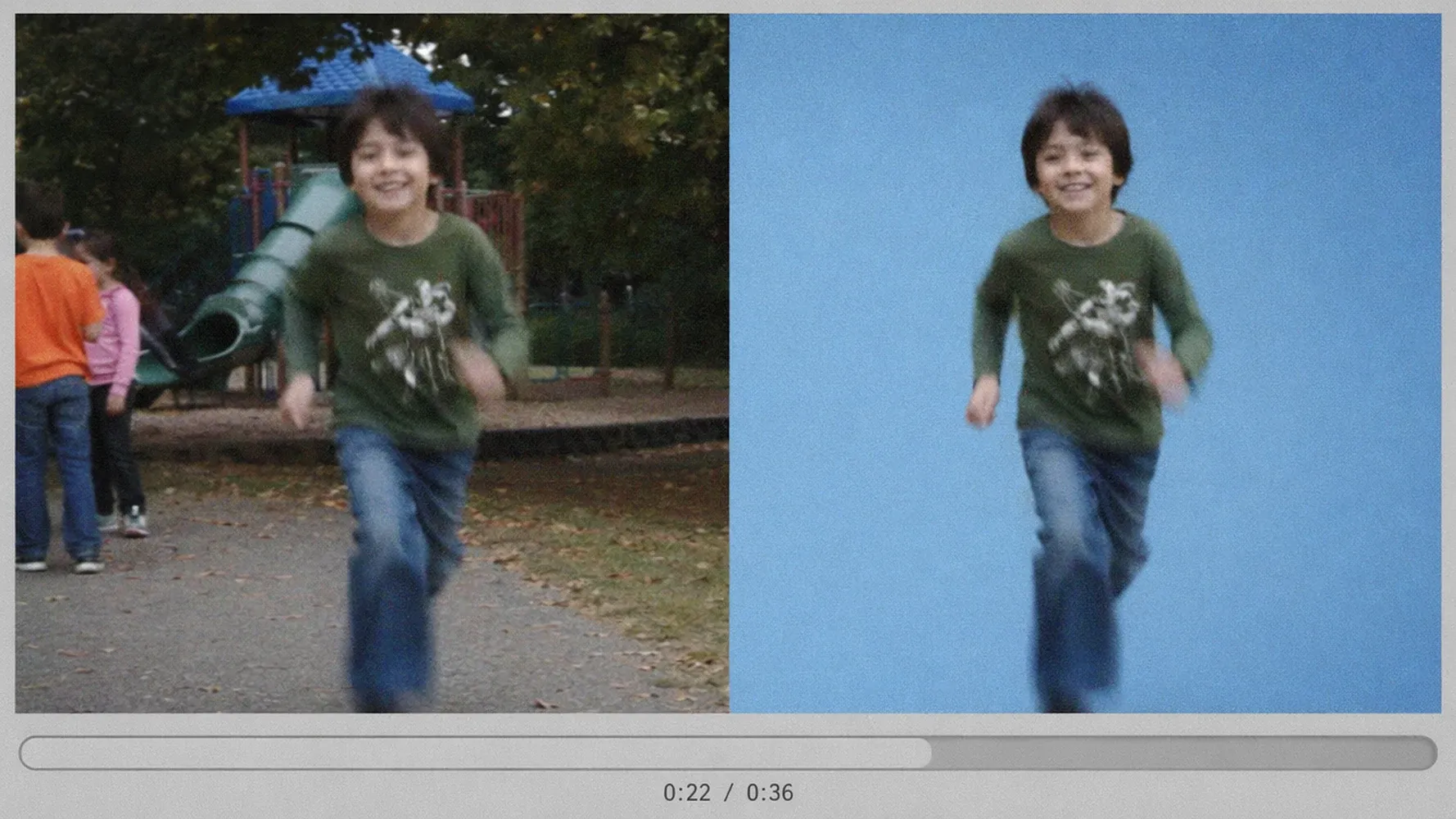
Create a Green-Screen-Style Composite
Create the layered look of a green-screen production even when the footage was captured in an ordinary setting. Isolate the subject, add a new scene behind it, and continue assembling the video with text, narration, music, or supporting shots. This gives smaller teams more flexibility when reshooting against a physical green screen is impractical.
AI Background Removal for Every Video
Background removal can solve practical production problems across marketing, education, ecommerce, and entertainment. The strongest result is not simply a blank area around the subject; it is a clip that fits naturally into the format, campaign, or story you are building next.
Product Videos and Ecommerce Ads
Remove a cluttered tabletop, showroom, or improvised filming location from product footage. Place the item against a cleaner brand scene, seasonal campaign image, or contextual environment for listings and ads. Ecommerce teams can reuse a strong source clip across several promotions while changing the visual setting to match each product launch, audience, or sales channel.
Talking-Head Videos and Explainers
Keep attention on the speaker while replacing an office, bedroom, or inconsistent recording setup. Add a clean studio, presentation graphic, branded background, or visual related to the topic. Marketers, educators, and social media managers can create more focused explainers without rebuilding a physical set for every recording session or campaign variation.
Social Posts, Shorts, and Thumbnails
Turn a casual clip into a more deliberate social asset by removing visual distractions behind the subject. Reframe the cutout for vertical videos, add bold colors or campaign artwork, and leave room for captions and hooks. The same isolated performance can support short-form posts, promotional edits, thumbnails, and platform-specific versions with distinct backgrounds.
Creative Composites and Story Scenes
Place performers, characters, or objects inside scenes that would be difficult to capture together. Use background removal as the bridge between live footage and a stylized world, then add narration, music, captions, and supporting shots. Creators can shape a coherent visual sequence while retaining the human performance or product movement that made the source clip useful.

How to Remove a Background from a Video with AI
You do not need to trace the subject frame by frame. Start with clear footage, let the AI create the initial separation, and inspect the result before changing the background or continuing into a complete video.
Step 1
Upload Your Video
Choose the clip you want to edit. For cleaner separation, start with the highest-quality source available and look for clear focus, useful lighting, and visible contrast between the subject and the original background.
Step 2
Let AI Remove the Video Background
Medeo analyzes the moving subject across the clip and removes the surrounding scene. Review the preview around hair, hands, motion blur, narrow gaps, reflective materials, and moments when the subject crosses areas with similar colors.
Step 3
Replace the Background or Continue Creating
Choose a new visual setting or carry the cutout into your next scene. Continue with text, supporting footage, narration, music, captions, and timing to turn the edited clip into a finished piece of content.
Why Choose Medeo for AI Video Background Removal
The best AI video background remover for your project should produce a useful cutout and help you do something meaningful with it. Medeo connects the removal task to the wider act of making a video, so the edited subject can become part of a complete, directed story rather than a stranded asset.
Consistent Results Across Moving Frames
Medeo evaluates the clip over time instead of treating every frame as an unrelated image. That temporal view helps the cutout follow motion and reduces visible edge changes during playback. You spend less time correcting repetitive masks and more time reviewing the moments that matter, such as fast movement, overlapping objects, fine hair, and low-contrast edges.
Creative Control Over the New Background
Removing the original scene does not lock you into one replacement. Choose a background that fits the audience, message, platform, and visual style of the project. You can build a clean branded layout, a realistic setting, or a more imaginative composition while keeping the subject's performance and deciding how the finished frame should communicate.
A Connected Path to a Complete Video
Use the isolated subject as one component in a larger production rather than stopping at background deletion. Continue shaping the piece with scenes, voice, music, captions, and timing in Medeo. This connected workflow helps marketers, agencies, and creators move from raw footage toward a structured video while keeping creative direction in their own hands.
AI Video Background Remover FAQs
Get direct answers about free trial access, green screens, replacement backgrounds, quality, formats, and common video cutout challenges.
See Why Video Creators Choose Medeo
Creators use Medeo to move from raw ideas and assets toward structured videos while retaining control over the message, style, and final direction.
"Medeo's AI Video Background Remover saves me an incredible amount of time. The subject separation is clean and consistent across the entire video."
James Turner
Video Editor
"I can remove and replace video backgrounds without using a green screen. The results look natural and are perfect for social media content."
Sophia Martinez
Content Creator
"We use Medeo to create promotional videos with customized backgrounds. The quality is impressive, and the workflow is much faster than traditional editing."
Daniel Kim
Marketing Manager
"Medeo's AI Video Background Remover saves me an incredible amount of time. The subject separation is clean and consistent across the entire video."
James Turner
Video Editor
"I can remove and replace video backgrounds without using a green screen. The results look natural and are perfect for social media content."
Sophia Martinez
Content Creator
"We use Medeo to create promotional videos with customized backgrounds. The quality is impressive, and the workflow is much faster than traditional editing."
Daniel Kim
Marketing Manager
"The background removal stays accurate even when people move around the frame. Medeo handles motion much better than other tools I've tried."
Olivia Parker
YouTube Creator
"What used to require advanced editing software can now be done in minutes. Medeo delivers clean background removal with minimal effort."
Ryan Brooks
Digital Advertiser
"The results are consistently professional. Medeo removes distracting backgrounds and helps us create polished videos ready for publishing."
Emma Foster
Social Media Strategist
"The background removal stays accurate even when people move around the frame. Medeo handles motion much better than other tools I've tried."
Olivia Parker
YouTube Creator
"What used to require advanced editing software can now be done in minutes. Medeo delivers clean background removal with minimal effort."
Ryan Brooks
Digital Advertiser
"The results are consistently professional. Medeo removes distracting backgrounds and helps us create polished videos ready for publishing."
Emma Foster
Social Media Strategist
Explore More AI Video Tools
Keep creating after the original background is gone. Use related Medeo tools to build new footage, edit the wider composition, and turn prepared visual assets into complete videos.
Learn More About Video Background Editing

7 Best Idea to Video AI Tools in 2026 (Tested & Compared)
Compare the 7 best idea to video AI tools in 2026 — tested across output quality, format coverage, and ease of use. Find the right tool for your content workflow.
TIAN YUAN · Apr 29, 2026 · 13 min read
How to Make Educational Videos with AI: Step-by-Step Guide
Learn how to make educational videos with AI using lesson notes, slides, scripts, visuals, voiceovers, captions, and templates for courses, classrooms, training, and social learning content.
TIAN YUAN · May 9, 2026 · 19 min read

How to Make Faceless Videos with AI (Step-by-Step Guide for 2026)
Learn how to make faceless videos with Medeo AI in 2026. Covers formats, niches, platforms, and a complete step-by-step production workflow.
TIAN YUAN · Apr 29, 2026 · 16 min read