Happy Horse AI Video Generator: Create Cinematic Videos Online
Use Happy Horse in Medeo to turn prompts, images, and reference assets into cinematic AI videos. Create text-to-video clips, animate still images, preserve products and characters with reference-to-video, and generate social-ready videos with synchronized audio.


What Is Happy Horse?
Happy Horse is Alibaba's AI video generation model family for creating cinematic-style videos from prompts, images, and reference assets. It is built for text-to-video, image-to-video, reference-to-video, smooth motion, visual consistency, and synchronized audio-video generation.
What the Happy Horse Model Can Create
Use Happy Horse for short-form videos, product ads, ecommerce motion, brand marketing clips, cinematic story scenes, short drama concepts, character moments, gaming trailers, social posts, image animation, and reference-guided video generation. In Medeo, Happy Horse becomes part of a practical creator workflow: write a prompt, upload an image, add references, compare model outputs, and export the best clip.
Create Videos with Happy Horse in Medeo
Medeo gives you a browser-based workspace for Happy Horse video generation. Start from text, images, or references, then refine the result for social, advertising, ecommerce, storytelling, or creative testing.
Generate Videos from Text Prompts
Describe the scene you want: subject, action, camera movement, environment, lighting, mood, and audio. Happy Horse text-to-video is useful for quick concepts, cinematic shots, social clips, branded content, short drama ideas, and product scenes.
Turn Images into Videos
Upload a product photo, portrait, AI image, concept frame, fashion visual, or storyboard panel, then describe how it should move. Happy Horse image-to-video helps turn still assets into motion with smoother pacing and stronger visual fidelity.
Preserve Details with Reference-to-Video
Use reference images when a product, character, scene, outfit, vehicle, or visual style must remain recognizable. Happy Horse 1.1 is especially positioned around stronger reference integration for products, characters, and scenes.
Create with Synchronized Audio
Guide ambience, motion sound, Foley, dialogue, or lip-sync in the prompt when audio matters. Happy Horse is commonly positioned as an audio-video generation model, so it can support clips that feel closer to finished media instead of silent drafts.
Happy Horse 1.1 and Happy Horse 1.0
Happy Horse search intent often mixes version names, API model names, and video workflows. This section helps users understand how the model family is positioned without turning the page into a technical API document.
Happy Horse 1.1
Happy Horse 1.1 is Alibaba's upgraded video generation model, released with stronger motion expressiveness, higher generation consistency, enhanced visual quality, improved reference-to-video fidelity, and audio-visual synchronization.
Happy Horse 1.0
Happy Horse 1.0 introduced the model family to global creators and enterprise customers, with text-to-video and image-to-video workflows for high-quality cinematic-style video generation.
Text-to-Video and Image-to-Video
Happy Horse supports both direct prompt-to-video creation and image animation. Users can start from a written scene, a product image, a first frame, or a visual reference and guide the generated clip through prompt details.
Reference-to-Video
Happy Horse 1.1 improves the model's ability to interpret and integrate information from multiple reference images, which helps preserve products, characters, scenes, and visual details in generated video outputs.
Happy Horse Video Generation for Real Search Intent
People searching for Happy Horse usually want to create video, animate images, test the latest Alibaba model, or compare it with Seedance, Veo, Sora, Kling, and Wan.
Create Videos Directly
Searches like Happy Horse AI video generator and HappyHorse video generator show direct creation intent. The page should lead with a generator workflow, not a long explainer.
Animate Photos and Product Images
Queries like Happy Horse image to video and HappyHorse I2V show that users want to upload an image and create motion. Medeo should make image-to-video and reference-to-video visible early.
Use Audio and Lip-Sync
Happy Horse is often discussed for synchronized audio-video generation. The page should cover ambience, sound effects, dialogue, Foley, and lip-sync as creative directions rather than treating audio as an afterthought.
Compare Video Models
Happy Horse is commonly compared against Seedance, Veo, Kling, Sora, Hailuo, and Wan. A model comparison section helps users decide when Happy Horse is the right route for a video brief.
Bring More Control to Happy Horse Video Creation
Happy Horse works best when the prompt reads like a directing brief. Define motion, camera, references, audio, timing, aspect ratio, and the details that should remain consistent.
Direct Expressive Motion
Prompt for natural body movement, product rotation, fabric motion, flowing hair, moving light, crowd behavior, or fast action. Happy Horse 1.1 is positioned around improved motion expressiveness and temporal consistency, making clear motion cues especially important.
Maintain Products, Characters, and Scenes
Reference-to-video is useful when the result needs to preserve specific visual details. Upload reference assets and describe what must stay stable, such as a product shape, face identity, costume, setting, logo, color palette, or scene layout.
Create for Social, Ads, and Widescreen
Happy Horse API documentation lists multiple aspect ratios including 16:9, 9:16, 1:1, 4:3, 3:4, 4:5, 5:4, 9:21, and 21:9. Use vertical formats for Reels, TikTok, and Shorts, and landscape formats for YouTube, websites, ads, and presentations.
Use Happy Horse Across Video Workflows
Happy Horse is a video-first model for creators, marketers, ecommerce teams, storytellers, and studios that need fast video drafts with motion, consistency, and sound.
Social Videos for TikTok, Reels, and Shorts
Create short vertical clips with a clear hook, fast visual payoff, and synced sound. Use Happy Horse for creator concepts, fashion moments, food videos, product teasers, travel clips, and high-energy social posts.
Product Ads and Ecommerce Motion
Turn static product images into moving ad concepts with orbit shots, close-up material details, lifestyle scenes, synchronized Foley, and reference-guided product consistency.
Brand Marketing and Launch Videos
Generate campaign clips, event teasers, promo scenes, brand mood videos, and concept directions. Reference-to-video helps preserve key products, campaign characters, or visual environments across variations.
Short Drama and Cinematic Story Scenes
Create short narrative shots with camera direction, character motion, dialogue cues, and scene atmosphere. Happy Horse can help test story ideas before investing in production or manual editing.
Gaming Trailers and CG Concepts
Build cinematic action shots, environment reveals, character moments, and trailer-style motion from prompts or concept frames. Use references when a character, prop, or world style must remain recognizable.
Image Animation and Creative Testing
Animate AI art, portraits, product shots, concept frames, and moodboards. Compare Happy Horse with other Medeo models to see which one produces the best motion, continuity, and audio for your brief.
Why Happy Horse Stands Out for AI Video
Happy Horse is not just another prompt-to-video option. Its current positioning centers on cinematic generation, motion quality, reference fidelity, audio-video synchronization, and production efficiency.
Stronger Motion Expressiveness
Alibaba describes Happy Horse 1.1 as improving motion modeling and temporal consistency, which matters for complex action, product movement, character performance, and visually striking video clips.
Higher Visual Consistency
Happy Horse 1.1 focuses on better consistency between reference images and generated video outputs. This is important for professional use cases where products, characters, scenes, and brand assets must remain recognizable.
Audio-Visual Synchronization
Happy Horse is positioned around generating video with audio in a unified workflow. That makes it useful for clips that need dialogue, ambient sound, product Foley, music direction, or lip-sync style concepts.
Built for Professional Content Production
Alibaba highlights adoption across short-form dramas, ecommerce advertising, brand marketing, and gaming cinematic trailers. Medeo translates those model strengths into a direct creative workflow for teams and individual creators.
How to Use Happy Horse on Medeo
Start with text, an image, or references, then guide motion, camera, sound, aspect ratio, and visual consistency until the generated video matches your goal.
Step 1
Choose Text, Image, or Reference Input
Write a video prompt, upload a starting image, or add reference assets for a product, character, object, or visual style that should guide the generated clip.
Step 2
Describe Motion, Camera, and Audio
Add subject action, camera movement, scene setting, lighting, pacing, audio cues, dialogue, Foley, and consistency requirements. Specific video direction usually produces a more useful result.
Step 3
Generate and Review the Clip
Check prompt alignment, motion quality, reference fidelity, subject consistency, audio sync, scene realism, and whether the result fits the intended channel or campaign.
Step 4
Refine, Compare, and Export
Adjust the prompt, regenerate a variation, compare Happy Horse with other video models in Medeo, and export the best clip for social posts, ads, pitch decks, ecommerce, or creative review.
How to Write Better Happy Horse Prompts
A strong Happy Horse prompt describes the video as moving media, not a static image. Include action, camera movement, sound, references, timing, and output intent.
Use a Video Prompt Formula
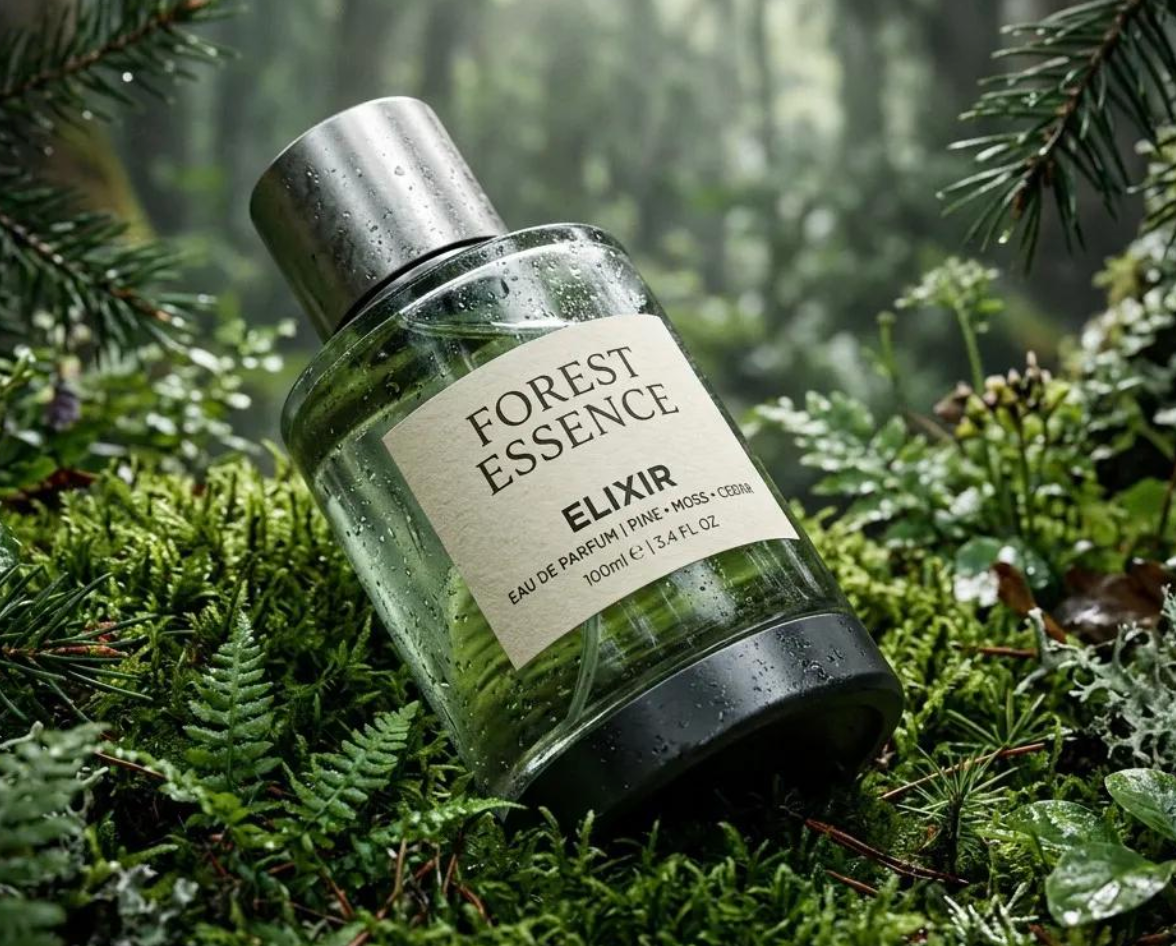
Try this structure: subject plus action plus setting plus camera movement plus lighting plus audio plus consistency. Example: A luxury skincare bottle on wet stone, slow orbiting camera, soft studio light, water droplets sliding down the glass, subtle product Foley, preserve label clarity.
Separate Main Motion and Background Motion
Describe what the main subject does, then add secondary movement such as fabric, hair, water, smoke, light, crowds, reflections, or environmental details. Layered motion makes the clip feel richer.
Tell the Model What to Preserve
For image-to-video or reference-to-video, specify which details must stay stable: face identity, product shape, logo placement, outfit, scene layout, color palette, art style, or character design.
Prompt Audio with Intention
If audio matters, include ambient sound, footsteps, object sounds, dialogue, music mood, or Foley effects. If the clip should stay clean for later editing, specify no dialogue or ambient sound only.
Choose the Format Early
Mention vertical video for TikTok, Reels, and Shorts, or landscape video for YouTube, websites, and presentations. Format affects composition, subject placement, camera direction, and how the final clip will be used.
Happy Horse Prompt Examples
Use these examples as starting points, then adapt the subject, camera, audio, reference images, aspect ratio, and intended platform for your own Happy Horse video.
| Use Case | Prompt Example |
|---|---|
| Product Ad | A premium smartwatch on a dark reflective surface, slow 180-degree camera orbit, soft rim light gliding across the glass, subtle click sound as the screen turns on, realistic reflections, clean commercial style, preserve product shape and screen detail. |
| Social Video | A fast vertical clip of a street food stall at night, steam rising from the grill, neon signs glowing, handheld camera push-in, close-up reveal of the dish, sizzling sound and lively street ambience, energetic social media pacing. |
| Short Drama | A tense cinematic scene in a quiet hotel hallway, a woman turns slowly after hearing footsteps, camera tracks behind her shoulder, cool blue lighting, soft echoing footsteps, subtle suspense music, realistic facial expression. |
| Reference-to-Video | Use the reference image as the main product. Keep the bottle shape, logo, cap, and label layout unchanged. Place it in a bright summer bathroom scene, soft sunlight through curtains, slow camera push-in, water droplets moving on the surface. |
| Gaming Trailer | A heroic warrior stands at the edge of a ruined sci-fi city, cape moving in strong wind, camera cranes up to reveal burning towers, distant thunder, cinematic trailer lighting, dust particles in the air, dramatic orchestral mood. |
Happy Horse Compared with Other AI Video Models
Happy Horse is a strong fit when you need video generation with motion quality, reference consistency, and synchronized audio. Compare it with the same prompt and source assets before choosing a model.
Happy Horse vs Seedance 2.0
Seedance 2.0 is strong for fast creator-facing video and broad social workflows. Happy Horse is especially relevant when the brief needs synchronized audio, reference-guided consistency, and cinematic-style video from text or images.
Happy Horse vs Veo 3.1
Veo 3.1 is useful for polished image-to-video, native audio, and strong realism. Compare Happy Horse when you want reference-to-video fidelity, expressive motion, and Alibaba's latest video model direction inside a multi-model workflow.
Happy Horse vs Sora 2
Sora 2 is often discussed around cinematic scene behavior and audio-aware generation. Happy Horse is attractive for users who want a current video model with text-to-video, image-to-video, reference-to-video, and synchronized audio positioning.
Happy Horse vs Kling
Kling can be strong for character motion and dynamic image animation. Compare Happy Horse when audio-video sync, reference fidelity, ecommerce videos, short drama scenes, or product consistency are central to the job.
Happy Horse vs Wan AI
Wan AI is appealing for open-model video workflows and experimental creation. Happy Horse is better positioned for professional generation through Alibaba's current Model Studio ecosystem, with T2V, I2V, R2V, motion, and audio-oriented use cases.
Detailed Comparison Chart
Compare Happy Horse with other AI video models using the same prompt, image input, reference assets, audio needs, aspect ratio, duration, and intended platform.
| Model | Developer | Supported Inputs | Output / Tasks | Best For | Primary Access |
|---|---|---|---|---|---|
| Happy Horse | Alibaba | Text prompts, images, and reference assets depending on workflow | Text-to-video, image-to-video, reference-to-video, synchronized audio-video generation | Product ads, short-form videos, brand marketing, short drama, cinematic clips, reference fidelity | Happy Horse official website, Alibaba Cloud Model Studio, Qwen App, API partners, and supported platforms such as Medeo |
| Veo 3.1 | Google DeepMind | Text, image, first and last frames, references, extension workflows | Video with native audio, depending on product surface | Cinematic realism, product videos, native audio, controlled scene generation | Gemini API, Vertex AI, Flow, Gemini app, and supported platforms such as Medeo |
| Seedance 2.0 | ByteDance | Text and image | Video | Fast creative iteration, social content, broad prompt-to-video workflows | ByteDance ecosystem and supported platforms such as Medeo |
| Kling | Kuaishou | Text and image | Video | Character motion, image animation, dynamic social clips, controlled movement | Kling products and supported platforms such as Medeo |
| Wan AI | Alibaba Cloud / Wan-AI | Text, image, text-image, speech/audio, and animation inputs depending on model branch | Text-to-video, image-to-video, text-image-to-video, speech-to-video, animation, video editing | Open-model video generation, image animation, character motion, experimental prompts | Wan repositories, Hugging Face, ModelScope, ComfyUI, Diffusers, and supported platforms such as Medeo |
Frequently Asked Questions About Happy Horse
These answers cover common questions about Happy Horse video generation, text-to-video, image-to-video, reference-to-video, audio, duration, output formats, and use inside Medeo.
See Why Creators Choose Medeo
Creators use Medeo to compare video models, refine prompts, test reference assets, and connect video generation with editing, captions, music, and export workflows.
"Happy Horse is useful when we want a video concept that includes both motion and sound. Medeo makes it easy to test prompts and compare the result with other models."
Emily Parker
Video Content Creator
"For product campaigns, reference-to-video is the feature we care about most. We need the product to stay recognizable while the clip becomes more dynamic."
Daniel Foster
Creative Director
"Medeo helps us move from static ecommerce images to short motion concepts quickly. Happy Horse gives us another strong model to test for ads and social posts."
Sophia Kim
Ecommerce Manager
"Happy Horse is useful when we want a video concept that includes both motion and sound. Medeo makes it easy to test prompts and compare the result with other models."
Emily Parker
Video Content Creator
"For product campaigns, reference-to-video is the feature we care about most. We need the product to stay recognizable while the clip becomes more dynamic."
Daniel Foster
Creative Director
"Medeo helps us move from static ecommerce images to short motion concepts quickly. Happy Horse gives us another strong model to test for ads and social posts."
Sophia Kim
Ecommerce Manager
"I like using Medeo because I can try Happy Horse, Veo, Seedance, Kling, and Wan with the same brief. The comparison tells me more than a model description ever could."
Ryan Mitchell
AI Filmmaker
"The audio direction makes video prompts feel more complete. We can test ambience, action sounds, and dialogue cues before deciding what needs manual post-production."
Olivia Bennett
Brand Strategist
"Happy Horse is strong for short dramatic shots and product movement. Medeo keeps the workflow approachable enough for our whole team to participate."
Michael Chen
Product Designer
"I like using Medeo because I can try Happy Horse, Veo, Seedance, Kling, and Wan with the same brief. The comparison tells me more than a model description ever could."
Ryan Mitchell
AI Filmmaker
"The audio direction makes video prompts feel more complete. We can test ambience, action sounds, and dialogue cues before deciding what needs manual post-production."
Olivia Bennett
Brand Strategist
"Happy Horse is strong for short dramatic shots and product movement. Medeo keeps the workflow approachable enough for our whole team to participate."
Michael Chen
Product Designer
Explore More AI Video Models and Creative Tools
Different video briefs benefit from different models. Compare Happy Horse with other options in Medeo, then choose the best route for motion, realism, audio, reference fidelity, and format.


Learn More About AI Video Creation
Build a stronger video workflow with guides for prompting, model comparison, image-to-video generation, reference videos, synced audio, and short-form AI video production.