AI Music Video Generator: Turn Songs into Music Videos
Upload a song, audio file, lyrics, or cover art and turn it into a music video with AI. Medeo helps musicians and creators make beat-synced music videos, lyric videos, music visualizers, waveform videos, Spotify Canvas clips, YouTube music videos, and short promos for TikTok, Reels, and Shorts.
Create Every Music Video Format
What Is an AI Music Video Generator?
An AI music video generator turns songs, audio files, lyrics, cover art, or release ideas into visual videos. It helps musicians, producers, labels, podcasters, and creators make music videos, lyric videos, audio visualizers, waveform videos, album teasers, Spotify Canvas loops, and social clips without planning a full video shoot or editing every beat by hand.
From Audio and Lyrics to a Finished Music Video
Start with a song, MP3, WAV, lyric sheet, cover art, or mood prompt, then generate a video that matches the track's rhythm, message, genre, and release format.
Before
A song, audio file, lyric sheet, cover image, or release idea
After
A music video, lyric video, visualizer, Spotify Canvas, or social promo ready to share
Create the Music Video Formats People Search For
Medeo covers the main music creation intents: AI music videos, music video maker workflows, lyric videos, music visualizers, audio visualizers, song-to-video, MP3-to-video, Spotify Canvas clips, and YouTube music promos.
AI Music Video Generator
Turn songs, lyrics, prompts, and cover art into music videos with scenes, motion, mood, and pacing shaped around the track.
Music Visualizer Maker
Create audio-reactive music visualizers, waveform videos, spectrum-style clips, looping visuals, and long-form YouTube visualizers.
Lyric Video Maker
Turn lyrics into animated text, karaoke-style lines, subtitles, captions, and visual storytelling that follows the song.
Audio to Video and Song to Video
Convert MP3, WAV, song demos, beats, podcast intros, or background music into shareable videos for YouTube and social media.
Spotify Canvas and Vertical Loops
Create short looping vertical videos for Spotify Canvas-style releases, Instagram Reels, TikTok snippets, and YouTube Shorts.
Music Promo Videos
Make single release teasers, album trailers, EPK clips, tour promos, cover-art animations, and pre-save announcement videos.
Make Music Videos Without a Full Production Crew
A traditional music video can require concept planning, footage, typography, editing, effects, and multiple platform exports. Medeo helps turn music assets into visual content faster.
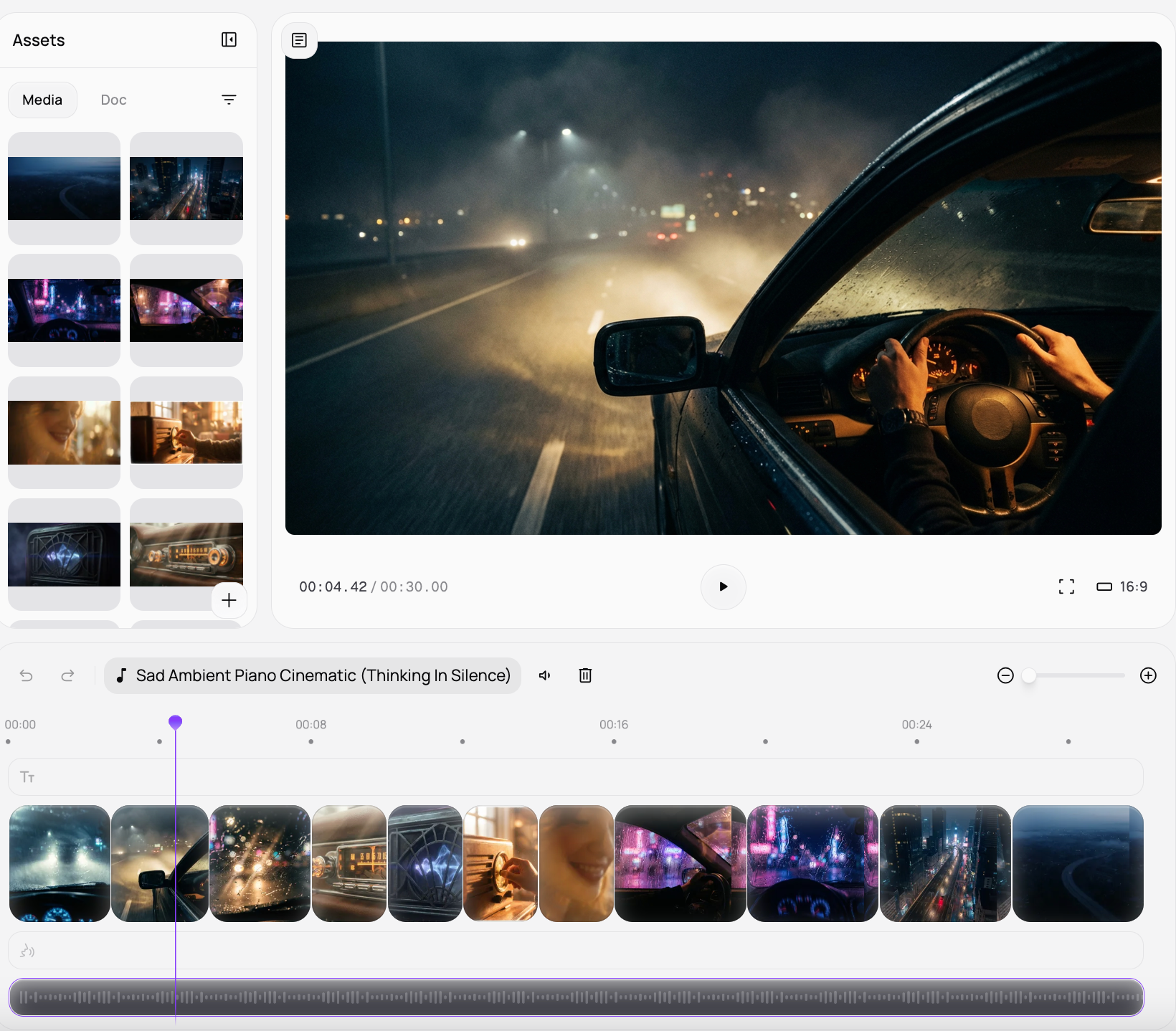
Song to Video
Turn Audio into a Visual Story
Upload your song or describe the track's mood, genre, and message. Medeo can help create visuals that support the emotion of the music, from cinematic scenes to abstract motion and performance-inspired clips.
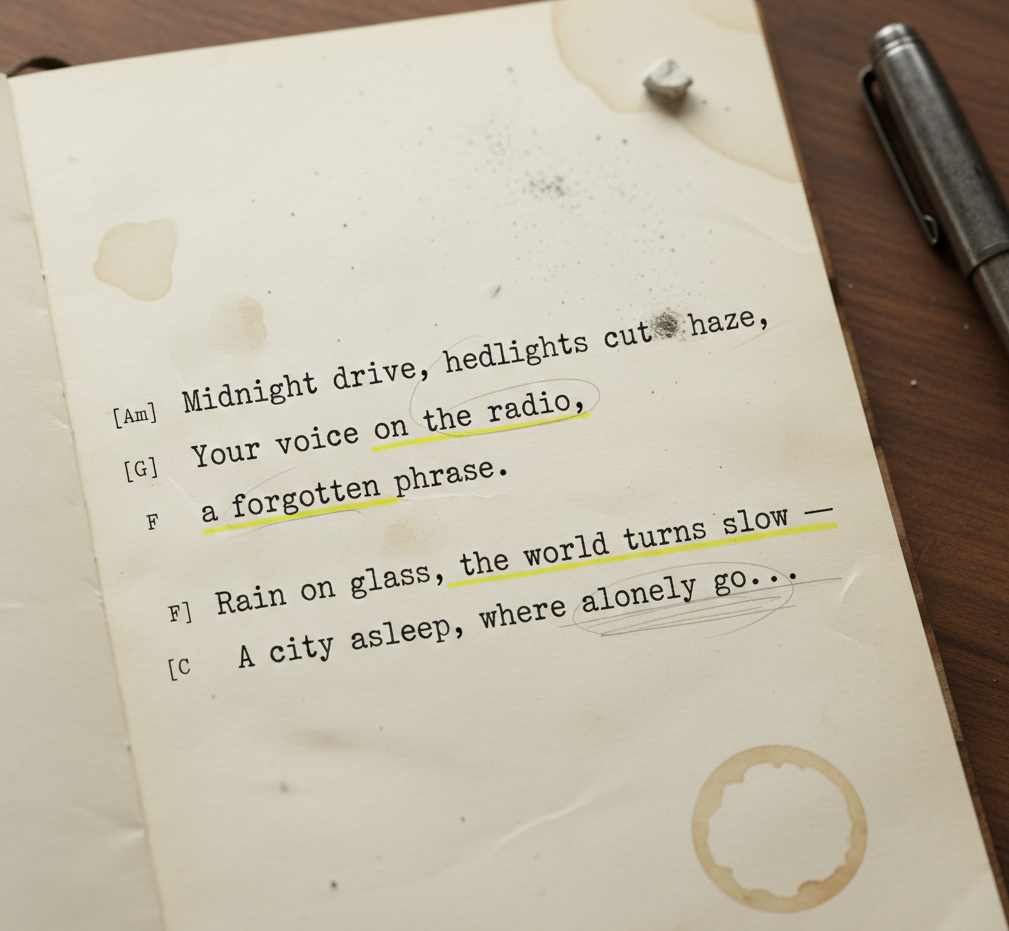
Lyrics
Create Lyric Videos and Karaoke-Style Clips
Add lyrics, captions, subtitles, and animated typography so listeners can follow the song. This works for official lyric videos, fan-style lyric clips, karaoke videos, and social snippets.
Visualizer
Generate Music Visualizers and Waveform Videos
Create audio visualizers, waveform music videos, spectrum-style animations, looping album visuals, and long-form background videos for YouTube, livestreams, premieres, and artist channels.
Vertical Clips
Create Spotify Canvas, Shorts, Reels, and TikTok Promos
Cut your song into short visual moments for release week. Create vertical loops, teaser clips, hook-first chorus videos, cover-art motion, and social formats for music discovery.
Artist Promo
Promote Singles, Albums, and Live Shows
Create visuals for single announcements, album trailers, EPK videos, tour promo clips, release countdowns, playlist pitches, and brand collaborations without starting from a blank timeline.
Match the Visual Style to the Music
Different songs need different visual language. Use genre, mood, tempo, and release goal to guide the video.
Lo-Fi, Ambient, Sleep, and Meditation Music
Create calm loops, slow camera movement, dreamy visualizers, soft color palettes, relaxing waveform videos, and long-form visuals for study, sleep, or meditation tracks.
Hip Hop, Rap, Pop, and R&B
Use bold typography, lyric emphasis, performance-style edits, city visuals, album cover animation, fast transitions, and hook-first vertical clips for social promotion.
EDM, Electronic, Dance, and Club Music
Create beat-reactive visuals, neon abstract scenes, high-energy cuts, audio spectrum effects, pulsing motion, and festival-style promo clips.
Rock, Country, Classical, Jazz, and Acoustic
Build narrative music videos, performance-inspired scenes, lyric videos, warm visualizers, cinematic landscapes, or minimal album visuals that match the track's tone.
Music Videos for Artists, Creators, Labels, and Marketers
Use Medeo to create visual content across the full release cycle, from teaser to launch day to long-tail promotion.
YouTube Music Videos and Visualizers
Create full-length music videos, official visualizers, lyric videos, premiere visuals, and looping album videos for YouTube.
TikTok, Reels, and Shorts
Generate hook-first clips for choruses, beat drops, lyrics, remixes, dance challenges, release teasers, and fan engagement.
Spotify Canvas-Style Loops
Create short vertical loops from cover art, lyrics, performance images, or mood visuals for streaming-era music promotion.
Cover Art Animation
Turn album covers, single artwork, posters, and artist photos into animated music video assets and teaser visuals.
Podcast and Intro Music Videos
Visualize podcast themes, intro tracks, sonic logos, brand music, and background audio for professional video intros.
EPK and Music Marketing Assets
Create quick promotional clips for press kits, playlist pitches, tour announcements, release countdowns, and paid social ads.
How to Create a Music Video with AI
Start with a song, audio file, lyrics, cover art, or prompt. Medeo helps turn it into a music video, lyric video, visualizer, or release promo.
Step 1
Upload Audio, Lyrics, or Cover Art
Add a song, MP3, WAV, lyric sheet, album cover, artist image, or text prompt describing the music video you want.
Step 2
Choose the Video Format
Pick a music video, lyric video, audio visualizer, waveform video, Spotify Canvas-style loop, YouTube visualizer, or vertical promo clip.
Step 3
Set the Mood and Visual Direction
Describe the genre, tempo, color palette, camera style, lyric treatment, beat intensity, scene ideas, and target platform.
Step 4
Generate, Refine, and Share
Preview the AI music video, adjust visuals or captions, then export for YouTube, TikTok, Reels, Shorts, Spotify Canvas-style promotion, or your artist page.
Music Video Prompt Examples
Use these prompt patterns to create music videos, lyric videos, visualizers, and release promos faster.
| Format | Prompt Example |
|---|---|
| AI music video | Create a cinematic music video for an emotional pop song, night city visuals, soft close-ups, slow camera movement, chorus reveal, moody blue and pink lighting. |
| Lyric video | Create a lyric video with animated typography, clean captions, warm film grain, handwritten text accents, and emotional scenes that follow the chorus. |
| Music visualizer | Create an audio-reactive music visualizer for an EDM track with neon waveform motion, pulsing abstract geometry, beat-synced transitions, and loopable background visuals. |
| Lo-fi visualizer | Create a calm lo-fi music visualizer with a cozy room, rain outside the window, subtle waveform animation, slow loop, warm lighting, and relaxed pacing. |
| Spotify Canvas-style loop | Animate the single cover into a short vertical loop with subtle camera movement, glowing text, soft particles, and a seamless ending for streaming promotion. |
| Release promo | Create a 15-second teaser for a new single, bold title text, album cover reveal, quick lyric hook, release date, pre-save callout, and vertical format for TikTok and Reels. |
Music Video Generator vs Music Streaming or Music Maker Tools
Many music searches are about streaming apps, downloads, music theory, or AI song generation. Medeo is different: it helps you create videos for music you already have or plan to promote.
Use Medeo to Create Videos, Not Stream Songs
Medeo is not a music streaming service like YouTube Music, Apple Music, Amazon Music, or Pandora. It is a creative tool for turning songs and audio into video assets.
Use Generated Music as an Input
If you made a song with an AI music generator or a traditional DAW, you can use that audio as the starting point for a visualizer, lyric video, or release promo.
Create Visuals for Music You Have Rights To Use
Use your own tracks, licensed music, royalty-free audio, or songs you have permission to promote. Avoid uploading copyrighted music you do not have rights to use.
Add Music to Existing Video Projects
You can also use Medeo to support video projects that need background music, intro music, podcast themes, or music-driven visuals.
Tips for Better AI Music Videos
A strong music video should feel connected to the song, not just placed on top of it.
Start with the Song's Emotional Core
Describe what the song feels like: heartbreak, confidence, nostalgia, celebration, peace, anxiety, devotion, or movement. The emotional brief guides better visuals.
Separate Verse, Chorus, and Drop Moments
Tell Medeo where the energy changes. Use softer visuals for verses, stronger motion for choruses, and more intense effects for beat drops or final hooks.
Make Lyrics Readable on Mobile
For lyric videos and social clips, use short lines, strong contrast, simple typography, and enough screen time for viewers to read the words.
Export Different Versions for Each Platform
Use long-form visualizers for YouTube, vertical loops for Spotify Canvas-style promotion, short hooks for TikTok and Reels, and polished teasers for release campaigns.
AI Music Video Generator FAQs
Answers about AI music videos, music visualizers, lyric videos, audio-to-video workflows, Spotify Canvas-style clips, and music promotion videos.
Explore More AI Video Tools
Use Medeo to create more videos, captions, motion, and social assets around your music.