I. Control Credit Usage: Reduce Wasted Credits at the Source
(1) Optimize Prompts to Create Better Work with Fewer Credits
Medeo community users commonly report that the clearer and more specific a prompt is, the more accurately AI understands the intent, the closer the generated result is to expectations, and the fewer credits are actually consumed. The credits saved can be used for more rounds of trial, error, and iteration.
Good Prompt
Clear objective: Specify the video type, style, and duration
Use imperative sentences to communicate your intent concisely
Include a reference style or scene description
Poor Prompt
Starting generation with a vague, undeveloped idea
Lacking specific parameters and relying on AI to improvise
Repeatedly changing direction and consuming a large number of credits
Tip: If you are not yet sure what result you want, first talk through your ideas with Medeo, then begin generating.
(2) Step-by-Step Confirmation
Before generating the final video, use step-by-step confirmation to control credit consumption and avoid rerunning the entire workflow repeatedly because one stage did not produce the desired result.
Step-by-step review: When sending instructions, ask Medeo to pause at key points and wait for confirmation. For example: "After writing the script, show it to me for review first. Once I confirm it, continue creating the images."
Plan the workflow: Before generation, organize the video script, storyboard structure, and required assets to avoid repeated credit consumption caused by an unclear direction.
Use reference assets: Prepare reference images or videos for characters, scenes, or styles in advance and upload them to Medeo as assets. This guides AI to generate content that better matches expectations and reduces the number of revisions.
(3) Confirm IP Permissions in Advance
Some models have review restrictions on cartoon depictions of real people and IP characters. Before generating, ask Medeo whether the relevant assets are supported.
Supported → Continue generating as usual
Not supported → Switch models, or first generate a custom digital human and then continue production
II. Control Costs: Achieve the Best Output Through Model Selection
(1) Model Selection Strategy
Medeo supports multiple image and video generation models, each with different trade-offs between cost and quality. When the highest possible visual quality is not required, choosing a lower-cost model can significantly reduce credit consumption.
Text-to-Image / Image-to-Image | ||
Model | Cost Tier | Best For |
Grok Imagine, Seedream 4.5 | Best Value | Rapid image generation and initial draft validation; fast generation with low credit consumption |
Nano Banana 2 | Balanced | Everyday content creation with a balance between quality and cost |
GPT 2 Image, Midjourney, Nano Banana Pro | High Quality | Final output with refined visual details; scenarios with higher quality requirements |
Text-to-Video / Image-to-Video | ||
Model | Cost Tier | Best For |
MiniMax Hailuo 2.3 | Best Value | Routine batch production with low credit consumption and consistent quality |
Grok Video | Fast and Low Cost | Rapid concept validation with extremely fast generation and low cost |
Kling 2.5 turbo | Balanced | A solid balance between quality and cost; suitable for standard video content |
Kling 3 Pro, Seedance 2 | High Quality | Brand content with strong visual impact; scenarios with higher quality requirements |
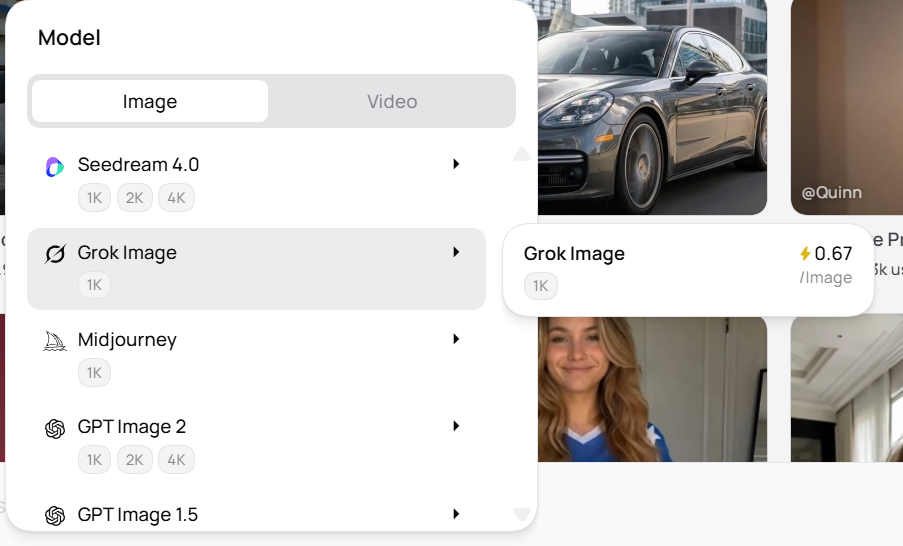
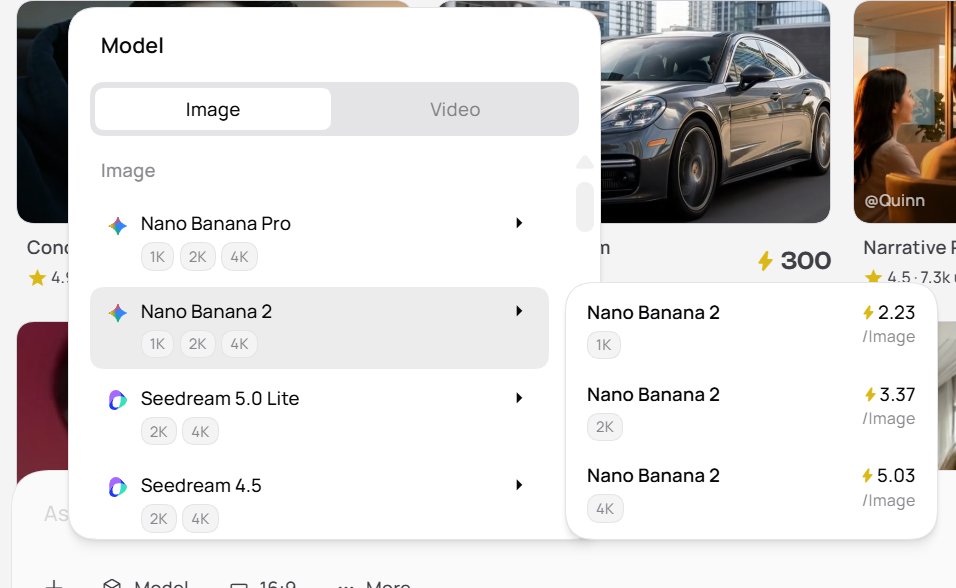
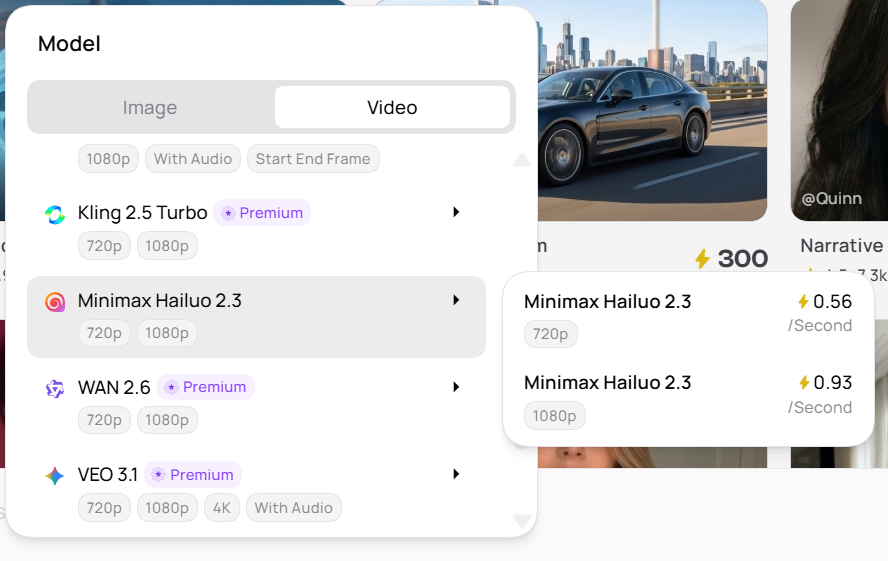
Recommendation: During image and video generation, first use a low-cost model to validate the result. Once satisfied, upgrade to a high-quality model for the final output.
(2) Use Recipes to Control Cost Tiers
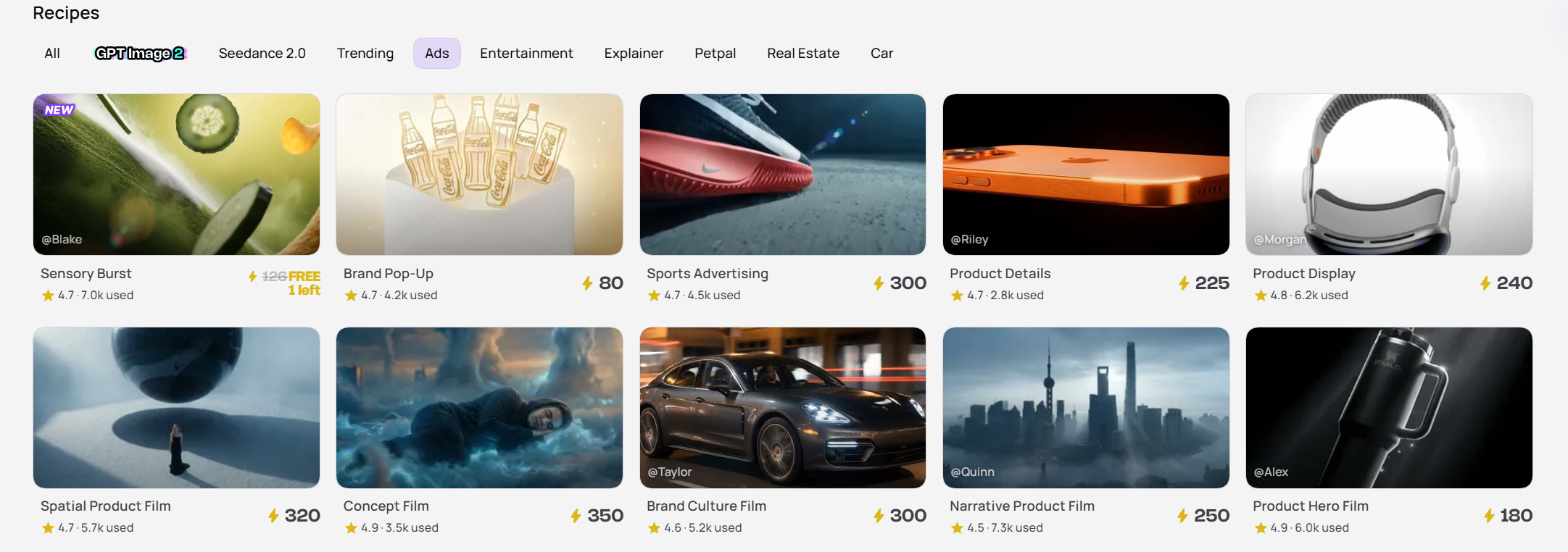
For the same creative scenario, Medeo offers Recipes at different credit tiers. Before choosing, you can preview the corresponding video result and estimated credit consumption. Select flexibly based on your actual needs to avoid paying a high cost for content with modest requirements.
(3) How to View Credit Consumption
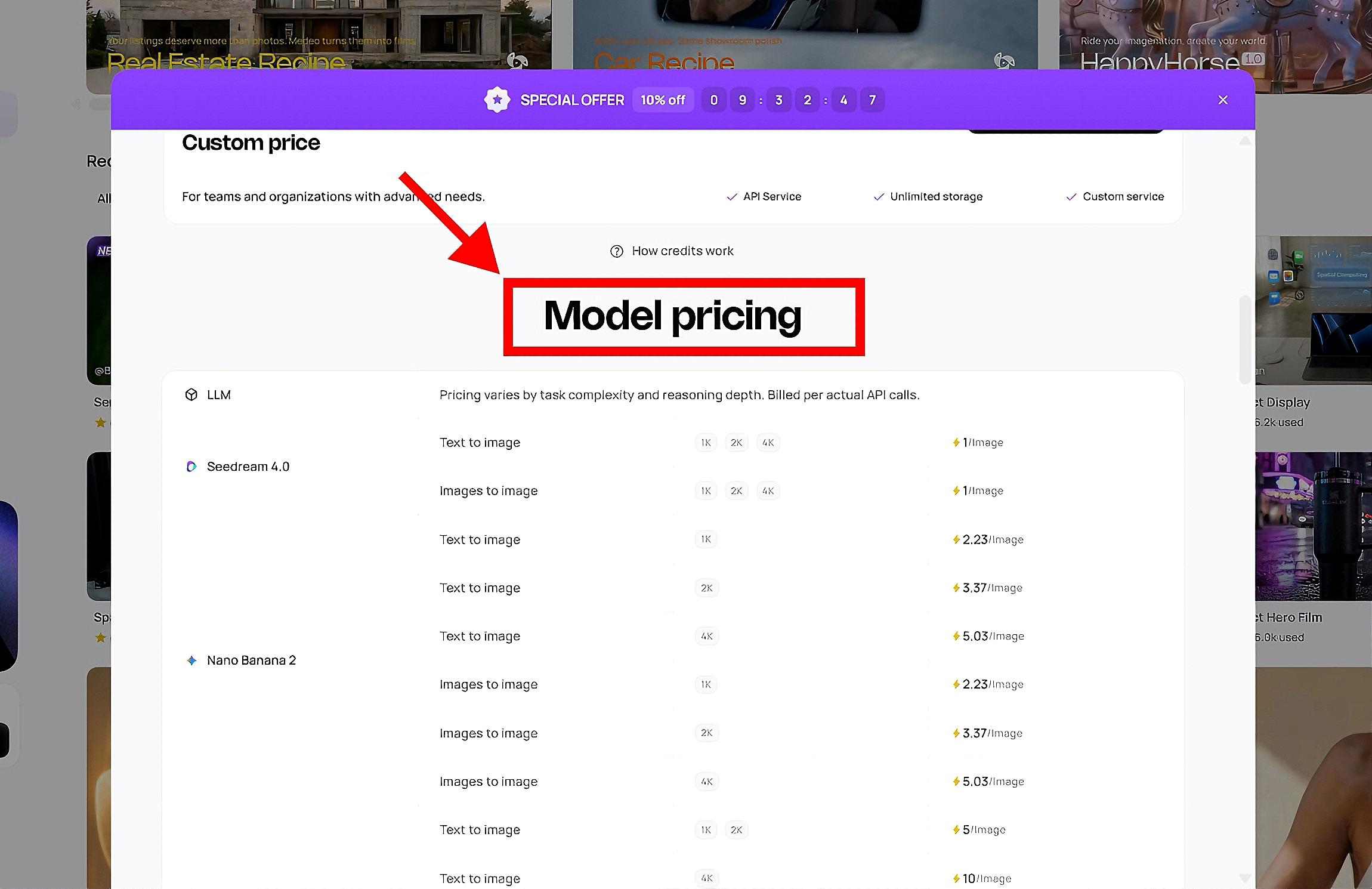
Transparent usage rules: The Medeo homepage provides a clear credit consumption table covering the relationship between video duration, quantity, and credits, allowing you to evaluate costs before generating.
Pre-confirmation for high usage: If a generation is estimated to consume more than 80 credits, the system displays a prompt before generation showing the expected usage and giving you time to decide.