You have an idea. You want a video. The gap between those two things used to be enormous — scripts, storyboards, footage, editing, voiceovers. Hours of work before a single frame was watchable.
Idea-to-video AI tools close that gap. You describe what you want, and the AI handles everything else: writing the script, selecting visuals, generating voiceovers, syncing music, and assembling the final cut.
The best idea to video AI tools have changed dramatically in the past two years, and the quality difference between them is significant. We tested the leading options across speed, output quality, control, and how well each handles a wide range of video types. Here's what actually delivers.
What to Look for in an Idea-to-Video AI Generator
Before the list, a quick framework for evaluating these tools — because "idea to video" covers very different products:
End-to-end automation. Some idea to video AI tools generate a short clip from a text prompt. Others handle a full production pipeline: script, visuals, voiceover, captions, music, and editing. The output quality gap between these two categories is large.
Conversational vs. single-prompt. Single-prompt idea to video generators give you one output to accept or reject. Conversational tools let you refine iteratively — "change the tone," "make the intro faster," "swap the background music" — without rebuilding from scratch. For most users, the conversational approach produces better final videos faster.
Video type breadth. Can the AI video generator handle educational explainers and product promos and social media clips? Or is it optimized for one format? Tools with broader coverage are more useful as a primary production tool.
Character consistency. For serialized or branded content, AI-generated characters need to look the same across scenes and sessions. Many idea-to-video tools fail here. Worth testing specifically before committing.
Output resolution and quality. Minimum 1080p for modern platforms. Some tools still export at 720p or lower on free plans.
The 7 Best Idea to Video AI Tools in 2026
Medeo — Best Idea to Video AI for Full-Pipeline Creation
Best for: Creators, marketers, and educators who want to turn ideas into complete, publish-ready videos across any format through natural conversation
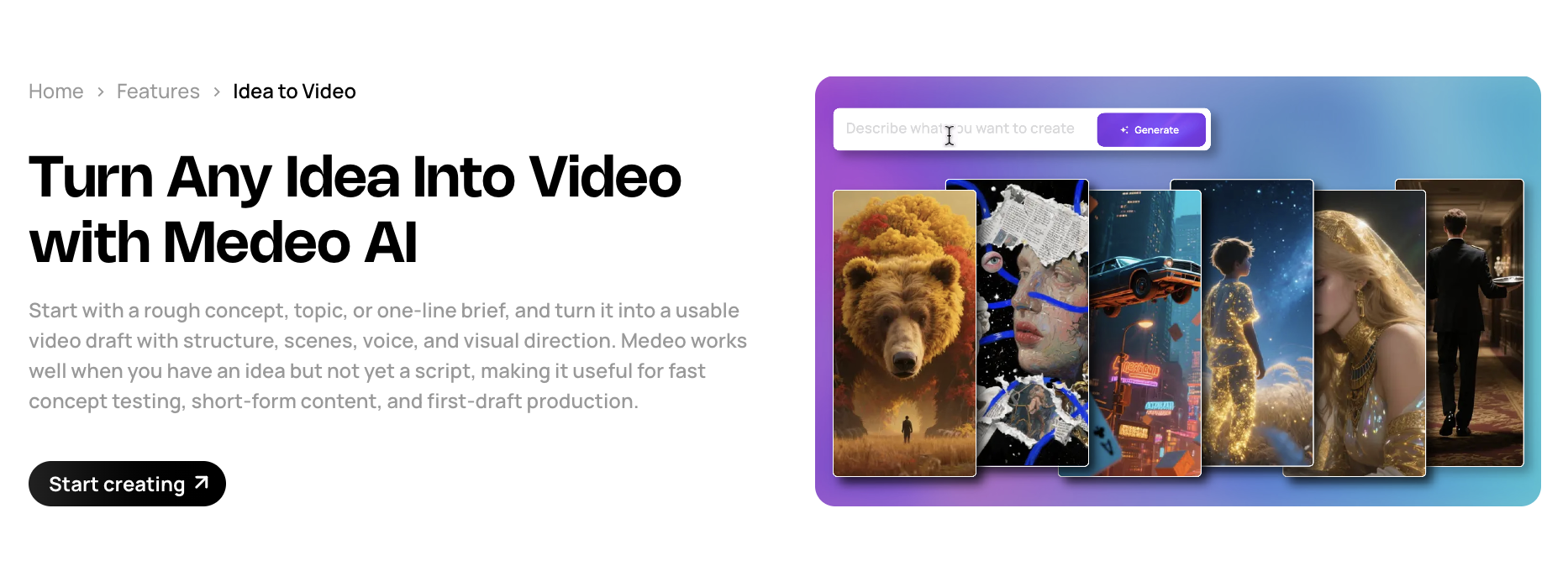
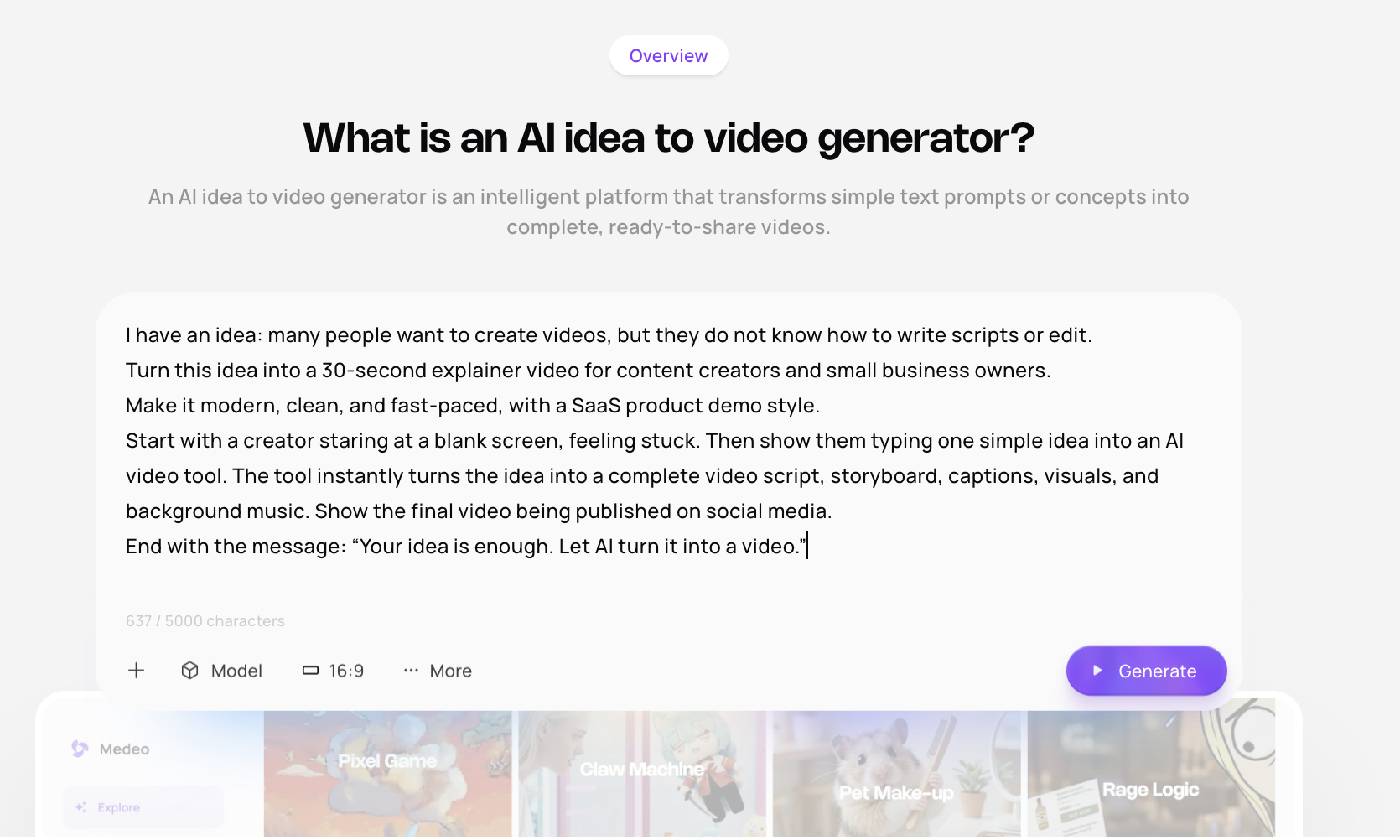
Medeo's idea to video generator is built on a different model from most tools in this category. Instead of submitting a prompt and getting a single output, you have a back-and-forth conversation with the AI throughout the entire production process. Describe your idea, react to the draft, request changes, and refine — the way you'd work with a creative collaborator rather than a machine.
The result is a tighter output loop. You don't need to nail the prompt the first time. You see a draft, you know immediately what's off, and you say it in plain language. "The opening is too slow." "I want the music to feel more cinematic." "Give me three different options for the intro." The AI adjusts.
What makes Medeo stand out as an idea to video AI:
Full-category coverage. The same interface turns ideas into product videos, explainers, social clips, documentary-style content, brainrot format, educational series, and more. You're not locked into a template category.
Character consistency. When you establish a character or visual identity in a project, it holds across scenes and sessions — one of the hardest problems in AI video generation that most tools still struggle with.
Multi-draft generation. Instead of guessing which direction to go, generate multiple versions of a section simultaneously and pick the one that works.
Powered by world-class models. Medeo integrates ChatGPT, Gemini, Grok, Kling, Midjourney, Seedance, Sora, and Suno — the AI selects the right model for each part of the production automatically.
Beyond idea-to-video, Medeo handles the full content production cycle — including blog to video for repurposing written content and script-to-video for creators who already have a script ready. One tool covers the entire workflow.
InVideo AI — Best for High-Volume Social Content
Best for: Social media creators and marketers who need to produce large numbers of short-form videos from ideas quickly
InVideo AI is one of the most widely used idea to video generators for social content. It handles the full pipeline from a text prompt — script, stock footage, voiceover, captions — with a strong library of stock assets and a clean interface. Its magic box editing feature lets you make changes through text commands rather than manual editing, which works well for iterating on finished drafts.
The platform shines for faceless video formats: YouTube automation, TikTok educational content, and product explainers backed by stock footage. It's less suited to original visual content or branded scenarios that require anything beyond stock imagery.
Strengths: Fast generation, large stock library, solid voiceover quality in 50+ languages, decent free tier.
Limitations: Output style is recognizably template-driven. Works best when stock footage is appropriate; less suited to original or branded visuals.
Pricing: Free plan available. Paid plans from ~$25/month.
HeyGen — Best Idea to Video AI for Avatar-Based Presentation
Best for: Business teams, L&D departments, and marketers who need talking-head style videos with AI presenters
HeyGen's core strength is AI avatars — realistic AI presenters that can deliver scripts, be cloned from real people, and speak in 175+ languages with accurate lip sync. If your video format requires a human presence but you don't want to film, HeyGen is the most capable tool in this category for turning scripts and ideas into presenter-style videos.
The text-based editor is clean: write or paste your script, select an avatar and voice, and the AI generates the video. The output is polished and professional for this format.
Strengths: Best-in-class avatar quality, strong lip sync, excellent language support, video translation feature is genuinely useful.
Limitations: Format is constrained to presenter-style videos. Not suited for cinematic content, social media short-form, or scenarios requiring original AI visuals rather than avatar delivery.
Pricing: Free plan with limitations. Creator plan at ~$29/month.
Pictory — Best for Repurposing Existing Content Into Video
Best for: Bloggers, podcasters, and content teams converting text or long-form video into shorter clips
Pictory is optimized for a specific workflow: take something you already have (a blog post, a long video, a script) and convert it into a shareable video with matched stock footage, captions, and voiceover. It's excellent at this task specifically.
The AI reads your text, identifies key sentences, matches each to relevant stock footage, and assembles a clip in minutes. For content repurposing — turning webinars into clips, articles into social videos, podcasts into highlights — it's one of the most efficient tools available. That said, it's not a true idea-to-video tool for original concepts: you need existing content to start with.
Strengths: Excellent for repurposing, clean interface, reliable stock matching, good caption quality.
Limitations: Dependent on existing content as input. Not suited for original ideas with no pre-existing assets.
Pricing: Plans from $19/month.
Runway — Best Idea to Video AI for Cinematic Visual Quality
Best for: Filmmakers, creative directors, and visual artists who want high-quality generative video with fine control
Runway takes a different approach from most idea-to-video AI generators. Rather than automating a full production pipeline, it gives deep creative control over the AI generation process — camera movements, shot composition, motion direction, video-to-video transformation, and multi-shot sequences.
The Gen-4.5 model scored top marks in blind quality comparisons across realism and prompt adherence. If visual quality is the priority and you're willing to invest time in the process, Runway delivers results that look unlike anything from template-based tools.
Strengths: Highest visual quality in the category, advanced camera control, strong community and inspiration library.
Limitations: Steep learning curve, expensive at scale, not designed for automated full-pipeline production. Better for specific scenes than end-to-end idea-to-video creation.
Pricing: Free plan limited. Standard at $15/month; Pro at $35/month.
VEED.io — Best for Quick Browser-Based Video Editing + Generation
Best for: Teams and creators who want to turn ideas into videos and edit them quickly in a browser with minimal setup
VEED.io combines a simple AI video generator with a capable browser-based editor. You can generate from a text prompt or bring your own footage and use AI tools — auto-subtitles, background removal, eye contact correction, avatar integration — to polish the output.
The editing experience is genuinely easy, which makes VEED a good choice for users who want some hands-on control without learning a full video editor. The AI generation is less powerful than specialist tools, but the combination of generation and editing in one place has real workflow advantages.
Strengths: Strong editing tools alongside AI generation, clean browser interface, good auto-subtitle quality.
Limitations: AI generation outputs are less sophisticated than dedicated idea-to-video generators. Better as an editor than as a pure idea-to-video tool.
Pricing: Free plan available. Basic at ~$18/month.
Synthesia — Best Idea to Video AI for Corporate Training
Best for: Enterprises, training teams, and HR departments creating structured educational or internal video content at scale
Synthesia is purpose-built for professional presentation-style videos — training materials, onboarding videos, internal communications, and product tutorials. It offers 230+ AI avatars, 140+ languages, a template library designed for enterprise use cases, and team collaboration features built in.
The output is polished and consistent in a way that works well for institutional video production. It's not designed for creative, social, or marketing content.
Strengths: Best enterprise feature set, strong compliance controls, wide language support, reliable for large-scale template-based production.
Limitations: High price point. Output style is constrained to presenter-and-slides format. Not suited for original AI visuals, social content, or marketing creative.
Pricing: Starter at $18/month. Creator at $64/month. Enterprise pricing on request.
Side-by-Side Comparison: Best Idea to Video AI Tools
Tool | Best for | Video types | Conversational editing | Character consistency | Free plan |
Medeo | Full-pipeline, all formats | All types | ✅ Yes | ✅ Strong | ✅ |
InVideo AI | High-volume social | Faceless / stock-based | Partial | ❌ No | ✅ Yes |
HeyGen | Avatar presenter video | Talking-head | ❌ No | ✅ Avatar-based | ✅ Limited |
Pictory | Content repurposing | Blog/podcast to video | ❌ No | ❌ No | ✅ Limited |
Runway | Cinematic generation | Generative clips | ❌ No | Partial | ✅ Limited |
Quick edits + generation | Mixed | Partial | ❌ No | ✅ Yes | |
Synthesia | Corporate training / L&D | Presenter / slides | ❌ No | ✅ Avatar-based | ❌ No |
How to Choose the Best Idea to Video AI for Your Use Case
If you want one tool that turns any idea into any type of video — social clips, explainers, product promos, educational content — Medeo's conversational pipeline is the most flexible option. You're not locked into a format, and the iterative interface means you don't need strong prompting skills to get good output. Medeo is the starting point.
If your content is primarily faceless YouTube or TikTok automation with stock footage, InVideo AI's volume and stock library make it practical for that specific workflow.
If you need a realistic human presenter and your video format requires a talking head, HeyGen's avatar quality is unmatched.
If you're repurposing existing content — turning articles, podcasts, or webinars into video — Pictory handles this better than any other tool on the list.
If visual quality is the top priority and you're creating cinematic or artistic content, Runway's generation quality outperforms the others — but expect a steeper learning curve and higher cost.
If you're in an enterprise context with formal compliance, collaboration, and L&D requirements, Synthesia is the clear fit.
Frequently Asked Questions
What is the best idea to video AI tool overall?
For most creators and marketers, Medeo is the strongest option because it handles the full production pipeline — script, visuals, voiceover, captions, music — through a conversational interface that works for any video type. If you have a more specific use case (corporate training, avatar video, content repurposing), the specialist tools on this list may outperform for that specific workflow.
What's the difference between a text-to-video tool and an idea-to-video AI generator?
Text-to-video tools typically generate short clips — 5 to 15 seconds — from a visual prompt. Idea-to-video AI generators handle a full production pipeline: you describe a concept, and the tool produces a complete video with script, narration, visuals, music, and captions. The output is ready to publish, not a raw clip to edit further.
Is there an idea to video AI tool I can try before paying?
Yes. Medeo, InVideo AI, HeyGen, Runway, and VEED all offer entry-level plans or trial access. Most have limitations on export resolution or monthly video count at the lower tier. Testing with a real project — a 60-second explainer or social clip — is the fastest way to evaluate output quality before committing.
How long does it take to turn an idea into a video with AI?
Most tools produce a first draft in one to three minutes for a video under five minutes in length. Longer or more complex videos can take five to ten minutes. Medeo's conversational approach speeds up refinement — you're iterating on something concrete rather than regenerating from scratch, which typically gets to a publish-ready result faster overall.
Which idea to video AI is best for YouTube?
For YouTube automation and high-volume faceless content, InVideo AI and Medeo both work well. For educational or explainer channels, Medeo's full-pipeline approach gives more creative control. For a channel using AI avatars, HeyGen is the strongest option.
Which idea to video AI is best for marketing videos?
For social media short-form, InVideo AI and Medeo are the most practical. For product promos with original AI visuals, Medeo's pipeline gives more control over the creative direction. For avatar-based explainers or demo videos, HeyGen is the strongest option.
Can I use an idea to video AI without any video editing experience?
Yes. Every tool on this list is designed for users without editing skills. The AI handles the technical side — pacing, cuts, transitions, audio levels. Your job is to direct what you want, not to operate editing software.
What is the best idea to video AI for beginners?
For beginners, Medeo's conversational interface is the most forgiving — you don't need to write a precise prompt or understand video production terminology. Describe what you want in plain language, see the draft, and give feedback in plain language. The iterative approach works better for new users than tools that require a strong initial prompt to get a useful output.
Start Turning Your Ideas Into Videos
The fastest way to evaluate any idea to video AI is to run the same concept through two or three tools and compare the outputs directly. Pick something specific — a 60-second product explainer, a social clip about a topic you know well — and see which tool gets you to a result you'd actually post.
If you want an idea to video generator that handles every video type through a single conversational workflow, Medeo is worth starting with.