Educational videos have become one of the most practical ways to teach, train, explain, and scale knowledge online. A strong educational video can turn a dense lesson, slide deck, article, PDF, or training document into a visual learning experience that students and viewers can understand more quickly. That is why teachers, course creators, coaches, YouTube educators, and corporate training teams increasingly rely on AI tools to move from raw information to polished video content with less manual production work.
The challenge is that educational video production can be time-consuming when everything is done manually. You need to organize the lesson, write the script, design scenes, prepare visuals, record narration, add subtitles, edit timing, and export the video in the right format. For many creators, the difficulty is not the teaching itself. It is turning knowledge into a clear, watchable, well-paced video.
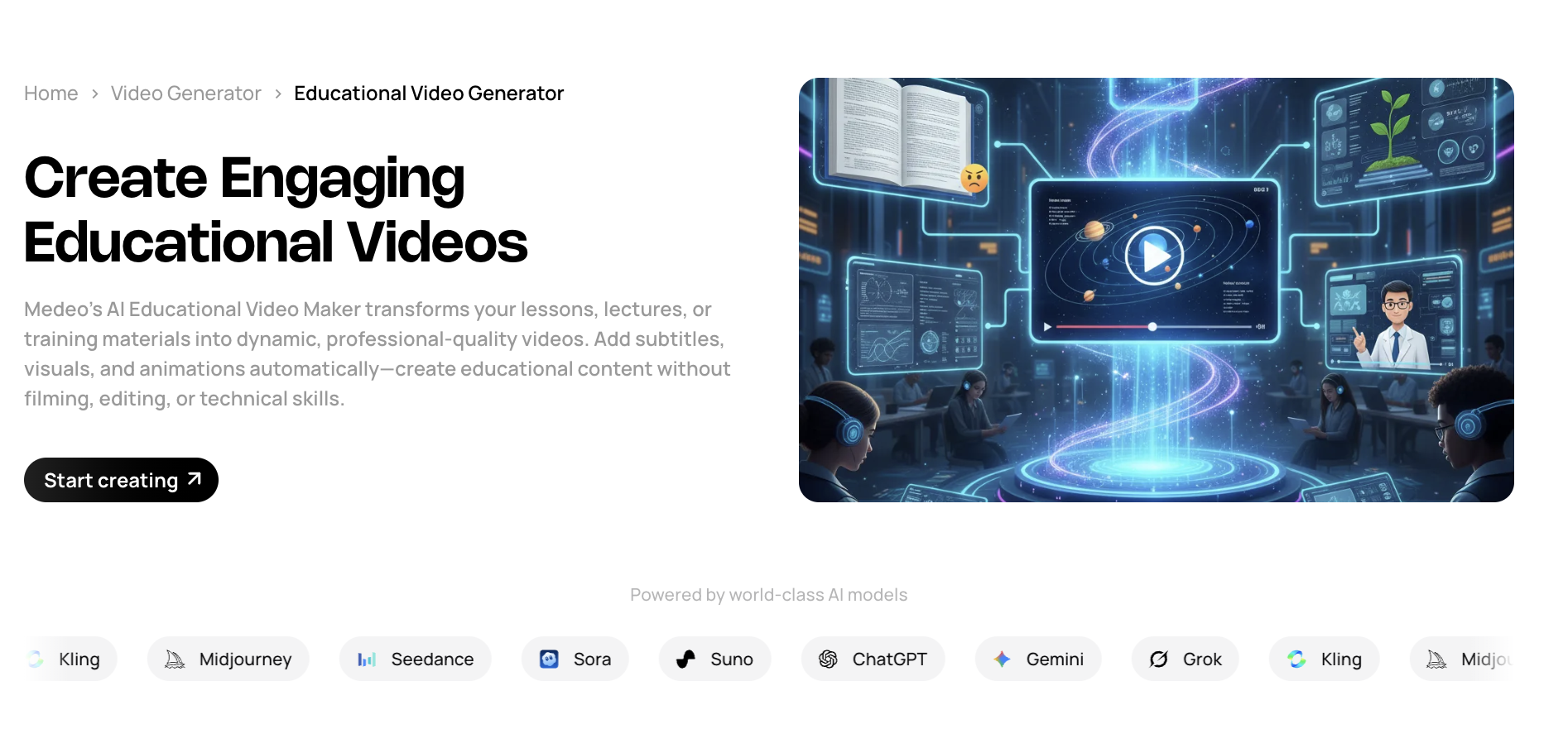
Medeo’s AI Educational Video Generator is designed for exactly this workflow. It helps transform lessons, lectures, notes, training materials, and course content into structured educational videos with visuals, captions, narration, and presentation-ready formatting. Instead of starting from a blank timeline, you can start with the material you already have and guide the AI toward the type of educational video you want to create.
This guide explains how to make educational videos with AI step by step. It covers planning your lesson, preparing your source material, choosing the right video style, writing better prompts, reviewing the first draft, improving clarity, and publishing the final video for classrooms, online courses, YouTube, TikTok, Instagram Reels, or internal training.
What Is an AI Educational Video?
An AI educational video is a learning-focused video created or assisted by artificial intelligence. It can explain a concept, summarize a lesson, visualize a process, turn course notes into scenes, convert a script into narration, or transform a training document into a more engaging format. Unlike a simple slideshow, a good AI educational video uses structure, pacing, visuals, captions, and audio to help viewers understand information in a more active way.
The format can be very flexible. A teacher may use it to explain a science concept before class. A corporate trainer may use it to turn onboarding materials into a short employee training module. A creator may use it to make YouTube explainers or short learning clips for TikTok and Reels. A course builder may use it to repurpose written modules into video lessons for an online course.
The value of AI is not only speed. AI can help organize content into a clearer learning flow. It can break a long document into smaller scenes, suggest visual aids, generate narration, create subtitles, and adjust pacing for different audiences. When used properly, an educational video generator is not just a shortcut. It becomes a production assistant that helps make teaching materials easier to watch, easier to remember, and easier to reuse.
Why Use AI to Create Educational Videos?
Educational videos are effective because they combine explanation with visual reinforcement. Many learners understand a topic faster when they can see diagrams, examples, step-by-step demonstrations, subtitles, and key terms on screen. However, producing this type of content manually often requires design skills, editing experience, and a large amount of time.
AI reduces that production barrier. Instead of building every scene manually, you can provide a lesson outline, lecture notes, a script, a slide deck, or a training document. The AI can then help convert the source material into a structured video with appropriate sections, captions, visual cues, and voiceover. This is especially useful when you need to create content consistently, such as weekly course videos, classroom explainers, internal training updates, or short educational clips for social media.
For YouTube educators, AI helps turn research notes into polished explainers. For teachers, it helps convert classroom materials into more visual content. For companies, it helps standardize training across teams. For creators, it makes short educational content easier to produce at scale. This is why Medeo positions its educational video maker as a way to transform lessons, lectures, and training materials into dynamic videos without requiring filming or advanced editing skills.
What You Need Before Making an Educational Video
A Clear Learning Objective
Before opening any video generator, define what the learner should understand by the end of the video. A vague topic creates a vague video. A clear learning objective gives the AI a direction and helps you evaluate whether the final video actually teaches something. For example, “make a video about climate change” is too broad. “Explain how greenhouse gases trap heat in the atmosphere for middle school students” is much stronger.
Structured Source Material
AI tools work best when the input is organized. You can start with notes, a lesson plan, a script, a slide deck, a blog article, a PDF, or a training manual, but the material should have a visible structure. Divide it into key points, examples, definitions, steps, and conclusions. If your content is messy, spend a few minutes cleaning it before generation. That small preparation step usually improves the quality of the first draft.
A Defined Audience
Educational content should be written for a specific learner. A video for middle school students should not sound like a corporate training module. A video for new employees should not sound like a university lecture. Tell the AI who the video is for, what level of background knowledge they have, and what tone is appropriate. Audience definition affects vocabulary, pacing, examples, visuals, and overall style.
A Preferred Video Format
Choose the format before generating the video. Some topics work best as whiteboard explainers. Others need motion graphics, screencasts, slide-based lessons, animated diagrams, or talking-avatar narration. If your goal is a clear concept breakdown, an explainer video generator may be relevant. If you want a simple visual teaching style, a whiteboard animation generator can be useful. If the video teaches software or workflow steps, a screencast explainer format may work better.
How to Make Educational Videos with AI: Step-by-Step
Step 1: Start with a Lesson Topic or Teaching Material
Begin with the content you want to teach. This can be a paragraph, a full script, a lesson outline, a PDF, a slide deck, course notes, a training policy, or a blog post. The important point is not the file type. The important point is whether the content contains a clear instructional purpose.
For example, if you are creating a classroom video, you might upload a lesson summary on photosynthesis and ask the AI to explain the process using simple visuals and short definitions. If you are creating a corporate training video, you might provide an onboarding document and ask the AI to turn it into a five-minute module with a professional tone. If you are creating content for social platforms, you might start with one question, such as “Why does the moon look bigger near the horizon?” and create a short, visually engaging explanation.
If you do not have a complete script yet, Medeo’s Idea to Video workflow can help turn a rough topic into a usable video direction. If you already have a script, the Script to Video workflow is useful for turning written narration into a complete video structure.
Step 2: Define the Learner and the Teaching Level
The same topic can be explained in many ways depending on the audience. Before generating the video, specify whether the content is for children, high school students, university learners, beginners, professionals, employees, customers, or general social media viewers. This makes the final output more accurate and more useful.
For instance, a video explaining artificial intelligence for middle school students should use simple examples, short sentences, and visual metaphors. A video explaining artificial intelligence governance for legal professionals can use more technical vocabulary, regulatory examples, and a more formal tone. AI can adjust the presentation, but only if you give it enough context.
A useful prompt structure is: “Create an educational video for [audience] that explains [topic] at a [difficulty level] using [style], [visual format], and [tone].” This simple structure gives the AI the key information it needs to build a more focused lesson.
Step 3: Choose the Educational Video Style
The video style should fit the topic. A historical explanation may work well with timeline visuals, maps, and archival-style graphics. A biology concept may need labeled diagrams and simple animations. A software tutorial may need screen recordings or step-by-step interface visuals. A corporate policy video may need clean slides, icons, and professional narration.
Medeo supports educational video creation by helping organize lessons into visual scenes with captions, narration, and presentation-ready formatting. For more visual learning content, you can also connect the educational workflow with related formats such as infographic videos, motion graphics videos, or animated explainer videos. The goal is not to use the most decorative style. The goal is to choose the format that makes the topic easiest to understand.
Step 4: Write a Strong AI Prompt
A strong prompt gives the AI a clear production brief. Instead of saying “make an educational video about photosynthesis,” include the audience, duration, format, tone, learning objective, and visual requirements. The more precise the brief, the more useful the first draft becomes.
Example prompt: “Create a 90-second educational video for middle school students explaining photosynthesis. Use simple language, bright animated visuals, labeled diagrams, and step-by-step captions. Start with a hook that explains why plants are like tiny food factories. End with a short recap of sunlight, carbon dioxide, water, glucose, and oxygen.”
For corporate training, the prompt may be more formal: “Create a three-minute employee training video explaining the company’s data privacy policy. Use a professional tone, clean slide-based visuals, short scenario examples, captions, and a final summary of key compliance reminders.” This type of prompt gives Medeo enough direction to structure the content around learning outcomes rather than generic visuals.
Step 5: Generate the First Draft
After entering your content and prompt, generate the first draft in Medeo. At this stage, do not expect the video to be perfect. Treat the first draft as a structured starting point. The AI has done the heavy production work by turning the material into scenes, adding captions, suggesting visuals, and creating a basic learning flow. Your job is to review whether the explanation is accurate, clear, and appropriate for the intended learner.
Watch the draft from the viewer’s perspective. Ask whether the hook is clear, whether the concept is introduced in the right order, whether the captions are readable, whether the visuals support the explanation, and whether the video ends with a useful summary. Educational videos should not only look polished. They should reduce confusion. If a scene looks impressive but does not help the learner understand the content, revise it.
Step 6: Improve Clarity, Pacing, and Visual Support
Educational videos often fail when they move too quickly through difficult ideas or spend too much time on obvious points. Use the revision stage to adjust pacing. Slow down important explanations, add examples where needed, and remove unnecessary repetition. If the video contains a complex process, ask Medeo to break it into smaller steps. If the video is too text-heavy, ask for more visual examples or diagrams.
You can give direct editing instructions such as “make the explanation simpler,” “add a diagram to show the relationship between these concepts,” “turn this section into three short steps,” or “add a recap before the ending.” These instructions are especially helpful because educational content requires precision. The AI can generate the video, but you should still check that the learning sequence makes sense.
Step 7: Add Captions, Recaps, and Learning Cues
Captions are essential for educational videos. They help viewers follow the lesson, reinforce key terms, and make the video more accessible for people watching without sound. However, captions should be concise. Avoid placing long textbook-style sentences on screen. Instead, use short caption beats that highlight the most important concept in each scene.
Learning cues also matter. Use words like “first,” “next,” “therefore,” and “in summary” to guide the viewer through the logic. Add short recap sections after complex explanations. For example, after explaining a three-step process, the video can briefly restate the steps in a simplified sequence. This helps viewers retain the structure of the lesson rather than only hearing isolated facts.
Step 8: Export for the Right Platform
The final format depends on where the video will be used. A classroom or LMS video may work best in a horizontal format with a slower pace and more detailed explanations. A TikTok, Reels, or YouTube Shorts version should be vertical, shorter, more visually direct, and built around one specific learning point. A YouTube educational channel can use longer videos with chapters, examples, and deeper explanations.
If you are adapting one lesson into multiple formats, create a longer educational version first, then repurpose the strongest parts into short-form clips. This allows you to use one source material across courses, YouTube, social media, and internal training. For short-form educational clips, Medeo’s tools for YouTube Shorts and social-ready video generation can help reshape the lesson for faster consumption.
Educational Video Prompt Examples
Classroom Lesson Prompt
Create a two-minute educational video for high school students explaining how supply and demand affect market prices. Use simple economic examples, animated charts, clear subtitles, and a short recap at the end. Keep the tone friendly, structured, and easy to follow.
Corporate Training Prompt
Create a three-minute training video for new employees explaining workplace cybersecurity basics. Cover password safety, phishing emails, suspicious links, and reporting procedures. Use a professional tone, realistic workplace examples, icons, captions, and a final checklist.
Online Course Prompt
Create a five-minute online course lesson explaining the basics of contract formation. Use a formal but accessible tone, divide the video into offer, acceptance, consideration, and intention, and include simple examples after each concept. Add section titles and a final summary slide.
Short Educational Clip Prompt
Create a 45-second vertical educational video explaining why the sky is blue. Use a strong opening hook, simple science language, animated light waves, short captions, and a final one-sentence takeaway for TikTok and YouTube Shorts.
Best Use Cases for AI Educational Videos
YouTube Educational Channels
YouTube educators often need to turn research into a clear video narrative. AI can help structure the script, suggest visual scenes, add captions, and create a more polished explainer format. This is useful for science, history, business, language learning, law, finance, psychology, productivity, and general knowledge channels.
Online Courses and Lesson Modules
Course creators can use AI educational videos to convert modules into more engaging lessons. Written course material can be repurposed into video, while long lectures can be broken into shorter learning units. This makes the course feel more dynamic and gives students another way to absorb the material.
Corporate Training and Onboarding
Companies can use AI video tools to standardize internal training. Instead of relying only on long PDF policies or live presentations, teams can create repeatable onboarding modules, compliance explainers, product training videos, and internal knowledge updates. This is especially useful when the same training needs to be delivered to many employees across different locations.
Classroom Teaching and Student Review
Teachers can use AI-generated educational videos to support classroom instruction. A short video can introduce a topic before class, summarize a lesson after class, or help students review difficult concepts. Because the format can include subtitles, visuals, and examples, it can support different learning styles more effectively than text alone.
Short-Form Learning Content
Short educational videos are increasingly common on TikTok, Reels, and YouTube Shorts. The best short-form learning clips do not try to teach an entire course. They focus on one question, one concept, one mistake, or one surprising fact. AI helps creators produce these clips more consistently by turning simple educational ideas into platform-ready videos.
Tips for Making Better Educational Videos with AI
Teach One Main Idea Per Video
A common mistake is trying to cover too much in one video. Educational videos perform better when they have a clear focus. If the topic is complex, divide it into a series. One video can introduce the concept, another can explain examples, and another can cover common mistakes. This structure is easier for viewers and easier for AI to generate cleanly.
Use Examples, Not Just Definitions
Definitions are useful, but examples make ideas memorable. When prompting Medeo, ask for concrete examples, analogies, or mini-scenarios. For instance, instead of only defining opportunity cost, ask the video to show a student choosing between studying and going to a concert. Visual examples make educational content more relatable.
Keep Captions Short and Useful
Captions should reinforce the lesson, not duplicate a textbook paragraph. Use short phrases, keywords, and step labels. If a viewer pauses the video, the caption should help them understand the key point of that scene quickly.
Add a Recap at the End
A short recap improves retention. End the video by restating the three or four most important points. This gives the viewer a final structure to remember and makes the video feel complete.
Review Accuracy Before Publishing
AI can accelerate production, but educational content still requires human review. Always check factual accuracy, terminology, examples, and tone before publishing. This is especially important for legal, medical, financial, technical, or compliance-related topics where incorrect information can cause confusion or risk.
Internal Link Layout Suggestions
For the published blog page, the primary call-to-action should point to Medeo AI Educational Video Generator. This link should appear in the introduction, the step-by-step section, and the final CTA. Related workflow links can be placed where they naturally match the reader’s intent: Idea to Video for users starting from a rough concept; Script to Video for users with a prepared narration; Image to Video for visual teaching materials; and Blog to Video for turning long-form written content into video.
For style-related internal links, use Explainer Video Generator, Whiteboard Animation Generator, Infographic Video Generator, and Motion Graphics Video Generator in sections discussing visual format. Avoid placing too many links in a single paragraph. The best approach is to connect each internal link to a specific user need rather than adding links only for SEO density.
Frequently Asked Questions
What is an AI educational video generator?
An AI educational video generator is a tool that helps turn teaching materials, scripts, lesson notes, slide decks, or training documents into educational videos. It can help organize content into scenes, add captions, suggest visuals, generate narration, and format the video for classrooms, courses, social media, or internal training.
How do I make an educational video with AI?
Start with a clear learning objective and source material. Upload or paste your notes, script, slides, or training content into an AI educational video maker, define the audience and teaching style, generate the first draft, then review the video for clarity, pacing, accuracy, and visual support before exporting.
Can I use Medeo to turn lesson notes into videos?
Yes. Medeo can help convert lesson notes, lecture outlines, training materials, and course content into structured educational videos with visuals, captions, pacing, and presentation-ready formatting. This is useful for teachers, online course creators, trainers, and educational content creators.
Do I need video editing skills to create educational videos?
No. The purpose of an AI educational video maker is to reduce the need for manual editing. You still need to review the content and guide the AI, but you do not need to build every scene, subtitle, transition, and visual element from scratch.
What types of educational videos can I create with AI?
You can create classroom explainers, online course lessons, corporate training modules, onboarding videos, whiteboard animations, animated explainers, short learning clips, language learning visuals, software tutorials, and social media educational videos.
What makes a good educational video?
A good educational video has one clear learning objective, a logical structure, concise explanations, useful examples, readable captions, relevant visuals, and a short recap. It should help the viewer understand the topic more clearly than text alone.
How long should an educational video be?
The ideal length depends on the platform. Short educational clips for TikTok, Reels, and Shorts often work best at 30 to 90 seconds. Classroom explainers may be two to five minutes. Online course lessons and corporate training videos can be longer if they are well structured and divided into clear sections.
Can I make educational videos for TikTok or YouTube Shorts?
Yes. Short-form educational content is effective when it focuses on one question, one concept, one myth, or one quick explanation. Use vertical format, a strong hook, fast but clear pacing, and captions that make the lesson understandable even without sound.
Can AI educational videos be used for corporate training?
Yes. AI educational videos are useful for onboarding, compliance training, policy explanations, product training, internal updates, and repeatable learning modules. They help companies turn written documents into clearer, more engaging training content.
Should I review AI-generated educational videos before publishing?
Yes. Always review the final video for factual accuracy, clarity, tone, and compliance with your teaching goals. AI can help produce the video quickly, but the creator should remain responsible for the quality and correctness of the educational content.
Conclusion
AI makes educational video production faster, but the best results still come from clear teaching intent. Start with one learning objective, prepare structured source material, define the audience, choose the right visual style, and use prompts that describe exactly what the video should teach. After generation, review the draft like an educator, not just a video editor. The final video should be accurate, easy to follow, and visually supportive.
With Medeo’s AI Educational Video Generator, you can turn lessons, lectures, notes, training documents, and course materials into educational videos without building every scene manually. Whether you are creating classroom lessons, YouTube explainers, online course modules, employee training, or short-form learning content, Medeo helps move your knowledge from static material into a more engaging video format.