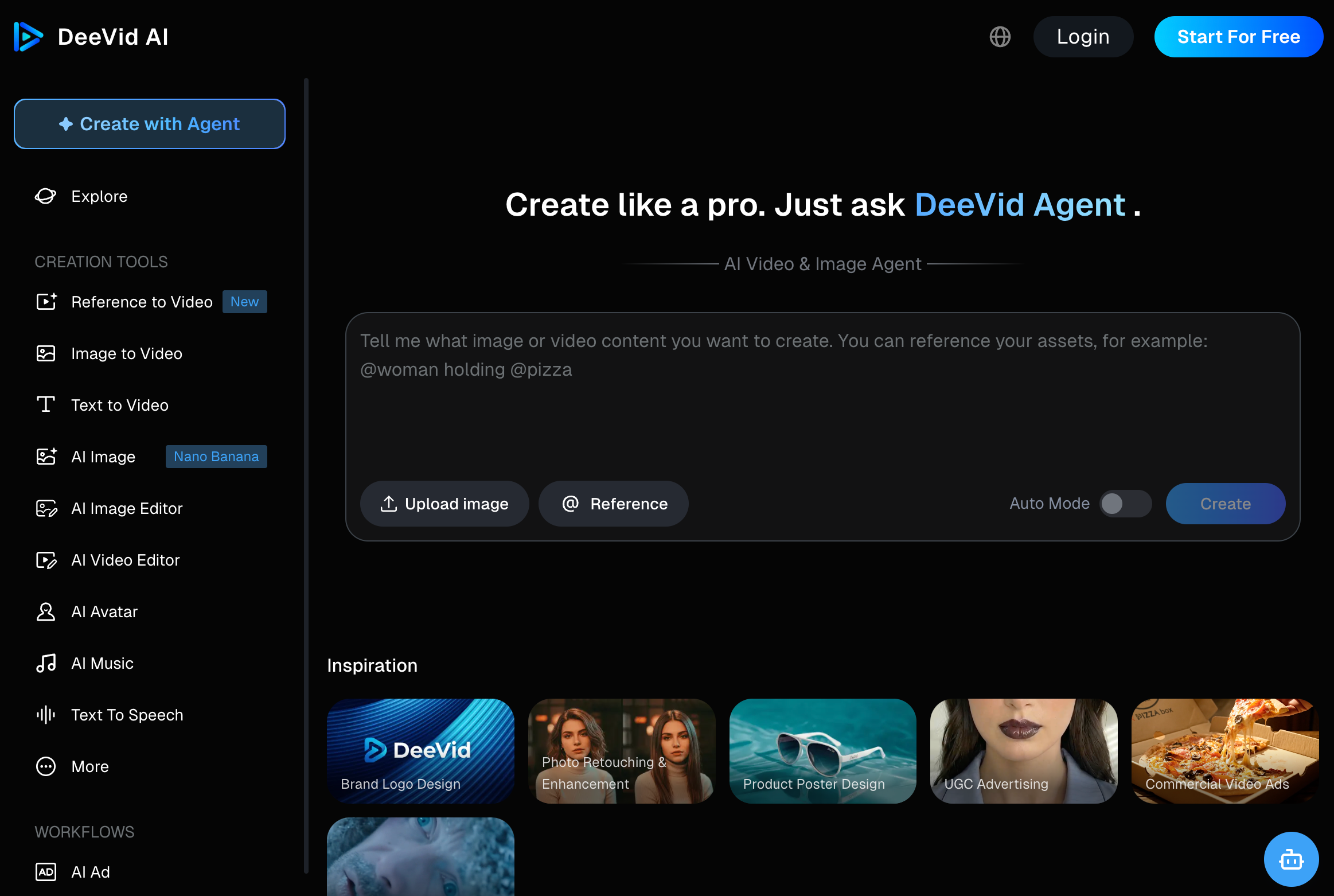
DeeVid AI is an AI video and image creation platform. Users can generate content from text prompts, still images, existing video, or audio. Its official website presents DeeVid as an AI agent for video, image, avatar, voice, and music creation.
The core promise is speed. Instead of manually editing clips, recording voiceovers, finding music, or designing visuals from scratch, users can ask DeeVid to generate short content with AI.
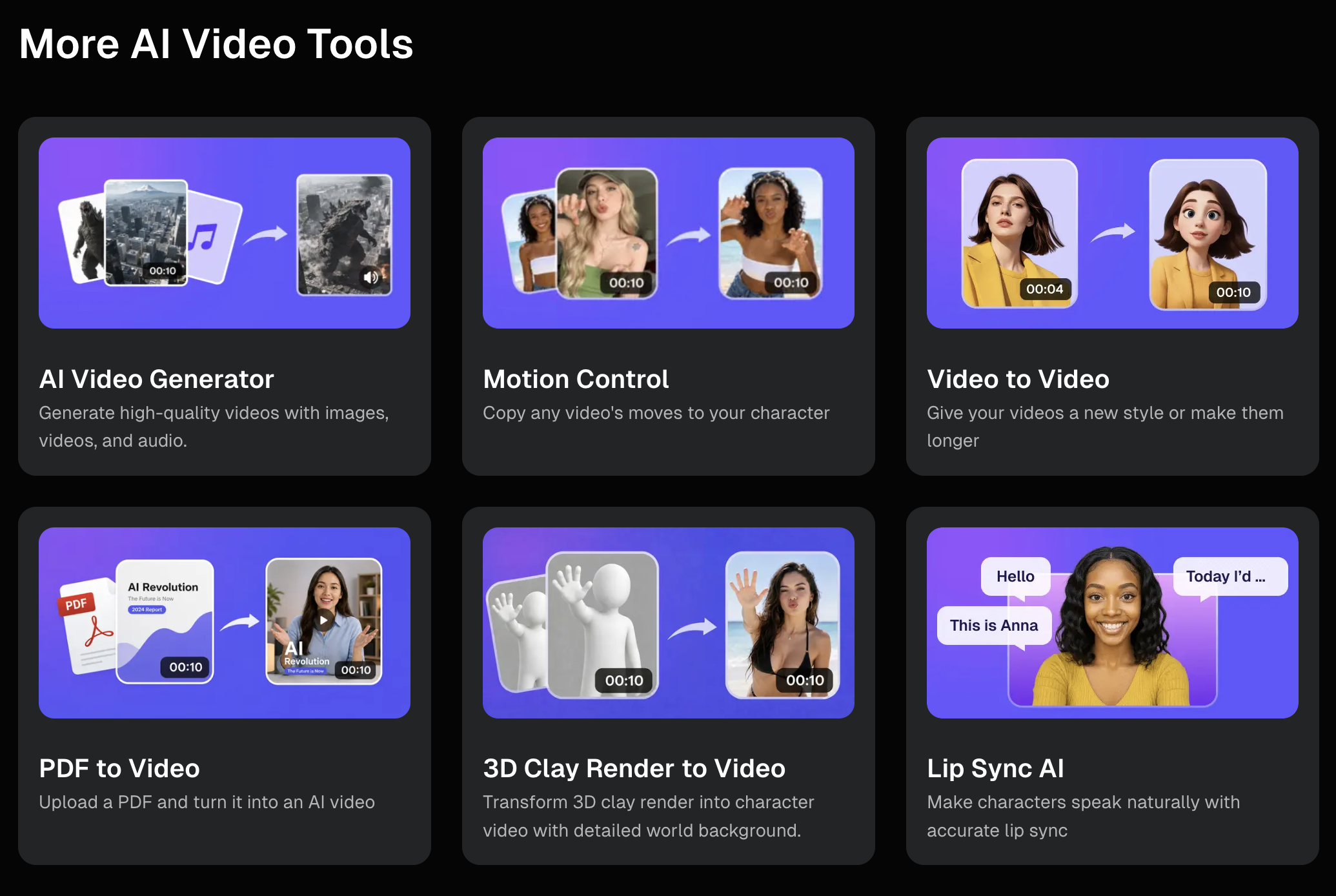
Its main tools include text-to-video, image-to-video, video-to-video, AI ad generation, AI avatars, AI music, text-to-speech, AI image generation, face swap, anime effects, photo editing, and template-based video effects.
This makes DeeVid attractive for casual creators, social media managers, ecommerce sellers, short-form video creators, and users who want quick video ideas without opening a traditional editing suite.

Why People Search for DeeVid AI Reviews
Most users searching for “DeeVid AI review” are not only curious about the tool. They are usually trying to decide whether it is worth paying for.
The main search intent includes:
Is DeeVid AI good for text-to-video?
Can DeeVid turn images into videos?
Is DeeVid free or paid?
How many videos can I make with the credits?
Are DeeVid results good enough for ads or social media?
What are the best DeeVid AI alternatives?
Competitor blogs usually answer these questions by testing DeeVid’s tools, explaining pricing, listing pros and cons, and then recommending their own alternative. PicLumen focuses more on image generation and face swap tests. HIX AI highlights DeeVid’s simple interface and templates but notes limited customization and inconsistent output. Filmora compares DeeVid with a traditional editor and points out that AI glitches can make trial-and-error expensive. MagicLight positions itself as a more reliable alternative for longer video creation.
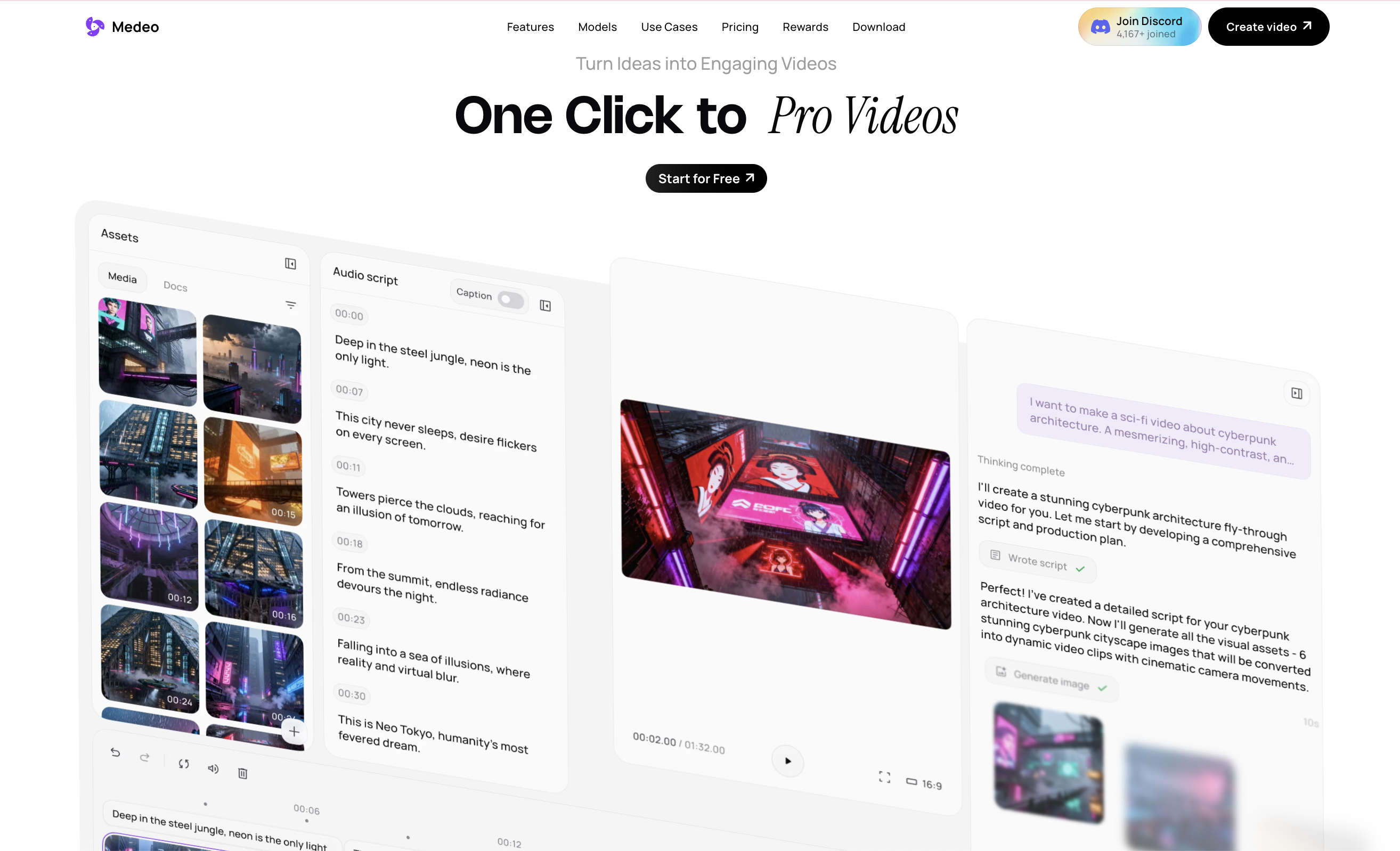
For Medeo, the angle should be slightly different. Medeo does not need to attack DeeVid. A stronger position is: DeeVid is useful for fast short-video experiments, while Medeo is better when creators want a more connected workflow across scripts, models, image animation, product videos, and video improvement.
What DeeVid Does Well
DeeVid’s biggest advantage is convenience. It puts many AI creative tools in one place, which is useful for beginners who do not want to compare ten separate AI apps.
The text-to-video workflow is straightforward. Users write a prompt, describe the scene, and let DeeVid generate a short clip. For quick social ideas, meme-style visuals, product concepts, or creative drafts, this can be enough.
The image-to-video workflow is also useful. Starting from an image usually gives the model a stronger visual anchor than text alone. If a user has a product photo, character image, portrait, or AI-generated visual, DeeVid can animate it into a short clip.
Templates and effects are another strength. DeeVid has many AI video effects, which makes it attractive for users who want trendy formats quickly. This is useful for TikTok, Reels, Shorts, and casual viral-style content.
DeeVid also supports mobile access, which matters for creators who work directly from their phone. The Google Play listing describes DeeVid as an AI video and image creation app that can start from a photo, text, or existing video and supports up to 1080p output for short-video platforms, social media, and marketing scenarios.
Where DeeVid Can Feel Limited
DeeVid’s main weakness is control. It is easy to start, but not always easy to direct the result precisely.
Competitor reviews often mention inconsistent output quality. This is common across AI video tools, but it matters more when a platform charges by credits. If a video has distorted faces, unnatural motion, weak timing, or poor subject consistency, the user may need several generations before getting something usable.
Customization can also feel limited compared with more advanced creative workflows. Templates are helpful for beginners, but creators who want detailed camera movement, character consistency, brand style, script structure, or multi-scene planning may need more control.
Another issue is video length. Some competitor reviews mention short maximum durations, often around several seconds depending on the tool and plan. This makes DeeVid better for short clips than full narrative videos or longer business content.
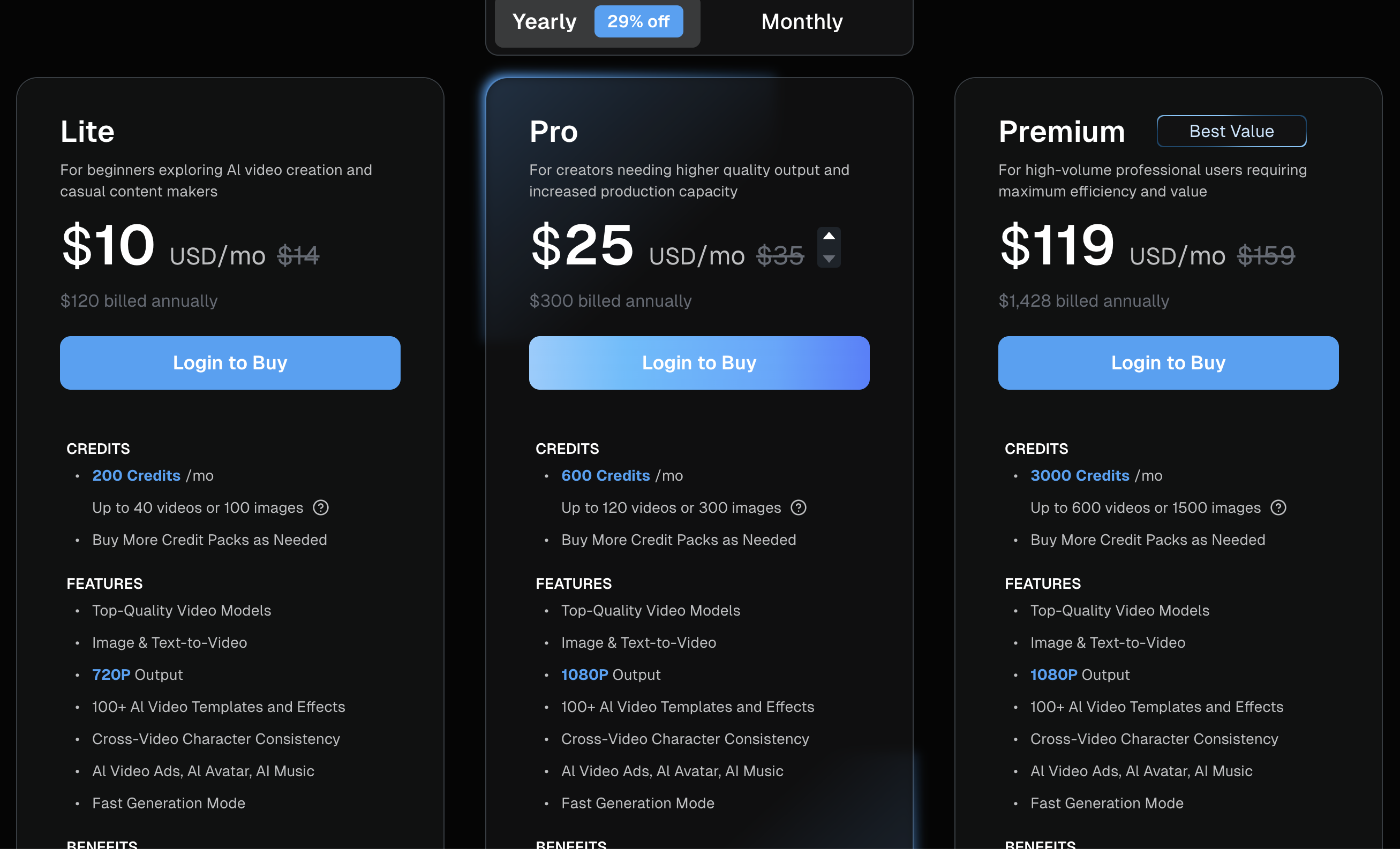
The credit system also needs attention. DeeVid’s pricing page shows credit-based plans, and credits are consumed by different generation types. This means users should think in terms of “usable outputs,” not just “number of generations.” A plan may look generous, but if a polished video takes multiple attempts, credits can go quickly.
DeeVid Pricing: What Users Should Know
As of August 17, 2026, DeeVid’s official pricing page lists paid plans with monthly credits, including a Lite plan shown at $10 per month when billed yearly, with 200 credits per month and up to 40 videos or 100 images. The Pro plan is positioned for creators needing higher quality output and more production capacity, with 1080p output and more credits depending on the billing option.
Pricing can change, so users should always check the official DeeVid pricing page before subscribing.
The important point is not only the monthly price. The real question is how many final, usable videos you can create.
For example, if one polished ad requires five attempts, the real cost per usable ad is higher than the advertised generation count. If you only need quick experiments, the credit model may feel fine. If you need reliable campaign production, you should test carefully before committing to a larger plan.
Best Use Cases for DeeVid AI
DeeVid works best for quick creative testing.
It is useful for short social videos, simple product motion clips, AI effects, casual image animation, avatar experiments, face swap concepts, anime-style transformations, and fast visual drafts.
It is also a good option for beginners who want a tool that feels approachable. The interface is designed for quick generation rather than professional timeline editing.
DeeVid is less ideal when the project needs precise control, longer structure, consistent brand assets, multi-scene storytelling, or a repeatable content workflow across scripts, visuals, edits, and publishing.
That is where Medeo can enter naturally.
Medeo is a better fit when creators want to move beyond isolated AI clips and build a full video workflow.
DeeVid can help users create quick outputs, but Medeo is stronger when the job starts with a concept and needs to become structured content. For example, if a user has a rough campaign idea, Medeo can support planning, prompt-based creation, image animation, model selection, product videos, and visual refinement.
For users who want to turn a written idea into a more organized video direction, Medeo’s idea-to-video workflow is a strong internal link; If the user already has a product page, article, or landing page and wants to turn it into video content, Medeo’s URL-to-video feature is more direct than a simple prompt generator; For creators working with avatar-style content, narration, or presenter-led videos, Medeo’s talking avatar page is also relevant; And if a creator already has a visual asset and wants to animate it into video, Medeo’s image-to-video workflow is a natural fit. This is the clean comparison: DeeVid is good for fast AI creation. Medeo is better when the creator wants a complete production path from idea to finished content.
DeeVid vs Medeo: Which One Should You Choose?
Choose DeeVid if you want a simple AI tool for quick short videos, effects, templates, image animation, avatars, and casual social content. It is especially useful if you want to experiment quickly and do not need deep control.
Choose Medeo if you want a more complete AI video creation workflow. Medeo is better suited for creators and marketers who need to generate videos from ideas, URLs, scripts, images, product concepts, and multiple AI models.
DeeVid is more like a quick creative app. Medeo is more like an AI video workspace.
That difference matters for content teams. If you are making one fun clip, DeeVid may be enough. If you are building a repeatable workflow for product videos, social campaigns, explainers, AI avatars, or model-based video generation, Medeo is easier to position as the long-term workspace.
How to Get Better Results from DeeVid
The best way to use DeeVid is to keep the first generation simple.
Do not ask for a full story, multiple characters, fast camera movement, detailed logos, long dialogue, and complex editing in one prompt. AI video tools still struggle when too many things happen at once.
Start with one subject, one action, one setting, and one camera direction.
For example, instead of writing:
Create a viral product ad with a futuristic city, models walking around, fast cuts, neon lights, captions, music, and a dramatic ending.Write:
A close-up product video of a silver water bottle on a wet stone surface. The camera slowly pushes in. Soft blue light reflects on the bottle. Clean premium commercial style. No people. Vertical format.If you are using image-to-video, start with a clean image. Avoid cluttered backgrounds, blurry faces, tiny text, or complex hand positions. A stronger image usually produces a stronger video.
If you need a more structured concept before generating, use Medeo’s script-to-video workflow to build the narrative first:
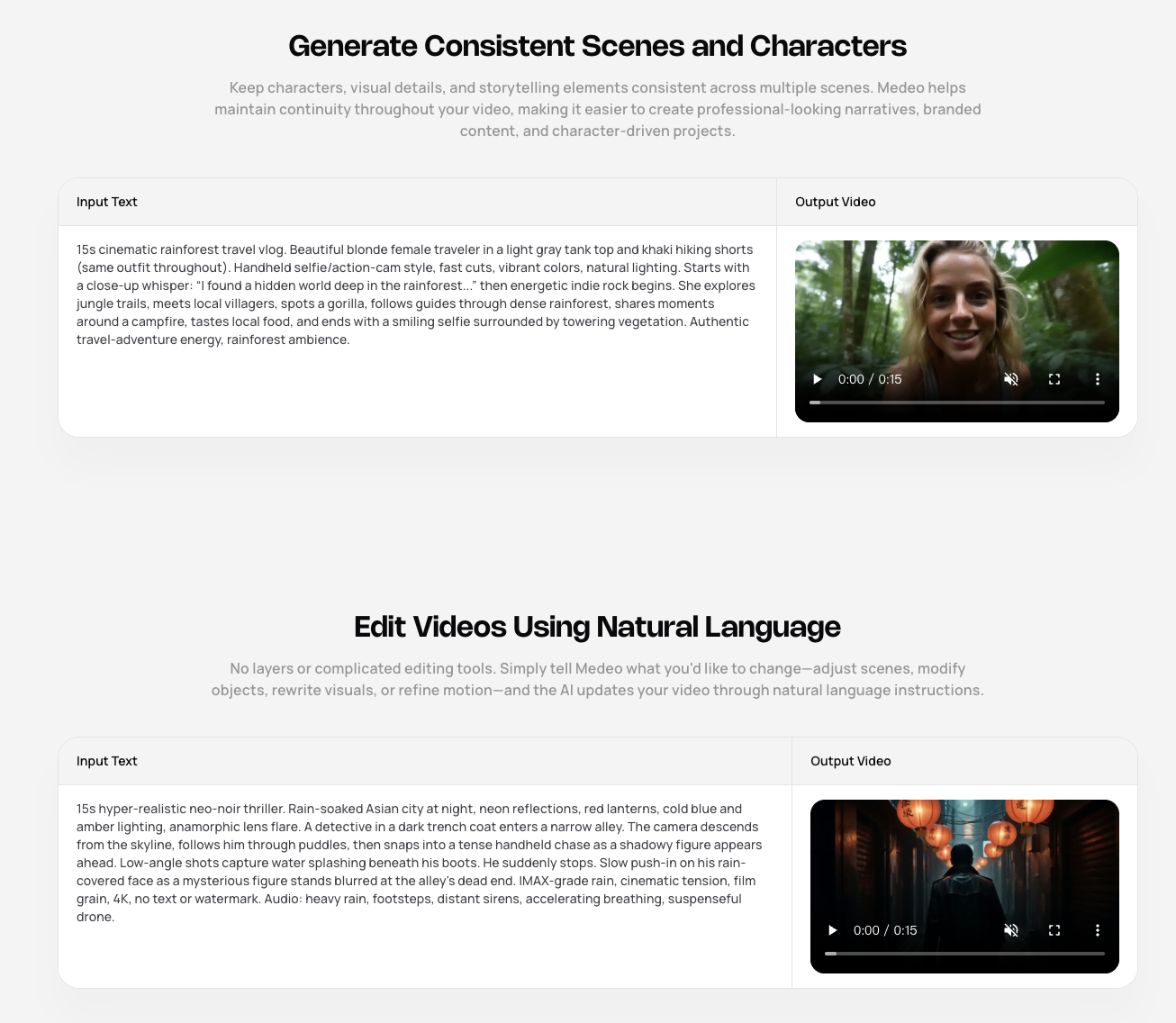
This kind of workflow helps prevent random generation. It turns AI video creation into a guided production process.
FAQ
What is DeeVid AI?
DeeVid AI is an AI video and image creation platform that lets users create videos, images, avatars, voice, music, and effects from text, images, video, or audio.
Is DeeVid AI free?
DeeVid may offer limited access or trial-style usage, but regular creation is based on credits and paid plans. Check the official DeeVid pricing page for current details.
Can DeeVid AI create videos from text?
Yes. DeeVid supports text-to-video generation. Users can write a prompt or description, and DeeVid generates a short video based on the input.
Can DeeVid AI create videos from images?
Yes. DeeVid supports image-to-video generation, allowing users to animate photos, product images, portraits, or AI-generated visuals into short clips.
Is DeeVid good for social media videos?
Yes. DeeVid is useful for short social videos, AI effects, Reels, TikTok, Shorts, and quick visual drafts. It is less ideal for long-form or highly controlled production.
Does DeeVid support 1080p video?
DeeVid’s pricing page indicates that higher plans support 1080p output. Availability may depend on the selected plan and current product settings.
What is the best DeeVid AI alternative?
Medeo is a strong alternative if you want a broader AI video workflow for idea-to-video, URL-to-video, image-to-video, script-to-video, talking avatars, and model-based generation.
Should I use DeeVid or Medeo?
Use DeeVid if you want quick AI effects and short video experiments. Use Medeo if you want a more complete workflow for creating, refining, and publishing AI video content.
Final Verdict
DeeVid AI is a useful tool for quick AI video creation. It is easy to understand, offers many creative features, and works well for short social content, image animation, and template-style video effects.
But it is not perfect. Output quality can vary, credits can disappear quickly during trial and error, and advanced users may want more control over structure, style, and production workflow.
That is where Medeo becomes a natural next step. If DeeVid is good for fast clips, Medeo is better for turning creative ideas into a fuller video workflow. For marketers, creators, and teams who want to build repeatable AI video content, Medeo is worth testing alongside DeeVid.