Hailuo AI has become one of the more interesting names in AI video because it does something many creators care about: it makes motion feel alive.
Some AI video tools can create attractive frames but fall apart when the subject moves. Hailuo, powered by MiniMax, has built a reputation around physical movement, camera motion, action scenes, transformations, and image-to-video clips that feel more dynamic than many budget-friendly AI video tools.
That is why creators use it for things like action shots, character movement, pet videos, social effects, cinematic B-roll, AI fan edits, and short visual experiments.
But Hailuo is not perfect. Like most AI video tools, it has trade-offs around clip length, audio, pricing clarity, workflow depth, and how much extra editing creators still need after generation.
So the real question is not whether Hailuo AI is good. It is. The better question is whether it fits the kind of video workflow you need.
What Is Hailuo AI?
Hailuo AI is the consumer-facing AI video platform associated with MiniMax. It supports AI video generation from prompts and images, with a strong focus on short videos, motion effects, cinematic clips, and social-ready AI visuals.
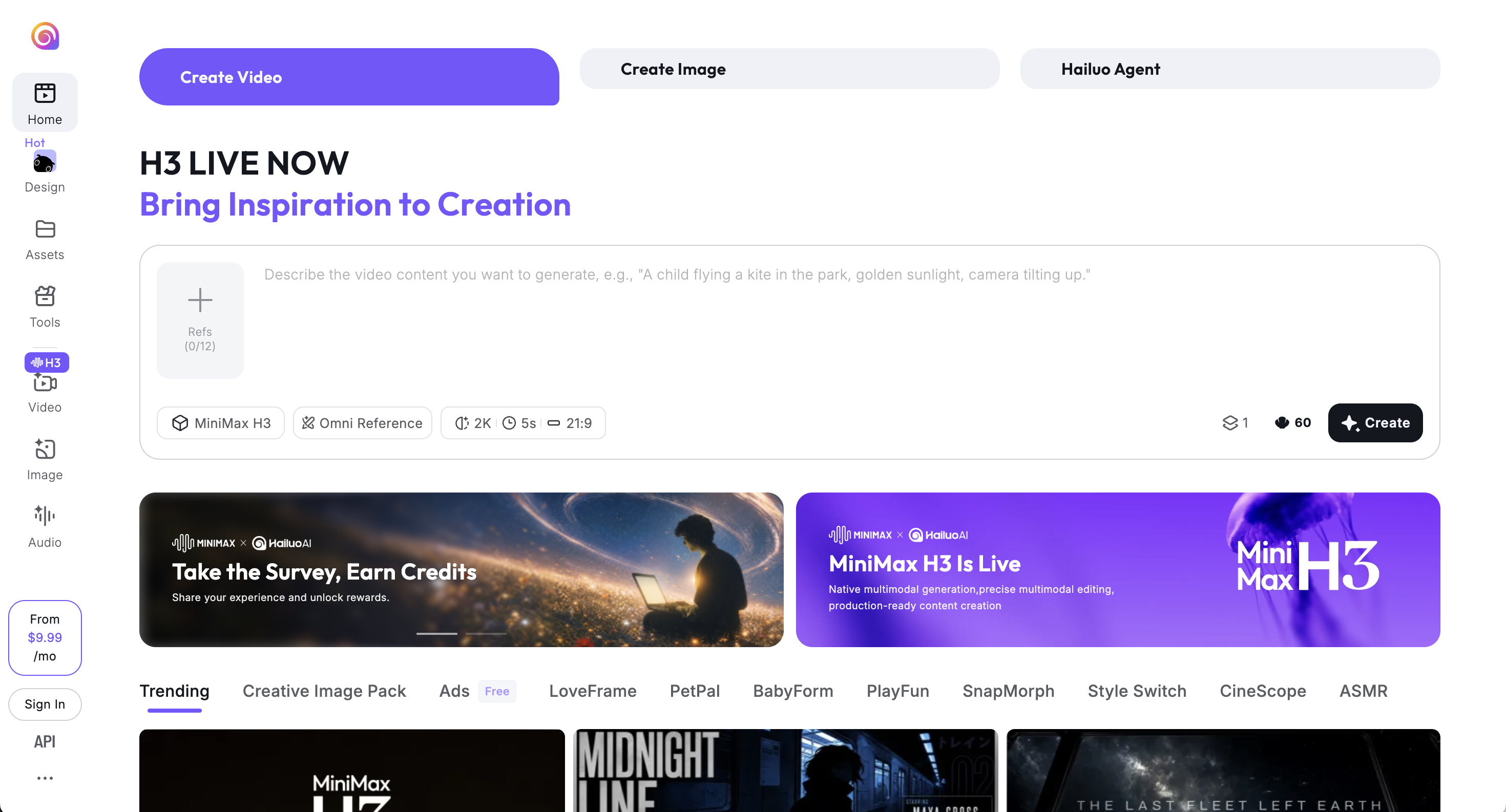
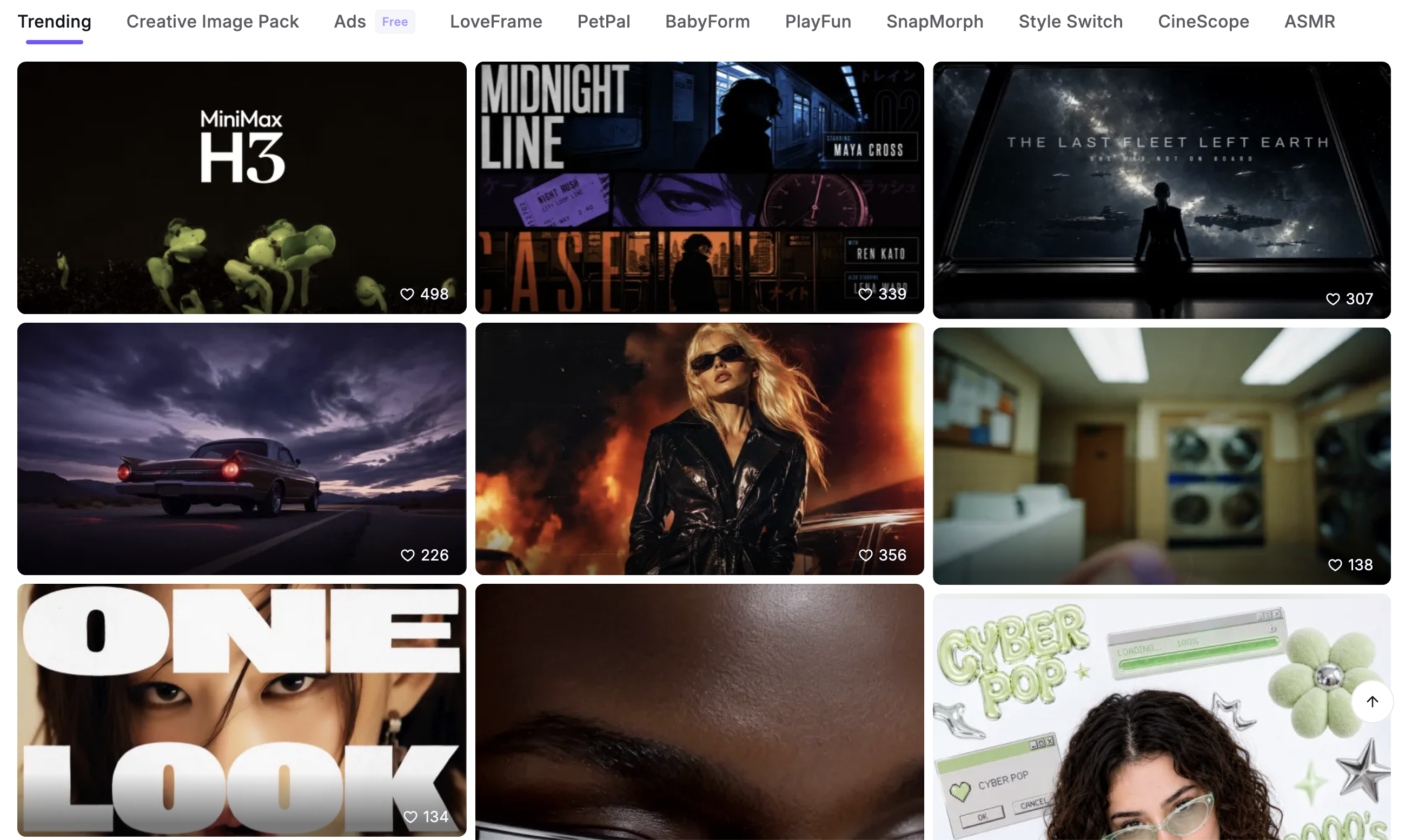
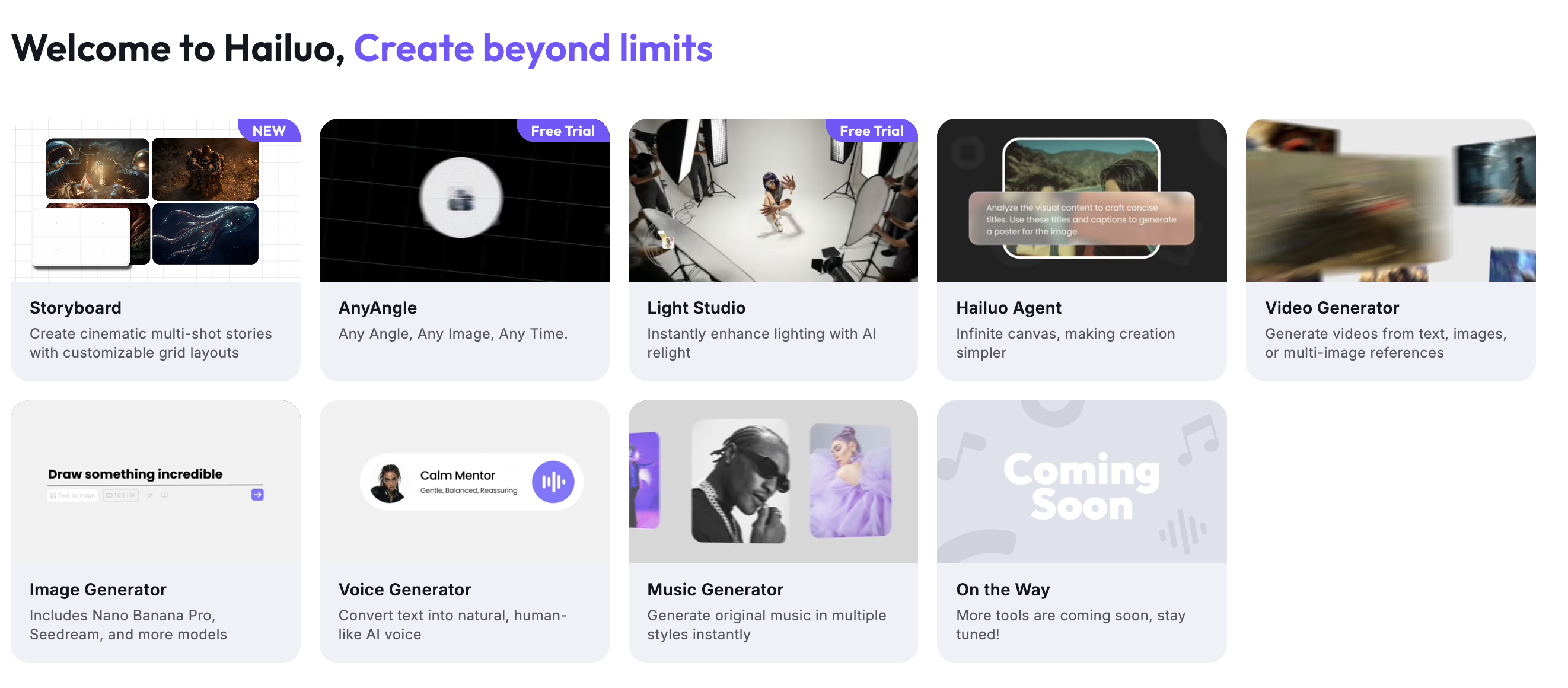
The official Hailuo site currently highlights MiniMax H3, reference-based creation, photo-to-motion templates, stylized effects, transformation videos, and creator-friendly generation flows. In practice, many users treat Hailuo as a fast way to turn still images or simple ideas into moving AI clips.
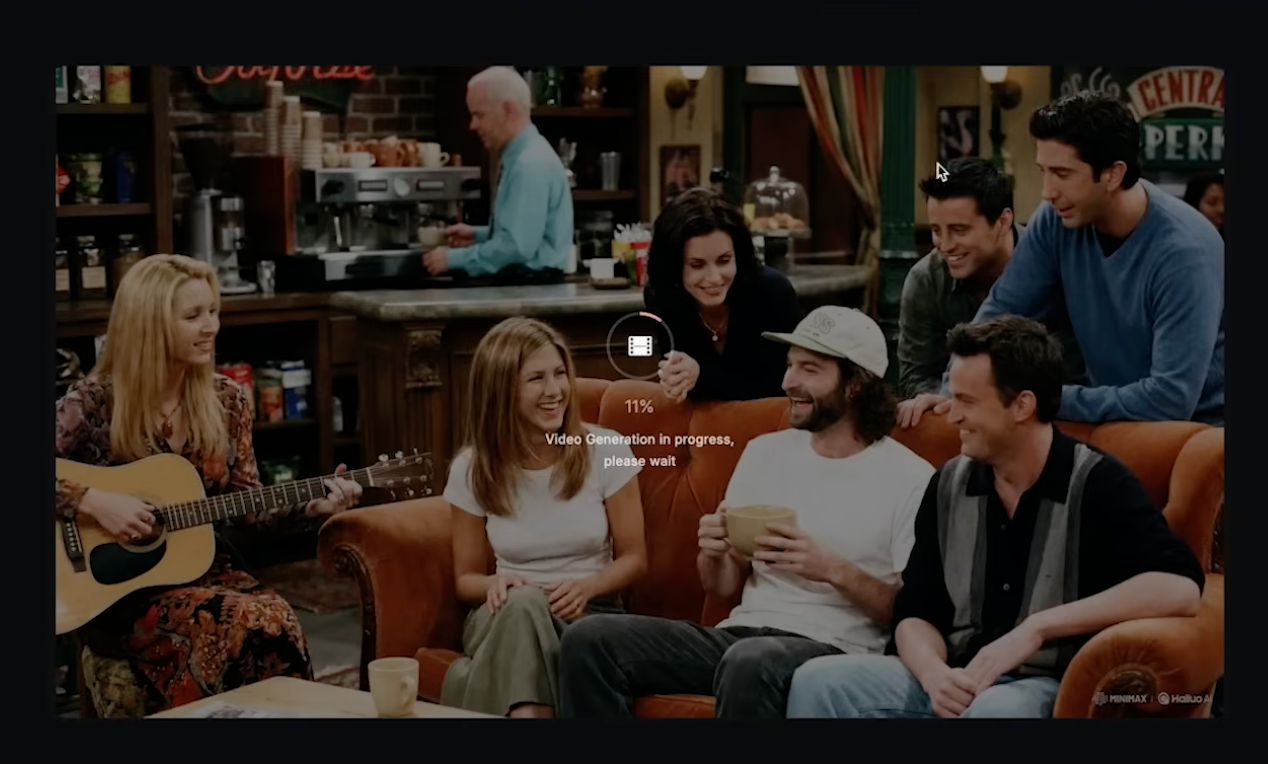
Hailuo is especially known for image-to-video. Upload a photo, describe the movement, and the model tries to create a short moving sequence from that visual. This is useful when you already have a strong starting frame and do not want to rely only on text prompts.
What Hailuo AI Does Well
Hailuo’s biggest strength is motion. Competitor reviews often describe it as one of the better budget-friendly AI video tools for physical movement, momentum, action, water, cloth, and body motion. That matches the way many creators talk about it: Hailuo can make a short clip feel less static and more physically convincing.
It is also approachable. A creator can start with a photo or short prompt and generate a clip without learning a complex editing interface. That makes Hailuo useful for quick experiments, trend videos, simple social clips, and short visual tests.
Another strength is image-to-video. If you already have a portrait, product image, animal photo, AI artwork, or cinematic still, Hailuo can add motion and camera movement. For creators who work with visual assets, this is often more predictable than starting from text alone.
Hailuo also has a strong template culture. The official site surfaces many ready-made ideas, such as photo-to-motion effects, transformation clips, stylish shopping videos, K-pop style videos, racing clips, teleportation effects, and other social-friendly formats. This lowers the creative barrier for users who do not want to write a detailed prompt from scratch.
Where Hailuo AI Can Feel Limited
Hailuo’s limitations show up when a creator needs more than one good short clip.
Many AI video projects require planning, editing, upscaling, audio, captions, scene structure, asset management, and multiple versions for different platforms. Hailuo can generate the raw clip, but users may still need other tools to turn that output into a finished video.
Audio is another consideration. Some Hailuo workflows are mainly focused on silent short video generation. If your project needs dialogue, music, voiceover, sound design, or lip sync, you may need to handle that separately.
Clip length can also be a constraint. Short AI videos are useful, but creators making trailers, stories, ads, tutorials, or YouTube content often need a longer sequence. That usually means generating multiple clips, choosing the best ones, and editing them together elsewhere.
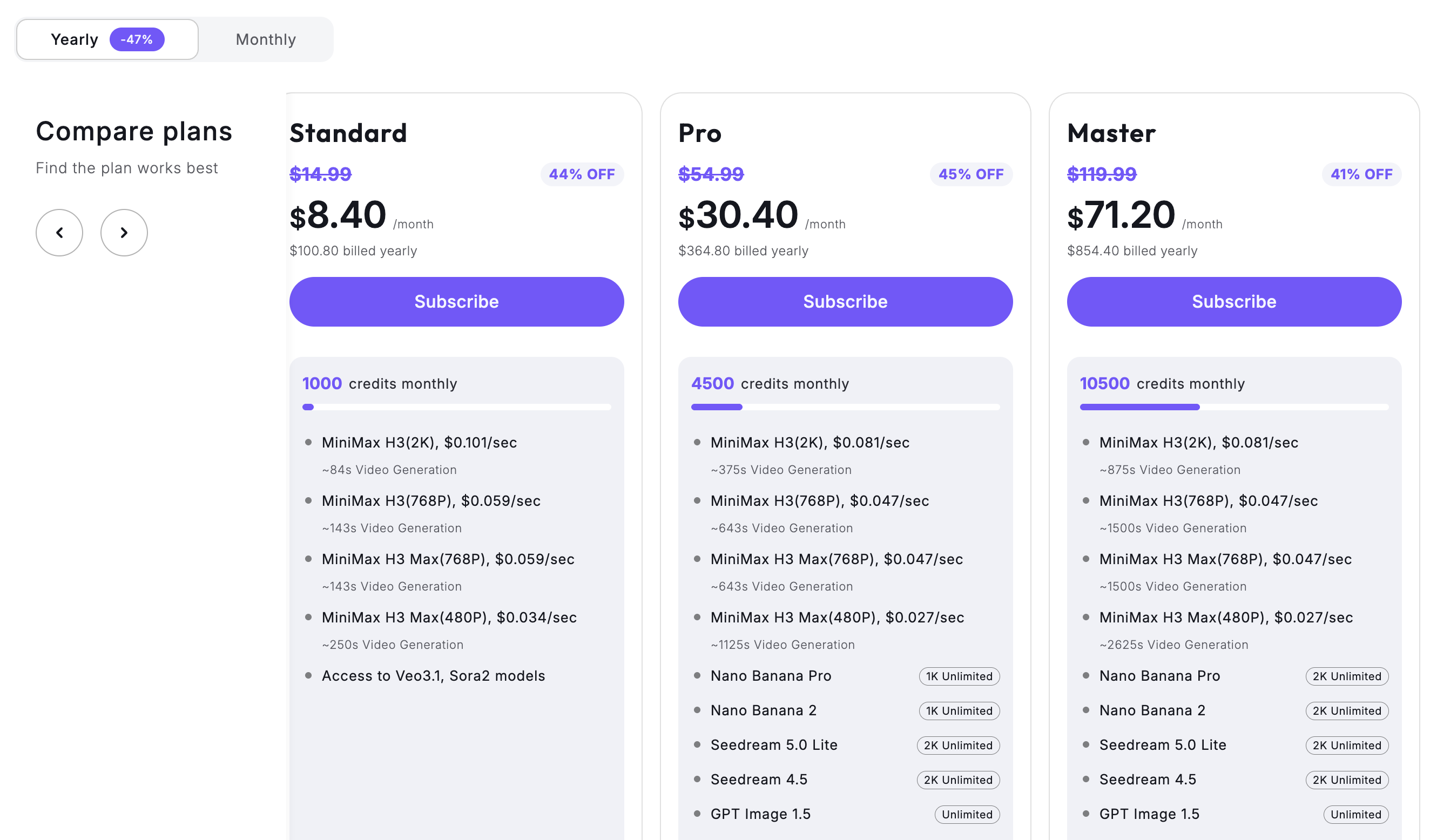
Pricing is worth checking carefully too. Third-party reviews sometimes disagree about Hailuo’s exact pricing, free credits, plan structure, or API cost because AI video pricing changes often. Before committing, creators should verify the latest information on Hailuo’s official subscription page.
Hailuo AI Pricing: What to Check Before You Pay
The safest way to think about Hailuo pricing is not just “How much is the plan?” but “How many usable clips will I get from the credits?”
AI video generation usually takes iteration. You may need several attempts to get the right movement, face, camera angle, object consistency, or style. A clip that looks affordable in theory can become more expensive if you need to regenerate often.
Before paying, check four things: how many credits you get, how long the videos can be, whether downloads include watermarks, and whether the plan supports the model or quality level you actually want.
If you are only making occasional short clips, Hailuo may be cost-effective. If you are producing content for campaigns, clients, ecommerce, or frequent social publishing, the workflow cost matters more than the advertised entry price.
Who Should Use Hailuo AI?
Hailuo AI is a good fit for creators who want short, motion-heavy AI clips. It works well for social creators, AI artists, fan editors, meme creators, short-form video makers, and users who want to animate still images quickly.
It is also useful for creators testing MiniMax-style video output. If you care about physical motion, action, and lively image animation, Hailuo is worth trying.
Hailuo is less ideal if you need a complete content production system. If your project requires script structure, longer videos, multiple scenes, voice, captions, upscaling, product storytelling, or model comparison, you may want a broader workflow.
When Medeo Makes More Sense
Medeo is useful when Hailuo’s short-clip generation is only one part of the job.
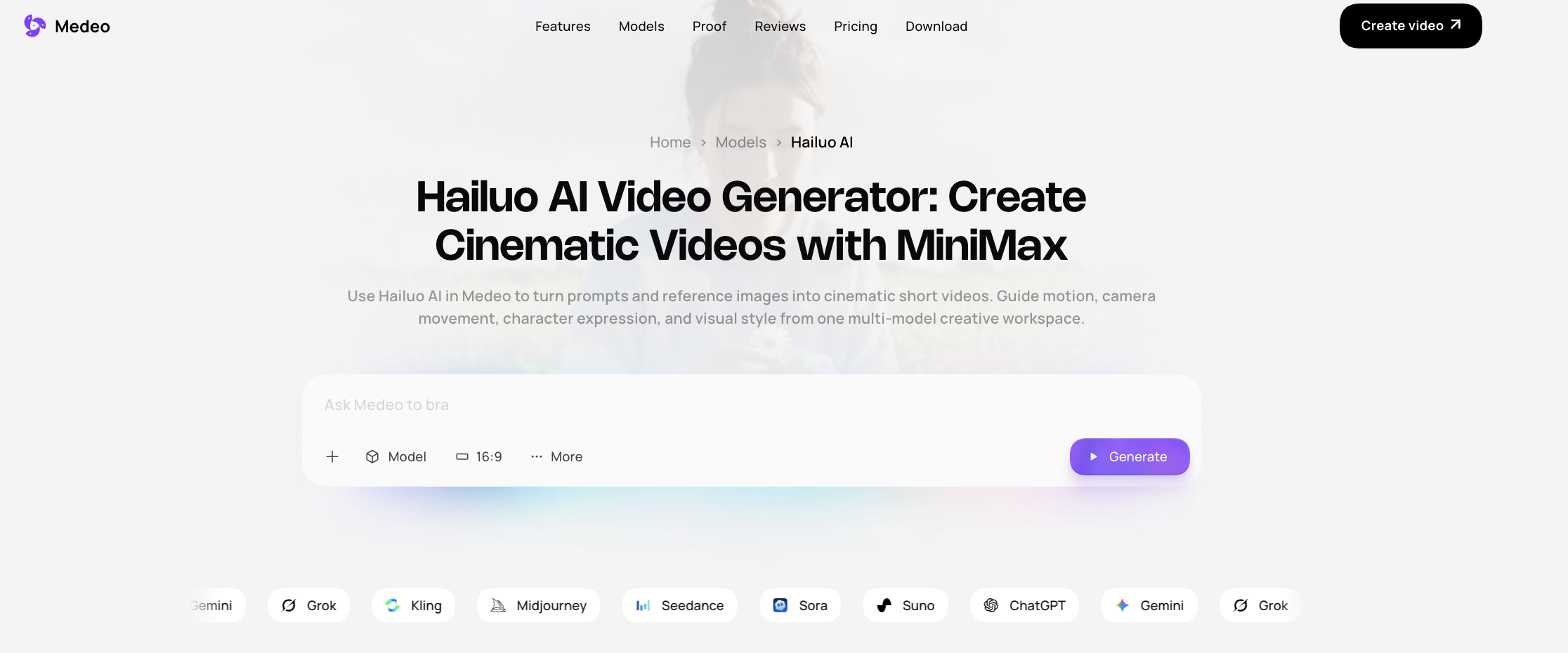
If you want to explore Hailuo-style generation inside a broader model workflow, Medeo’s Hailuo AI model page is a natural place to send readers; For creators following MiniMax model updates, Medeo’s MiniMax H3 page is also relevant because it frames MiniMax video generation as part of a wider creative model ecosystem; If the Hailuo output is visually strong but needs to look sharper before publishing, Medeo’s AI video upscaler can help improve final presentation quality; For creators making trailers, fan edits, or cinematic sequences rather than isolated clips, Medeo’s movie trailer generator is a better match for scene-level structure; And if the goal is serialized storytelling, dramatic scenes, or short narrative videos, Medeo’s short drama generator gives the project more direction than a single prompt-to-clip workflow.
This is where Medeo fits naturally. Hailuo can be great for generating a clip. Medeo is more useful when that clip needs to become part of a larger video workflow.
Hailuo AI for Short Cinematic Clips
Hailuo is strongest when the brief is simple and visual. A photo needs motion. A character needs to move. A scene needs atmosphere. A social trend needs a quick AI effect. A creator needs a short cinematic insert.
In those cases, Hailuo can feel fast and satisfying. You can test an idea quickly, generate a few variations, and decide whether the motion is strong enough to use.
That makes it a good tool for discovery. It helps creators see what a still image could become.
Medeo for Complete Video Workflows
Medeo becomes more useful when the project has more layers.
A creator may want to compare models, upscale the best output, combine clips into a trailer, create a story sequence, or build a social video around a product, character, or idea. That workflow needs more than raw generation.
This is especially true for marketers and serious creators. A campaign video is not just a cool AI motion test. It needs pacing, purpose, message, format, and final polish.
Hailuo helps create motion. Medeo helps turn motion into a finished creative asset.
Final Take
Hailuo AI is a strong tool for short AI video generation, especially when the focus is motion. It is fast, visual, and useful for image-to-video clips, social effects, action shots, and cinematic experiments.
But it is not always enough by itself. Creators who need longer workflows, polished outputs, model comparison, upscaling, trailers, stories, or marketing-ready videos may need more than Hailuo alone.
That is where Medeo becomes a better fit. It gives creators a wider space to work with Hailuo-style generation, MiniMax model pages, video enhancement, trailers, and narrative formats.
Use Hailuo when you want a strong short AI clip.
Use Medeo when that clip needs to become part of a real video workflow.
FAQ
What is Hailuo AI?
Hailuo AI is an AI video generation platform associated with MiniMax. It is used for text-to-video, image-to-video, photo animation, motion effects, short cinematic clips, and social video creation.
Is Hailuo AI good?
Yes. Hailuo AI is especially strong for short clips with physical motion, image animation, action movement, and social-friendly video effects. It may feel limited if you need longer videos, advanced editing, audio workflows, or complete production tools.
Is Hailuo AI good for image-to-video?
Yes. Image-to-video is one of Hailuo’s strongest use cases. It works well when you already have a strong photo, portrait, product image, AI artwork, or character visual and want to add motion.
Can Hailuo AI replace a full video editor?
Not completely. Hailuo can generate AI video clips, but creators may still need editing, captions, sound, upscaling, sequencing, and publishing tools to finish a complete video.
What is the best Hailuo AI alternative?
Medeo is a strong Hailuo AI alternative if you want a broader AI video workflow. It supports Hailuo-related model pages, MiniMax H3, AI video upscaling, trailer creation, short drama videos, and other creative workflows.
Is Medeo better than Hailuo AI?
Medeo is better if you need more than short clip generation. Hailuo may be better if your only goal is quick MiniMax-style video generation. The right choice depends on whether you need a model output or a broader workflow.
Does Hailuo AI have pricing plans?
Yes. Hailuo uses subscription and credit-based access, but pricing can change. Always check the official Hailuo subscription page before relying on third-party pricing information.
Can I use Hailuo AI for social videos?
Yes. Hailuo is useful for TikTok, Reels, Shorts, fan edits, meme clips, image animations, and short cinematic social videos.
Can I use Medeo with Hailuo-style workflows?
Yes. Medeo has a Hailuo AI model page and supports broader workflows around model-based generation, upscaling, trailers, short drama, and social video creation.
Should I use Hailuo AI or Medeo?
Use Hailuo AI if you want quick short clips with strong motion. Use Medeo if you need model access, video enhancement, story formats, trailer workflows, and a more complete AI video creation process.