Topview AI Review: Is It the Best AI Video Generator for Product Ads?
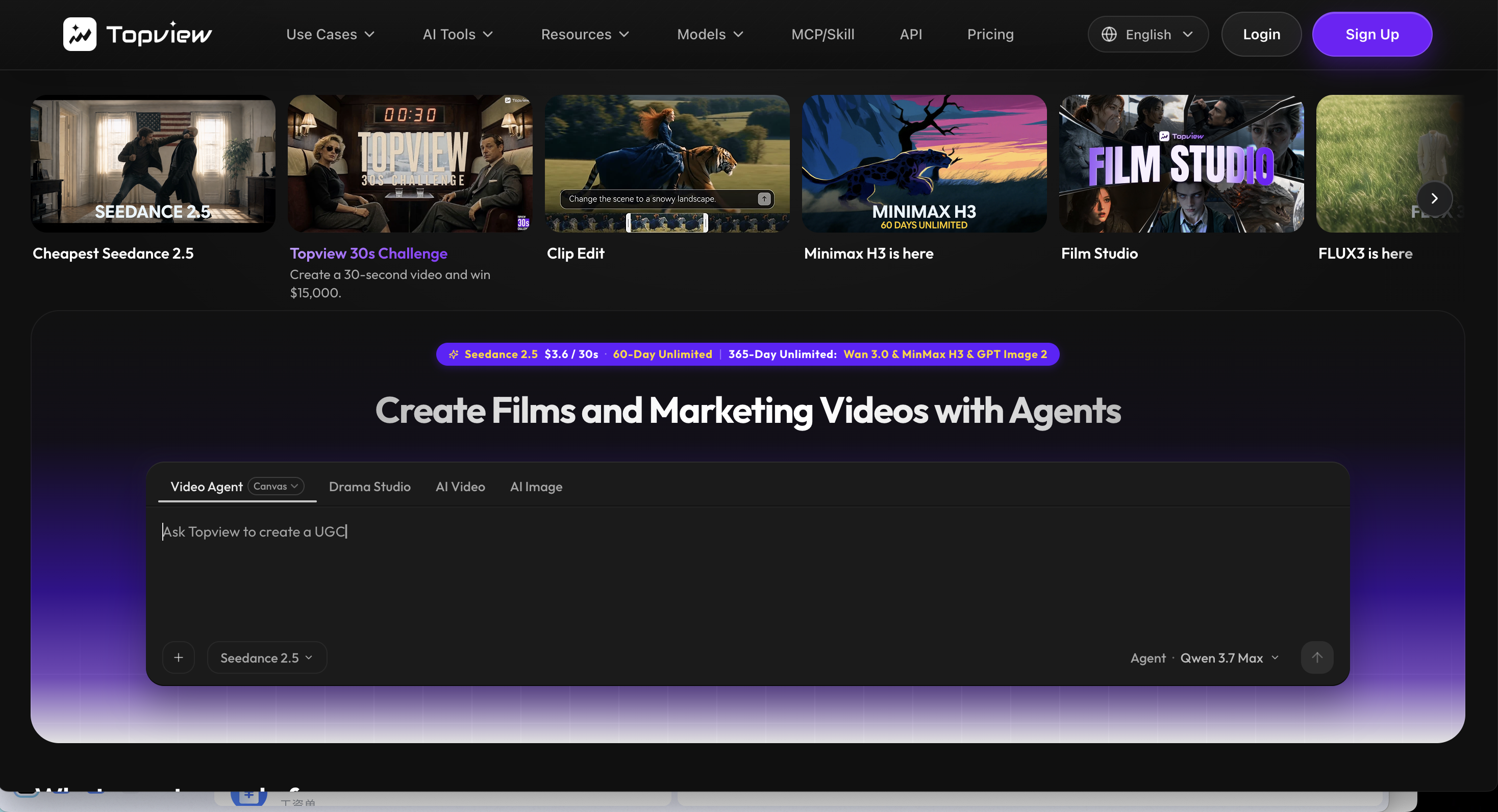
Topview AI is not trying to be a general creative toy. It is clearly built for marketing videos.
Its strongest promise is simple: give it a product URL, product image, campaign brief, or short idea, and it helps turn that material into ad-style videos for platforms like TikTok, Instagram Reels, YouTube Shorts, and ecommerce product pages.
That makes Topview AI different from many AI video generators. A lot of tools focus on cinematic clips, stylized experiments, or prompt-to-video demos. Topview AI is more commercial. It wants to help sellers, ecommerce brands, agencies, and performance marketers create product videos, UGC-style ads, avatar videos, comparison videos, and short social ads without hiring a full creative team.
That focus is useful. It is also where the tradeoff begins.
If your main goal is product ads, Topview AI is worth testing. If your goal is broader AI video creation across different models, content types, workflows, and source materials, Medeo may be a better alternative.
This Topview AI review looks at its core features, pricing, user experience, pros and cons, best use cases, and how it compares with Medeo for AI video creation.
What Is Topview AI?
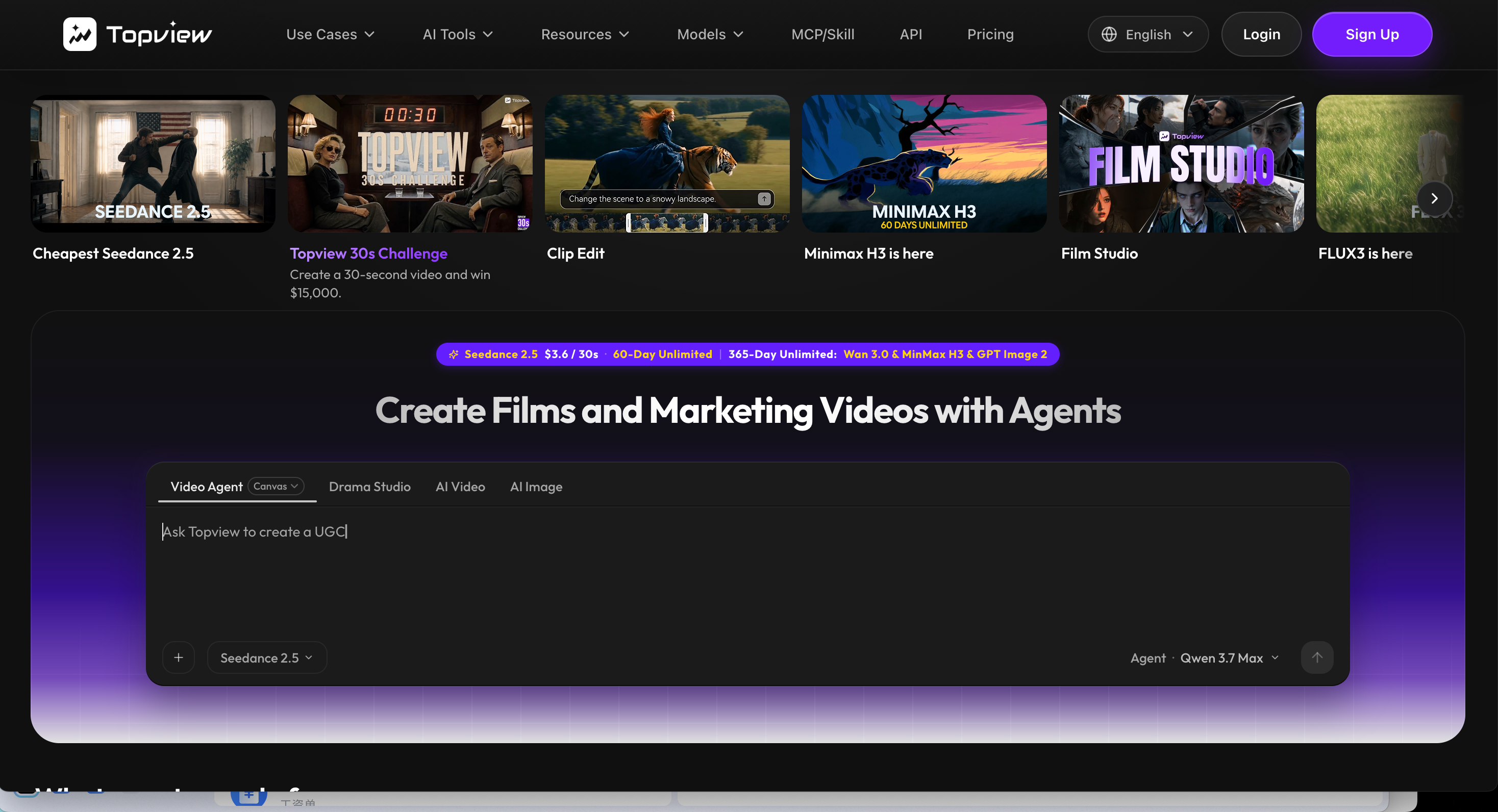
Topview AI is an AI marketing video generator built for ad creatives, product videos, social content, and ecommerce videos. Its official site positions it around commercial video workflows, including URL-to-video, product video generation, AI avatars, ad videos, and social media content.
Instead of starting from an empty timeline, users can begin with a product URL, a product image, a campaign idea, or a short prompt. Topview AI then helps generate scripts, visuals, scenes, avatars, and ad-style video structures.
This makes Topview AI especially relevant for ecommerce sellers, dropshipping teams, DTC brands, product marketers, UGC ad creators, and agencies that need many short video variations.
It is not just a “make a pretty clip” tool. It is closer to an AI ad production assistant.
Who Is Topview AI Best For?
Topview AI is best for users who already know they want marketing videos.
It fits ecommerce sellers who need product videos from product pages. It fits social media teams that need short ad variations. It fits marketers testing hooks, scripts, and UGC-style formats. It also fits agencies that need a faster way to generate rough ad concepts before investing in manual editing or production.
Topview AI is less ideal for users who want a broad creative workspace for many kinds of video. If you want cinematic storytelling, model comparison, image-to-video experimentation, video restoration, educational explainers, talking avatars, or link-to-video repurposing across different use cases, Topview may feel too ad-focused.
That is where Medeo becomes relevant later in the workflow.
Topview AI Key Features
URL to Marketing Video
Topview AI’s most important feature is URL-to-video for marketing content. Users can paste a product URL, campaign page, or product brief, and Topview AI helps turn that source into a video ad or product video.
This is useful because ecommerce teams already have product pages. Those pages contain the product name, benefits, descriptions, images, and sometimes reviews. Topview AI uses that material as the starting point for video creation.
This workflow is practical for sellers who do not want to write scripts manually. It also helps teams create ad variations faster.
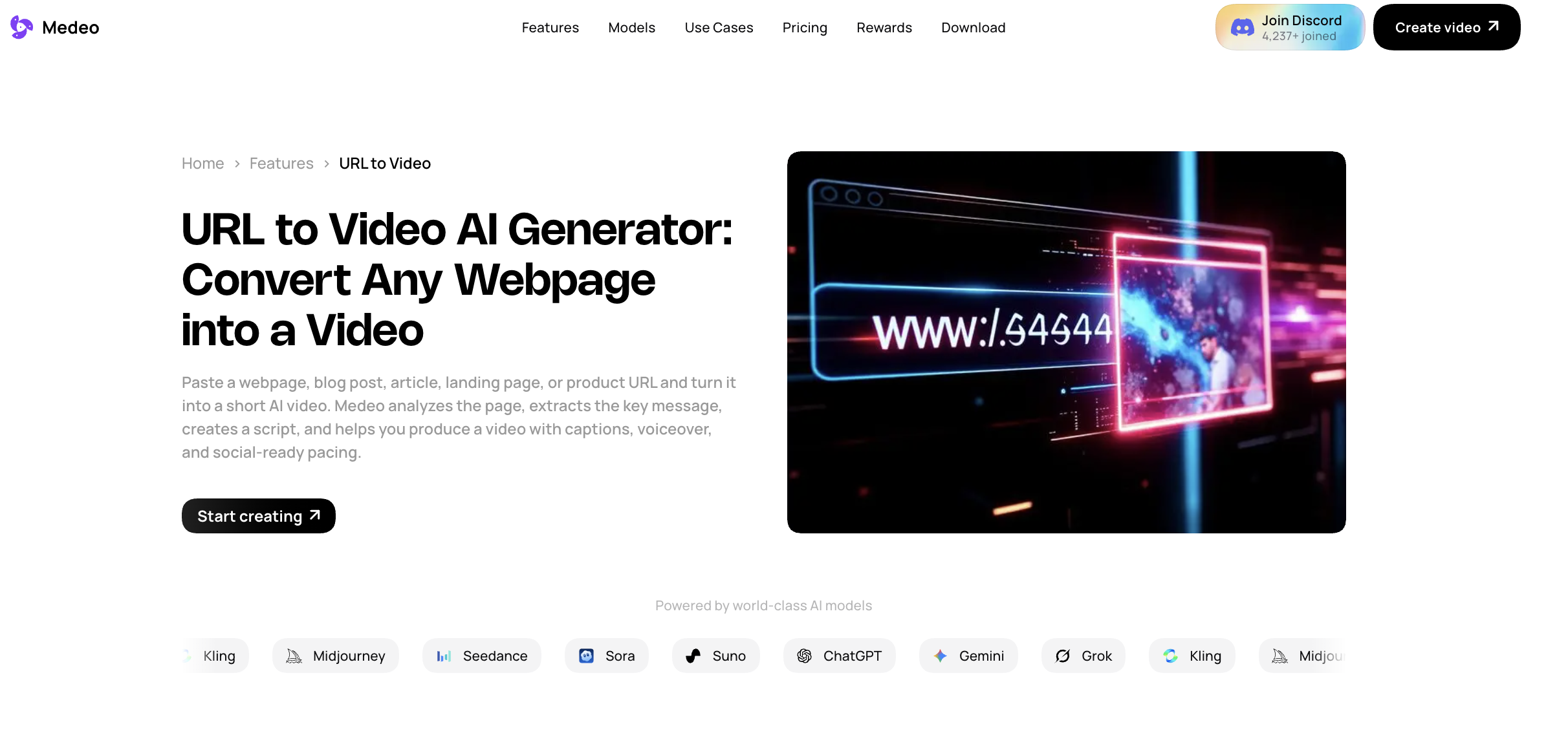
Medeo also supports URL-based video creation, but with a broader content angle. If your goal is to turn a webpage, article, landing page, or product page into a video draft, Medeo’s URL-to-video workflow is worth comparing. The difference is positioning. Topview AI is more ad-commerce oriented. Medeo is broader and can support product pages, articles, website content, tutorials, and other link-based video workflows.
Product Video Generator
Topview AI has a strong product video angle. Its product video pages focus on turning product links or images into professional product ads. This is one of the tool’s most natural use cases.
For ecommerce sellers, this is useful because product videos are expensive to produce manually. You normally need scripts, footage, editing, music, captions, and multiple aspect ratios. Topview AI compresses that process into a more automated workflow.
The tool is especially useful when users need volume. If a store has many products, manually producing video ads for each one can be slow. Topview AI helps create more variations quickly.
However, AI-generated product ads still need human review. Product claims, prices, visual accuracy, and brand tone should always be checked before publishing.
AI Avatar Videos
Topview AI includes AI avatar and talking avatar-style workflows. This is useful for UGC-style ads, spokesperson videos, product explainers, and social videos that need a face or presenter.
AI avatars can help brands create videos without hiring actors for every test. They are especially useful for performance marketing, where teams may want to test several scripts before investing in higher-end production.
That said, avatar videos can feel generic if the script is weak or the avatar style does not match the brand. The best results usually come from strong hooks, clear benefits, and human review.
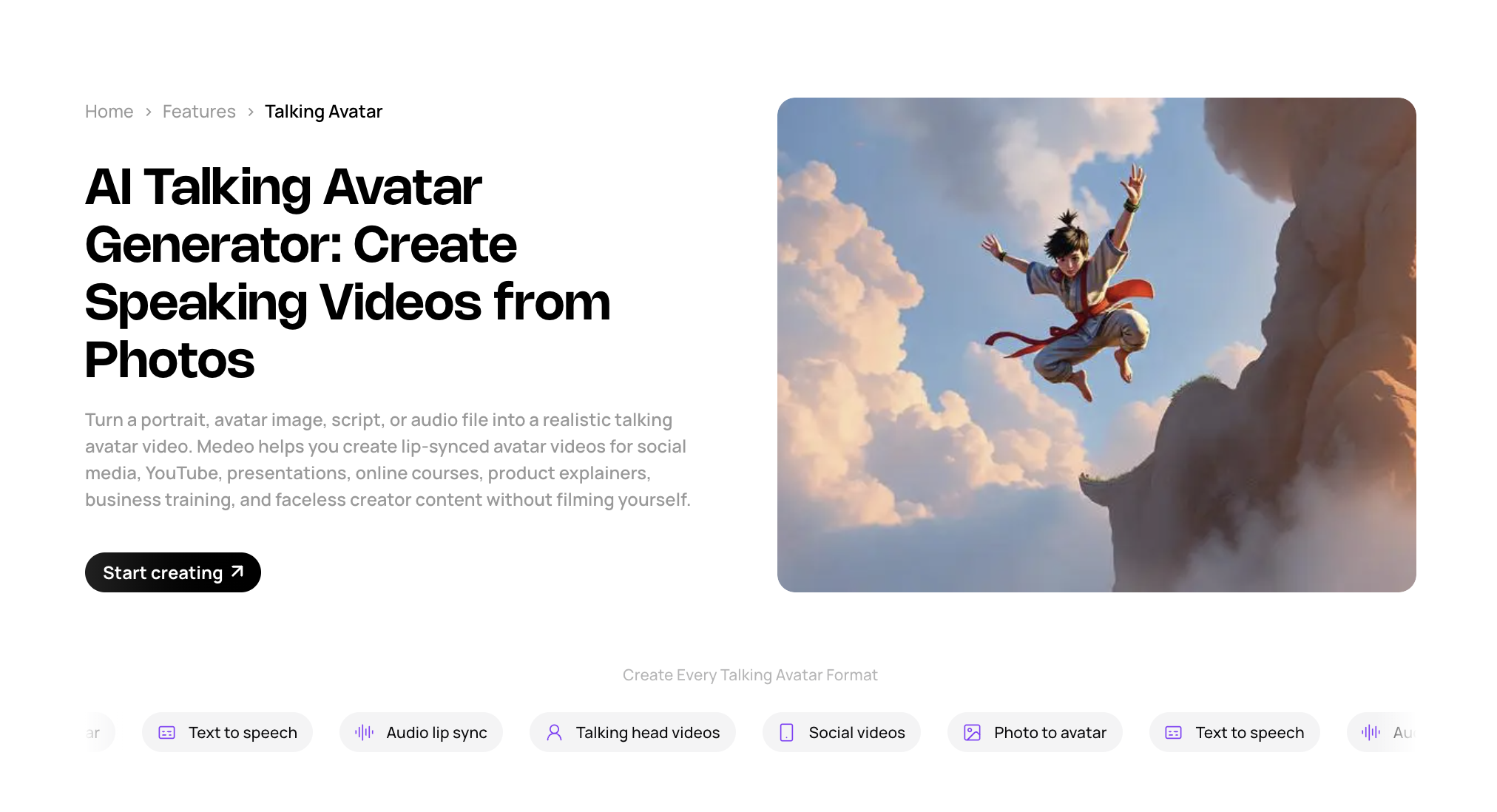
For users specifically interested in presenter-style videos, Medeo’s talking avatar page is a relevant internal comparison.
Topview AI is strong for ad-oriented avatar content. Medeo is useful when talking avatars are part of a broader video workflow that may also include text, images, links, or other generated media.
AI Video Generator
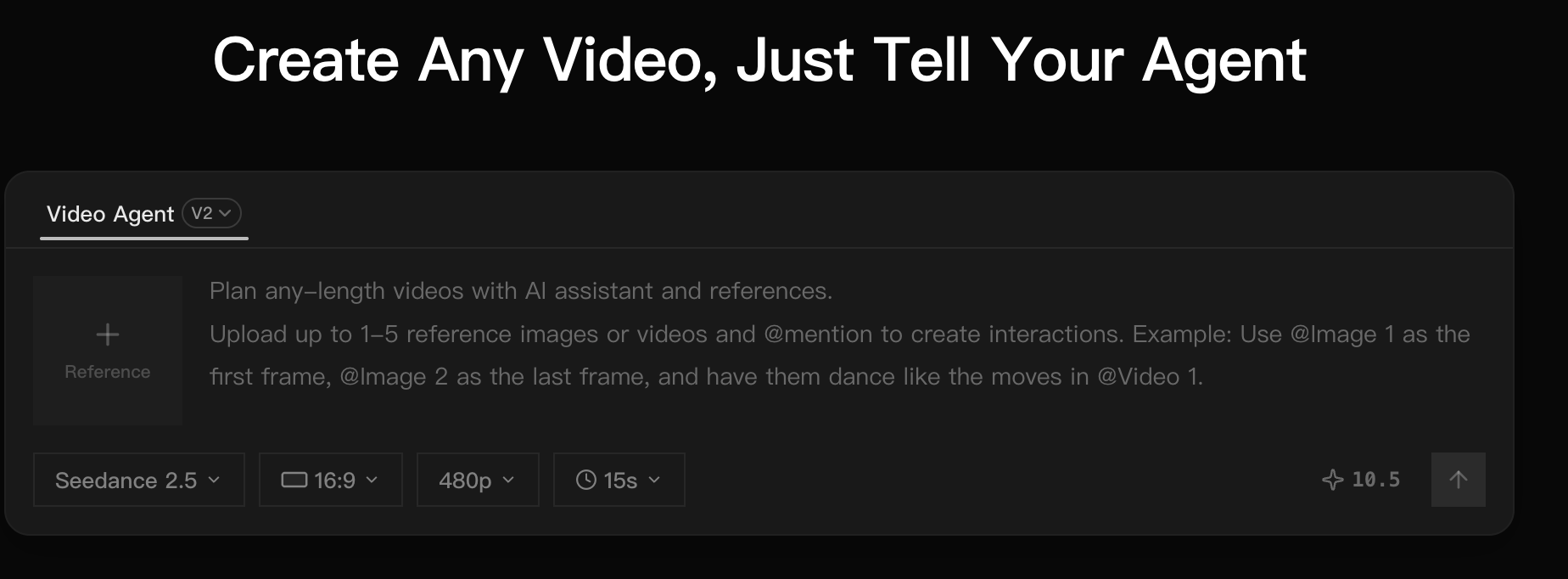
Topview AI also offers a more general AI video generator. Its official AI video generator page describes workflows for creating ad, product, and social videos, including text-to-video and image-to-video generation.
This matters because Topview is not only a URL-to-ad tool. It also supports prompt-based and image-based video creation.
Still, the product’s strongest identity remains marketing and ad video production. If you want a social ad, ecommerce clip, product demo, or UGC-style video, Topview AI is easy to understand.
If you want broader AI video creation from still images, Medeo’s image-to-video workflow may be a better fit;
If the starting point is a written idea, script, or prompt, Medeo’s text-to-video workflow is also relevant.
TikTok and Social Ad Workflows
Topview AI is clearly built with social media in mind. Its positioning around viral videos, TikTok ads, product ads, UGC, and short-form content is one of its biggest advantages.
This is helpful for marketers because social ads require a different structure from normal videos. The opening hook matters. The pacing matters. The first three seconds matter. The script must be short, clear, and visual.
Topview AI’s advantage is that it understands this ad-first format.
The limitation is that trend-based ad content can start to feel formulaic. If many brands use similar UGC scripts, avatar styles, and hook structures, outputs may become less distinct over time. For performance testing, that may be acceptable. For long-term brand building, teams may need more originality.
Topview AI Pricing
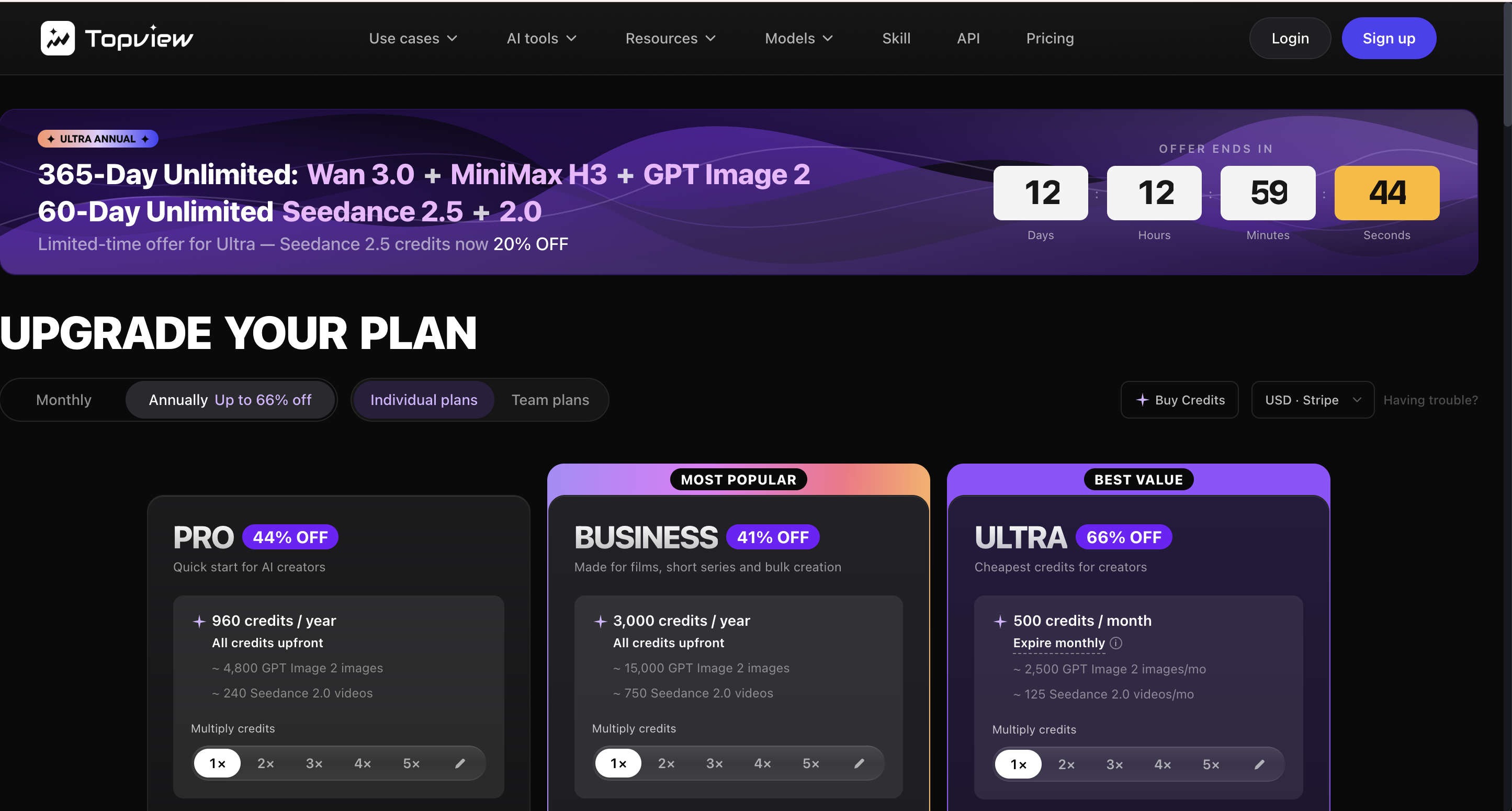
Topview AI uses plan-based and credit-based pricing. Its official pricing page highlights annual discounts, off-peak pricing, AI avatars, storage, export options, and different plan tiers.
Because pricing, credits, model access, video length, avatar limits, storage, and watermark rules can change, users should always check the official Topview AI pricing page before subscribing.
Third-party review pages commonly describe Topview AI as offering a free or trial entry point and paid tiers for higher-volume generation, watermark-free export, longer videos, more credits, storage, and advanced features. But exact prices should be confirmed on the official pricing page because AI video tools update plans frequently.
Before paying for Topview AI, check these details carefully:
How many credits are included each month?
How many credits does each video type consume?
Are avatar videos priced differently from normal videos?
Is watermark-free export included?
What is the maximum video length?
Can you use generated videos commercially?
Are product URL videos, UGC ads, and AI avatars included in your plan?
Does storage expire?
Are off-peak credits or relaxed generation modes available?
The most important question is not only “How much does Topview AI cost?” It is “How many usable ad videos can I create from the plan?”
Topview AI User Experience
Topview AI is designed to reduce manual work. That is its biggest usability strength.
Instead of writing every line of a script, choosing every visual, and manually editing every scene, users can start with a product URL, image, or brief. The platform then helps create a structured video. This is much easier than opening a traditional video editor.
For beginners, this is useful. The workflow feels more guided than many open-ended AI video tools.
However, the experience can still require review and iteration. AI may write a hook that feels too generic. It may choose visuals that need adjustment. It may misunderstand a product benefit. It may create an avatar video that looks acceptable but not brand-specific enough.
Topview AI works best when users treat the first output as a draft. The tool can speed up production, but it does not remove the need for marketing judgment.
What Topview AI Does Well
Topview AI is strong at turning product information into short ad-style videos. That is the clearest advantage.
It is also useful for generating many variations quickly. Performance marketers often need to test different hooks, angles, scripts, and visual formats. Topview AI supports that kind of high-volume creative testing.
Its product URL workflow is practical. Many ecommerce teams already have product pages, so using a URL as the source material saves time.
Topview AI’s avatar and UGC-style workflows are also useful for brands that want human-facing ads without filming every version.
Finally, the tool is beginner-friendly. It reduces the need for editing experience and gives users a more guided way to create ad videos.
Where Topview AI Feels Limited
Topview AI is strongest when the output is a marketing or product ad. That focus can become a limitation if users need broader video creation.
If you want cinematic clips, educational explainers, image-to-video experiments, talking avatar lessons, link-based content repurposing, or model-specific video generation, Topview AI may not always be the most flexible option.
The ad-first workflow can also make some outputs feel formulaic. This is common in UGC ad tools. They are good at producing content fast, but users still need to refine scripts, visuals, and brand voice.
Credit usage can also be a concern. If a user needs many revisions, the true cost may be higher than expected.
Finally, Topview AI may not replace a broader content workflow. Teams may still need additional tools for editing, polishing, upscaling, model comparison, repurposing, or non-ad video formats.
Who Should Use Topview AI?
Topview AI is a good fit for ecommerce sellers, performance marketers, agencies, dropshipping stores, DTC brands, and social media teams that need product ads fast.
It is especially useful when the main source material is a product URL, product image, campaign brief, or ecommerce page.
Topview AI is also worth trying if your team needs UGC-style ads, AI avatar product videos, short paid social clips, or fast ad variations.
It is less ideal if your video strategy includes many different formats beyond ads.
If your team needs product videos today but also wants explainers, talking avatars, image-to-video clips, link-based content videos, cinematic model workflows, and creative experiments, Medeo may fit better as a wider video workspace.
Topview AI vs Medeo
Topview AI and Medeo overlap in AI video creation, but they are built around different centers of gravity.
Topview AI is marketing-ad first. Its best workflows are product ads, UGC ads, product URL videos, avatar ads, and social commerce videos.
Medeo is broader. It is designed for creators who want to make videos from different starting points, including text, images, audio, videos, and links. It is more useful when the project is not always a product ad.
The difference is simple:
Use Topview AI when the job is mainly product ads.
Use Medeo when the job is broader AI video creation.
Best Topview AI Alternative for AI Video Creation: Medeo
Medeo is a strong Topview AI alternative if you need more than ecommerce ad generation.
Topview AI is useful when the workflow begins with a product and ends with an ad. Medeo is useful when the workflow may begin with a script, image, article, product page, landing page, audio clip, existing video, or creative idea.
That makes Medeo better for teams that create different types of content. A marketer may need a product video one day, a social explainer the next day, and a talking avatar tutorial after that. A creator may want to animate images, test AI video models, and turn links into short clips. An educator may want to turn written content into a lesson video.
Medeo is also useful because it gives creators access to different video-related workflows rather than forcing every project into an ad template.
This does not mean Medeo is always better than Topview AI. If a user only wants product ad automation, Topview AI may be more direct.
But if the user wants a more complete AI video creation workspace, Medeo is easier to recommend.
Topview AI Pros
Topview AI has a clear product positioning. It knows it is built for marketing videos, product ads, UGC-style videos, and social commerce content.
It saves time for ecommerce sellers and marketers by using product URLs, images, and briefs as source material.
It helps create ad variations quickly, which is useful for performance testing.
Its avatar and UGC-style workflows are practical for brands that want human-facing content without filming every variation.
It is easier to use than traditional video editing software, especially for beginners.
Topview AI Cons
Topview AI can feel too ad-focused for users who need broader video creation.
The output may require editing and review, especially for brand tone, product accuracy, and script quality.
Credit usage and plan limits need careful checking before high-volume use.
Some ad templates or avatar formats may feel generic if not customized.
It may not replace a full AI video workflow for teams that need text-to-video, image-to-video, URL-to-video, model comparison, upscaling, restoration, and non-ad content formats.
Is Topview AI Worth It?
Topview AI is worth trying if you create product ads, UGC-style videos, ecommerce videos, or paid social variations. It is especially useful for teams that already have product URLs and product images and want to turn them into short videos quickly. However, Topview AI may not be the best choice if your content needs go beyond ads. If you need a more flexible AI video creation workflow, Medeo is a stronger alternative. The best choice depends on the job. Topview AI is strong for ad automation. Medeo is stronger for broader video creation.
FAQ About Topview AI
What is Topview AI?
Topview AI is an AI marketing video generator for product ads, UGC-style videos, avatar videos, ecommerce clips, and social media ads. It can create videos from product URLs, images, prompts, and campaign briefs.
Is Topview AI free?
Topview AI usually offers a free or trial entry point, but free usage is limited. Users should check the official pricing page for current credits, plan limits, watermark rules, and export options.
How much does Topview AI cost?
Topview AI uses paid plans and credits. Exact pricing can change, so users should check the official Topview AI pricing page before subscribing. Third-party reviews may list plan prices, but official pricing is the safest source.
What is Topview AI best for?
Topview AI is best for ecommerce product videos, UGC-style ads, product URL videos, AI avatar ads, and short social media videos for marketing.
Can Topview AI create videos from a product URL?
Yes. URL-to-video is one of Topview AI’s strongest workflows. Users can paste a product URL or campaign brief and generate marketing or ad-style videos.
Does Topview AI support AI avatars?
Yes. Topview AI includes AI avatar and presenter-style workflows, which are useful for UGC-style ads, product explainers, and social videos.
Is Topview AI good for ecommerce?
Yes. Topview AI is especially relevant for ecommerce sellers, DTC brands, dropshipping stores, and agencies that need product videos or paid social ad variations.
What is the best Topview AI alternative?
Medeo is a strong Topview AI alternative if you want broader AI video creation beyond product ads. It supports workflows such as URL-to-video, talking avatar, image-to-video, text-to-video, and model-based video generation.
Is Topview AI better than Medeo?
It depends on your goal. Topview AI is more focused on product ads and UGC-style marketing videos. Medeo is better if you need a broader AI video workspace for different content types and source materials.
Can I use Topview AI videos commercially?
Commercial usage depends on Topview AI’s current terms, plan, and the rights you have to source materials such as product images, URLs, scripts, music, and avatar content. Always check official terms before using outputs in ads or client work.
Final Verdict
Topview AI is a strong tool for a very specific job: turning product material into marketing videos.
It is useful for ecommerce sellers, performance marketers, and agencies that need product ads, UGC-style videos, AI avatars, and social ad variations quickly. Its URL-to-video and product video workflows make sense for commercial teams that need speed.
But Topview AI is not the only answer for AI video creation. Its ad-first focus can feel narrow if your team also needs explainers, educational videos, image-to-video clips, talking avatars, cinematic model workflows, content repurposing, or broader creative experimentation.
That is where Medeo is the better alternative. Use Topview AI when your main goal is product ad automation. Use Medeo when your goal is a more complete AI video creation workflow.